
5+ Best Campaign URL Builder Tools (2026)

For WordPress site owners, the Analytify UTM Campaign URL Builder is the best UTM campaign builder. You tag links inside your WordPress dashboard and read the results in real-time reports. Google Campaign URL Builder is the best free option outside WordPress.
UTM parameters show where your website visitors come from and which campaigns bring them in. Creating them by hand is slow and error-prone. URL campaign builder tools fix that.
This guide compares six campaign URL builders. Each one simplifies link tagging, reduces errors, and shows campaign performance in a few clicks.
UTM Campaign Builders (TOC):
What is a UTM Campaign?
A UTM campaign is a way to track the performance of your marketing efforts. You add special tags called UTM parameters to the links you share. These tags show where your website traffic comes from, what type of campaign brought it in, and how visitors engage with your content. Google Analytics Help lists utm_source, utm_medium, and utm_campaign as the three parameters every tagged URL should include (URL builders: Collect campaign data with custom URLs).
For example, suppose you’re running a summer sale and promoting it via email, Facebook, and Instagram. In that case, UTM campaigns help you see which channel drives the most traffic or conversions.
Let’s say your original product link looks like this:
https://yourwebsite.com/product-page
After using UTM tags for a Facebook promotion, it would look like this:
https://yourwebsite.com/product-page?utm_source=facebook&utm_medium=social&utm_campaign=summer_sale
When someone clicks that link, Google Analytics shows the visitor came from Facebook, through a social post, and as part of your summer sale campaign. This gives you a clear view of which channels and campaigns work best.
What is the UTM Campaign Builder?
A UTM Campaign Builder is a tool that adds UTM parameters to your links for you. You skip the manual formatting. The tool gives you simple boxes to fill out, like:
Here’s what you can add with this tool:
- Source – where the traffic is coming from (e.g., Facebook, newsletter, Google)
- Medium – the type of channel (e.g., social, email, CPC)
- Campaign – the name of your campaign (e.g., summer_sale, product_launch)
- Term (optional) – the paid keyword (used in ads)
- Content (optional) – to tell different versions of the same ad or link apart
Once you fill in the details, the tool automatically generates a clean, trackable link with all your UTM tags included.
Why Do We Need a UTM Campaign Builder?
Using a builder to create a campaign URL is important because:
- It ensures accuracy. No more manually typing URLs and messing up the format.
- It improves tracking. You can see exactly which campaign, source, and medium perform best in tools like Google Analytics.
- By knowing which campaigns bring in the most traffic or sales, you can focus your time and budget where it matters.
- It supports testing. You can compare different ads, links, or platforms to see what works best.
What Features to Look for in a Campaign URL Builder?
Here are the most important features to look for:
- Free to Use: No need to pay just to create trackable links.
- Easy to Use: Simple layout with fill-in boxes (no tech skills needed).
- Auto-Fill or Presets: Saves your past campaigns so you don’t retype everything.
- Clean Formatting: Automatically creates error-free URLs.
- Link Shortener Option: Helps make long links shorter.
- Google Analytics Friendly: Works perfectly with tools like GA4.
These features save you time, avoid mistakes, and simplify your tracking.
6 Best UTM Campaign Builder Tools
The six best UTM campaign builder tools are Analytify UTM Campaign URL Builder, Google Campaign URL Builder, Uplifter, Raventools, Terminusapp, and UTM.io. Analytify is the best fit for WordPress users.
I would pick the builder that lives where you already work. On a WordPress site, that is the Analytify UTM builder: you tag the link and read its results in the same dashboard.
| Tool | Best For | Free Plan | Standout Feature |
|---|---|---|---|
| Analytify | WordPress and WooCommerce sites | Yes, with Analytify plugin | Auto-fills base URL, reports inside WordPress |
| Google Campaign URL Builder | Quick, one-off links | Yes | Official Google tool, zero setup |
| Uplifter | Agencies and analytics teams | Yes, basic version | Predicts campaign ROI, wide integrations |
| Raventools | SEO and marketing agencies | No | Centralized campaigns for multiple clients |
| Terminusapp | Teams managing many campaigns | No | Tag templates and team collaboration |
| UTM.io | Small teams to enterprise | Yes, limited | Real-time link validation, Chrome extension |
1. Analytify UTM Campaign URL Builder
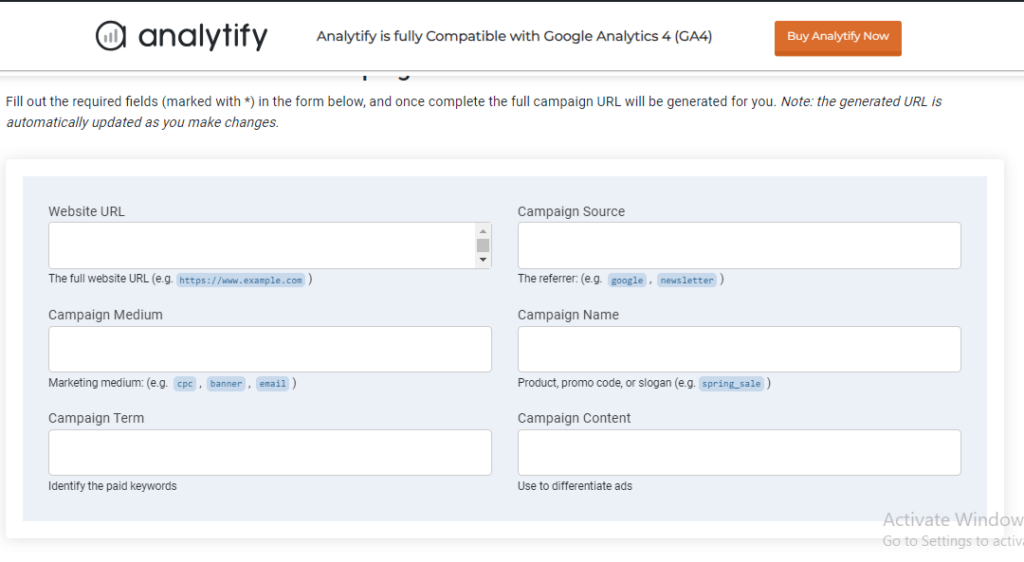
Analytify UTM Campaign URL Builder is a user-friendly tool designed especially for WordPress users who want to track their campaigns effortlessly with Google Analytics. It integrates directly with Analytify, so you can create UTM-tagged URLs within your WordPress dashboard and instantly track them in real-time reports.
Join 50,000+ beginners & professionals who use Analytify to simplify their Website Analytics!
Some of the standout features of Analytify’s UTM Campaign URL Builder are given below :
- Simple interface for entering UTM parameters: Campaign Source, Medium, Name, Term, and Content
- Auto-fills your base URL (domain) to speed up the process and prevent errors
- Keeps a record of your most recent UTM links for quick reuse
- Allows easy copying of tagged URLs with one click for use in emails, social posts, or ads
- Fully integrated into the WordPress dashboard through the Analytify plugin.
The biggest advantage of Analytify’s campaign builder is how smoothly it connects campaign creation with campaign reporting. Once you’ve created and shared a UTM-tagged link, Analytify pulls that data into its Campaigns Report inside your WordPress dashboard. This report shows how each campaign performed regarding clicks, conversions, bounce rate, and even which devices or locations your visitors came from.
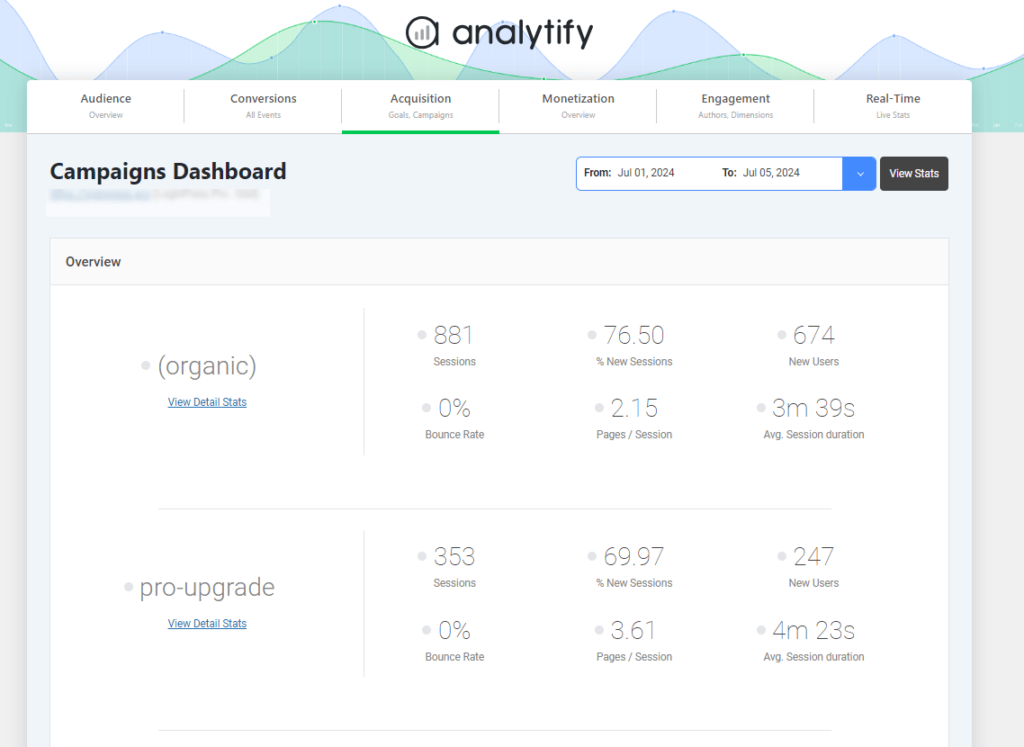
No need to log in to Google Analytics or build custom reports manually. Analytify shows you all essential campaign insights in a visually clean, easy-to-understand format. This helps you identify which marketing strategies (like newsletters, Instagram promotions, or affiliate campaigns) are bringing actual traffic and engagement to your website.
2. Google Campaign URL Builder
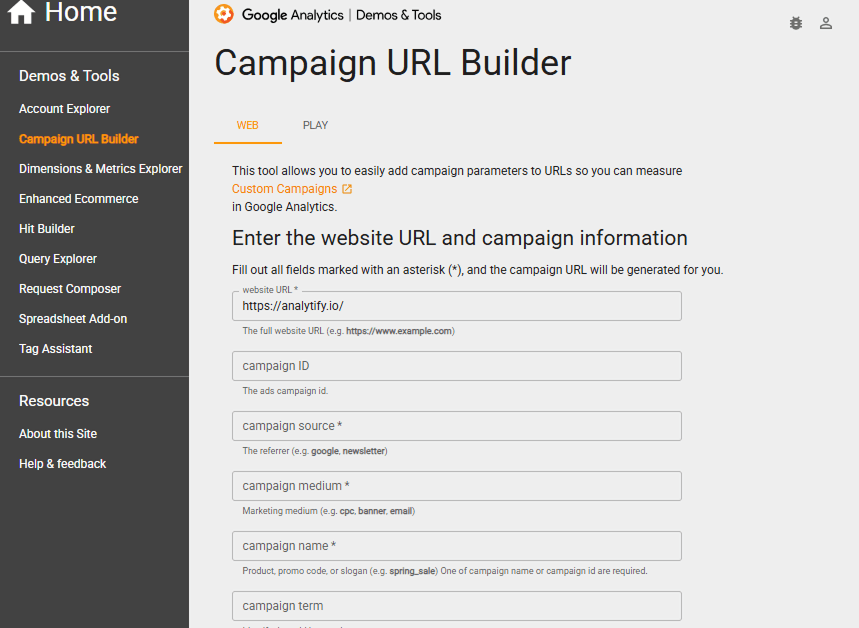
Google Campaign URL Builder, developed by Google, is a simple and reliable tool for creating campaign URLs with UTM parameters for tracking in Google Analytics. The following features of Google URL builder are:
- A clean, user-friendly interface directly from Google
- Allows manual input of UTM parameters like source, medium, and campaign name
- Instantly generates a tagged URL ready for use in ads, emails, or social posts
- Integrates directly with Google Analytics for campaign performance tracking
- Ideal for basic campaign tracking without extra features like saving URLs or team collaboration
3. Uplifter UTM builder

Uplifter’s free UTM builder is another great option for marketers and analytics teams looking to quickly create trackable campaign URLs. Any link generated can be reported in most analytics platforms, including Google Analytics and Adobe Analytics.
Uplifter goes a step further with its premium software, which is definitely worth considering. It’s a fully fledged link management platform which is perfect for teams handling multiple campaign URLs.
- Custom naming conventions
- Branded URL shortener, QR code and app deep link generator
- Custom reporting dashboards
- Learns from current campaigns and predicts ROI of future campaigns
- Wide range of integrations including GA, Adobe Analytics, Salesforce and more
Uplifter’s software tackles the problem of poor campaign link governance, resulting in cleaner, more consistent data across the entire organization.
4. Raventools URL Builder
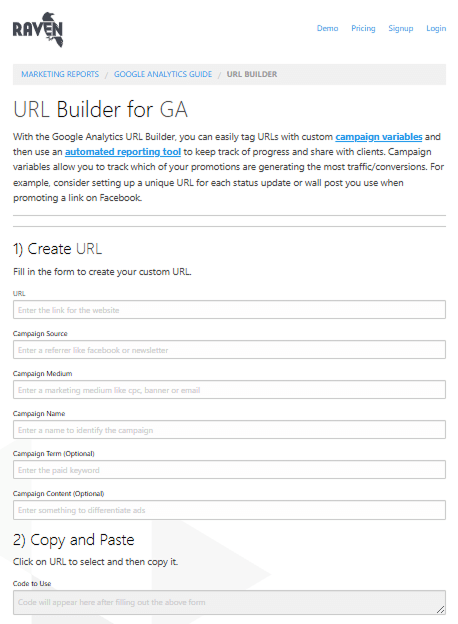
Raventools is part of Raven’s broader suite of marketing tools and is ideal for SEO and digital marketing professionals. It helps users generate and manage campaign links within a larger toolkit. Features of this tool are:
- Allows easy creation of UTM-tagged URLs with all standard tracking parameters.
- Saves generated links in your Raven account for reuse and management.
- It offers centralized campaign organization, which is especially helpful for agencies handling multiple clients.
- Integrates with Raven’s reporting tools for automated performance tracking and presentation.
5. Terminusapp URL Builder
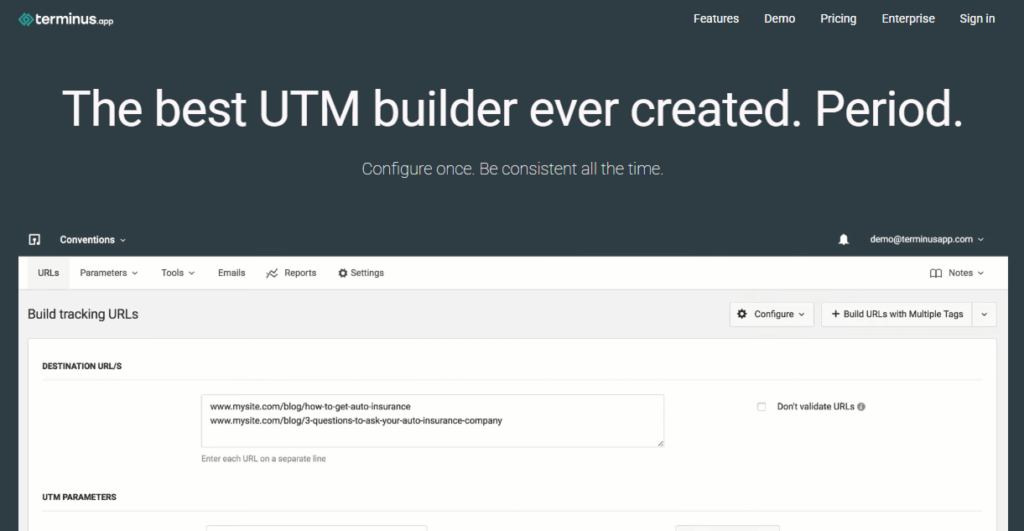
Terminusapp is a tool made for teams and power users who manage many links and campaigns. It simplifies tagging while offering control over how links are created and maintained. Other prominent features are:
- Includes tag templates and presets to standardize campaign naming across teams.
- It offers advanced link tagging options.
- Stores a detailed history of created URLs to help manage past campaigns.
- Offers team collaboration tools for maintaining a uniform link structure.
- Its analytics view lets you see how each tagged URL performs, which helps you create marketing.
6. UTM.io
UTM.io is a high-performing and visually clean URL builder that suits both small teams and enterprise-level campaign tracking. It focuses on consistency, collaboration, and productivity.
- Enables creation of UTM links using saved tag presets and folder organization
- Real-time link validation helps prevent tagging mistakes
- Chrome extension allows on-the-go UTM link building across the web
- Facilitates team collaboration by allowing users to share and standardize links
- Integrates with Google Sheets, Slack, and other tools for smooth workflow management
FAQs About Campaign Builders
1. What is a UTM Code Generator?
A UTM code generator is a free tool that helps you create trackable links by adding UTM parameters (source, medium, and campaign) to your URLs.
2. How do you create a URL parameter?
To create a URL parameter manually, add a question mark (?) after your URL, then your first UTM tag. Use & to add more.
Example: yoursite.com/page?utm_source=facebook&utm_medium=social&utm_campaign=summer_sale
Or use a free tool like Analytify UTM Campaign URL Builder to do it easily.
3. How to track campaign URL in Google Analytics?
First, create a campaign URL using UTM tags.
Share that URL in your ad, email, or post.
Go to Google Analytics > Reports > Acquisition > Traffic Acquisition.
You can see traffic data based on source, medium, and campaign name, all pulled from your UTM tags.
4. Why isn’t Analytify showing my UTM campaign data?
Analytify usually can’t show UTM campaign data if Google Analytics tracking isn’t connected, or if the tagged link hasn’t received any clicks yet. Check your Analytify connection under WordPress settings, confirm the UTM link is live, and allow a few hours for GA4 to process the traffic.
Final Thoughts
UTM campaign parameters help you identify where your traffic comes from and how users interact with your content.
A UTM Campaign Builder simplifies this process by generating properly formatted, trackable URLs.
The six tools compared here, Analytify, Google Campaign URL Builder, Uplifter, Raventools, Terminusapp, and UTM.io, each offer distinct advantages for different user needs, from beginners to marketing teams.
For further guidance, you can read these articles:
Build your first tagged campaign link with Analytify’s UTM builder inside WordPress.