How to Write Meta Descriptions? Optimizing for Search Visibility and Click-Through Rate

You have less than a second to make a first impression in Google’s search results. Your page title and meta descriptions are your only chance to convince a user to click on your link instead of the many others on the page.
Good meta descriptions are your secret weapon for standing out. This small piece of text can dramatically increase your click-through rate (CTR), drive more qualified traffic, and support your overall SEO strategy.
In this comprehensive guide, we will outline the best practices for writing meta descriptions in 2026 that capture attention, increase engagement, and drive conversions.
Meta Descriptions (TOC):
What Is a Meta Description?
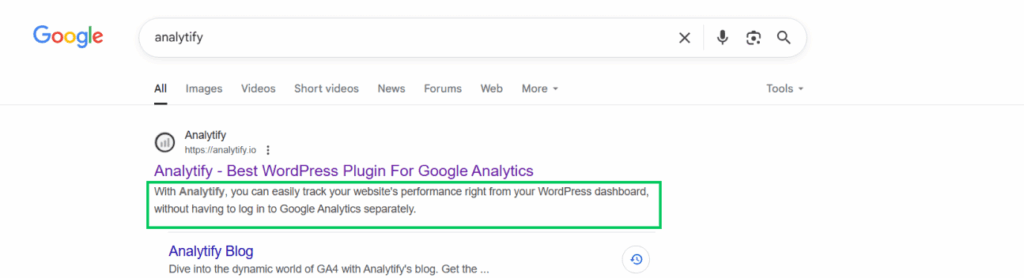
A meta description is an HTML attribute that provides a summary of a webpage’s content. It is typically between 150 and 160 characters long. Search engines like Google often display this text below the blue, clickable title on the search engine results pages (SERPs).
Example Meta Description Code:
<meta name= “description” content= “Your compelling summary of the page’s content goes right here.”>
Its primary purpose is not to rank higher, but to advertise the page’s content and entice users to click.
The Role of Meta Descriptions in SEO
Meta descriptions do not directly affect Google rankings; Google has stated they are not a direct ranking factor.
However, meta descriptions significantly impact SEO performance indirectly:
- Influence Click-Through Rate (CTR): A well-written meta description makes your result more appealing, leading to more clicks.
- Higher CTR Can Lead to Higher Rankings: Google interprets a higher CTR as a positive user signal. Suppose your result consistently gets more clicks for a given query than others. In that case, Google may see it as more relevant and valuable, potentially boosting rankings over time.
- Manages User Expectations: An accurate meta description ensures users find what they expect, reducing bounce rates and increasing engagement.
Best Practices for Meta Descriptions in 2026
A good meta description accurately summarizes the page, includes the target keyword naturally, and prompts a click within 150 to 160 characters. The best practices below cover exactly how to write one, with examples.
According to stats, “Almost 41% of top-ten pages have meta descriptions that are too long. Google truncates these in SERPs.” Hence, crafting good meta descriptions is both an art and a science. By following these proven best practices for meta descriptions, you can improve your CTR and SEO.
1. Adhere to the Optimal Length
Keep your meta descriptions between 150 and 160 characters in length. This is the sweet spot to ensure Google does not trim your description with an ellipsis (…).
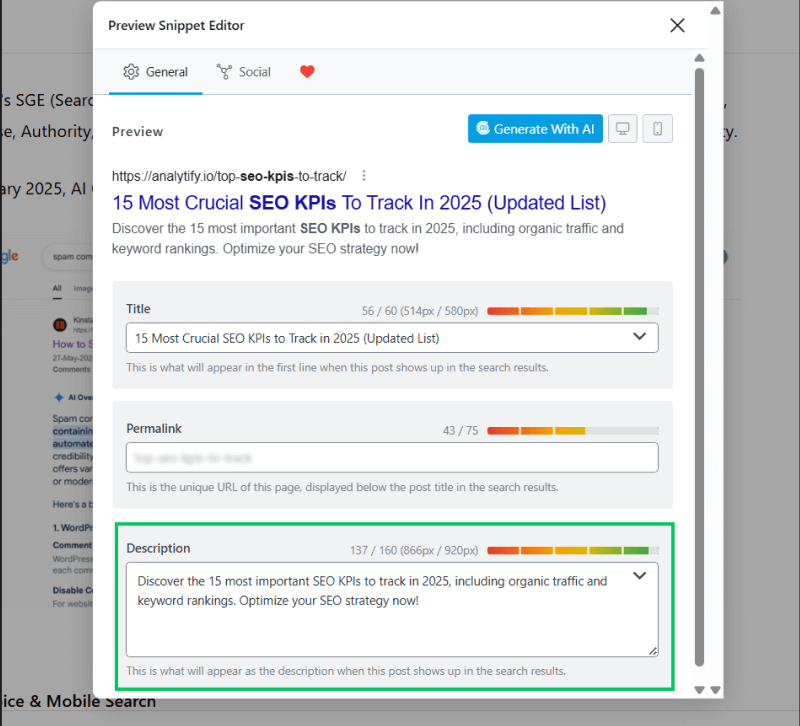
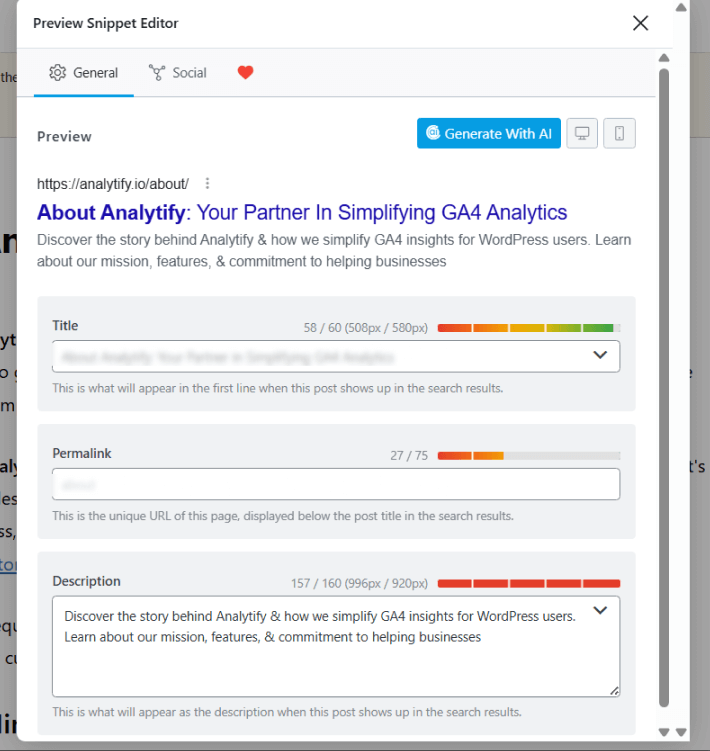
Pro Tip: Always preview your meta description in a tool like Yoast SEO or SEMrush to see how it will look on both desktop and mobile devices.
2. Incorporate Target Keywords Naturally
Google often bolds the query terms a user searches for when they appear in the meta description. This visual highlight grabs attention and signals relevance.
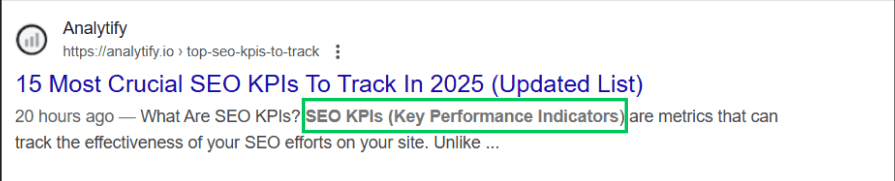
- Primary Keyword: Always include your focus keyword if it fits naturally.
- Secondary Keywords: Weave in semantically related terms or question-based keywords (e.g., “how to,” “best way”).
- Avoid Stuffing: Meta description keywords are not an effective SEO best practice for writing meta descriptions.
3. Use Active Voice and Action-Oriented Language
Passive voice is weak. Active voice is compelling and direct.
- Passive: “Tips for the writing of meta descriptions can be found here.”
- Active: “Write compelling meta descriptions that boost your CTR. Learn our 5-step formula.”
Use power verbs like ‘discover’, ‘learn’, and ‘get’, which can help amplify the importance and urgency.
4. Include a Clear Call to Action (CTA)
Clearly inform the user of the desired action. A strong CTA creates Intent.
- Learn More: “Learn how to write great meta descriptions in our free guide.”
- Get Started: “Get started with our easy-to-use meta description template.”
- Solve a Problem: “Solve your low CTR problem with our five proven tips.”
- Shop Now: “Shop our summer collection now. Free shipping on orders over $50.”
5. Ensure Relevance, Accuracy, and Uniqueness
Your meta description must be an honest preview of the page’s content. Misleading users will increase your bounce rate and harm your credibility.
- Be Accurate: Don’t promise a “definitive guide” if you’ve written a short listicle.
- Be Unique: Every page on your site deserves a unique meta description. Duplicate meta descriptions are a missed opportunity and confuse search engines.
6. Appeal to User Intent and Emotion
Understand why the user is searching and speak to that need.
- Informational Intent (“how to…”): Focus on the answer. “Learn exactly how to write a meta description in 60 seconds. Step-by-step guide included.”
- Commercial Intent (“best software for X”): Highlight differentiators. “Compare the best SEO tools. See why 10,000 marketers chose our platform.”
- Transactional Intent (“buy blue widget”): Highlight value, price, or offer. “Buy premium blue widgets today. 20% off your first order + free shipping.”
Writing Meta Descriptions for Different Content Types
Different content types need different meta description approaches: product pages emphasize price and availability, blog posts emphasize the specific takeaway, and service pages emphasize the value delivered.
Let’s learn some ways to curate good meta descriptions for different types of content. Your approach should vary based on what you’re describing.
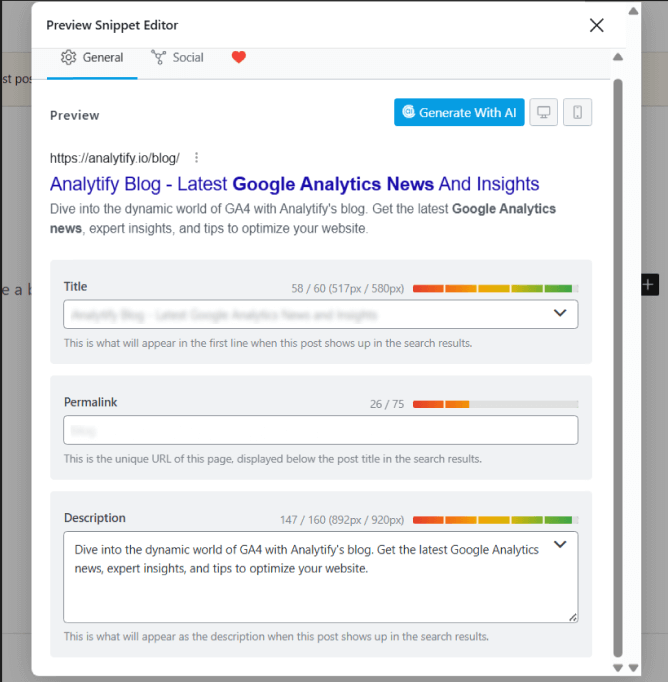
Blog Posts
Focus on the key takeaway or benefit. Pose a question or state a compelling fact.
Example
Product Pages
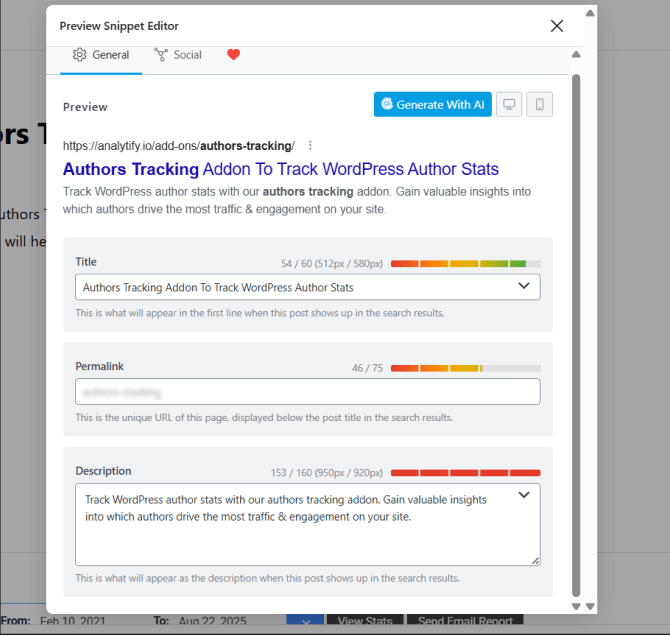
Highlight key features, benefits, and unique selling propositions (USPs). Include price if it’s a competitive advantage.
Example
Service Pages
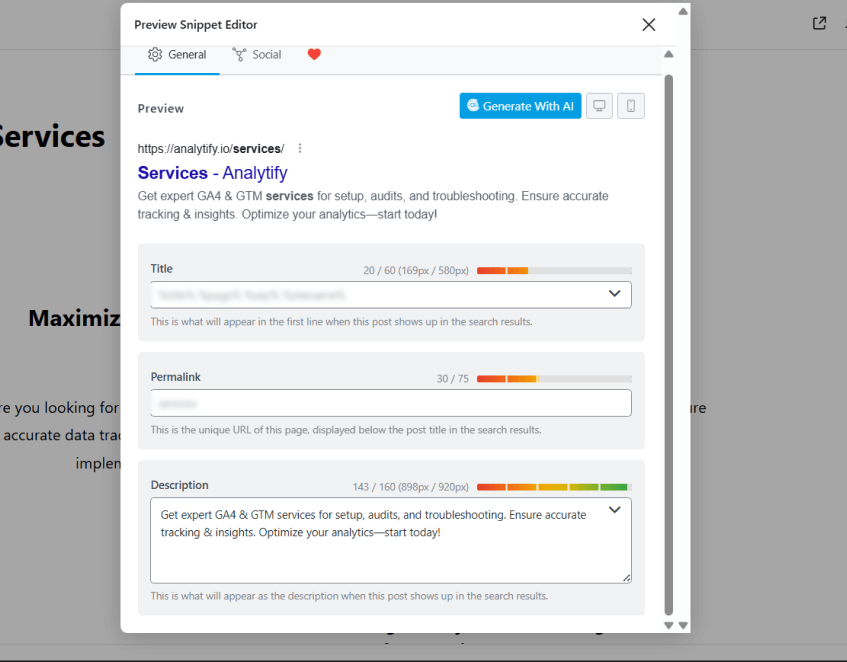
Clearly state the service and the value it provides to the client. Focus on outcomes.
Example
Landing Pages
Align the description perfectly with the ad copy and campaign goal. Be concise and direct.
Example
Common Meta Description Mistakes to Avoid
These are the most common meta description mistakes and how to avoid them:
- Duplication: Using the same generic description across all pages is lazy and hurts CTR.
- Being Vague or Misleading: Descriptions like “Welcome to our homepage” or false promises damage trust.
- Ignoring Mobile: Over 60% of searches are conducted on mobile devices. Check how your description looks on a small screen.
- Neglecting Updates: Old pages with outdated descriptions (“…for 2022”) appear irrelevant. Review them annually.
Tools and Resources for Crafting Good Meta Descriptions
- Yoast SEO Plugin: The most popular WordPress SEO plugin. It provides a meta description box with a real-time character counter and snippet preview, making it easy to write and optimize.
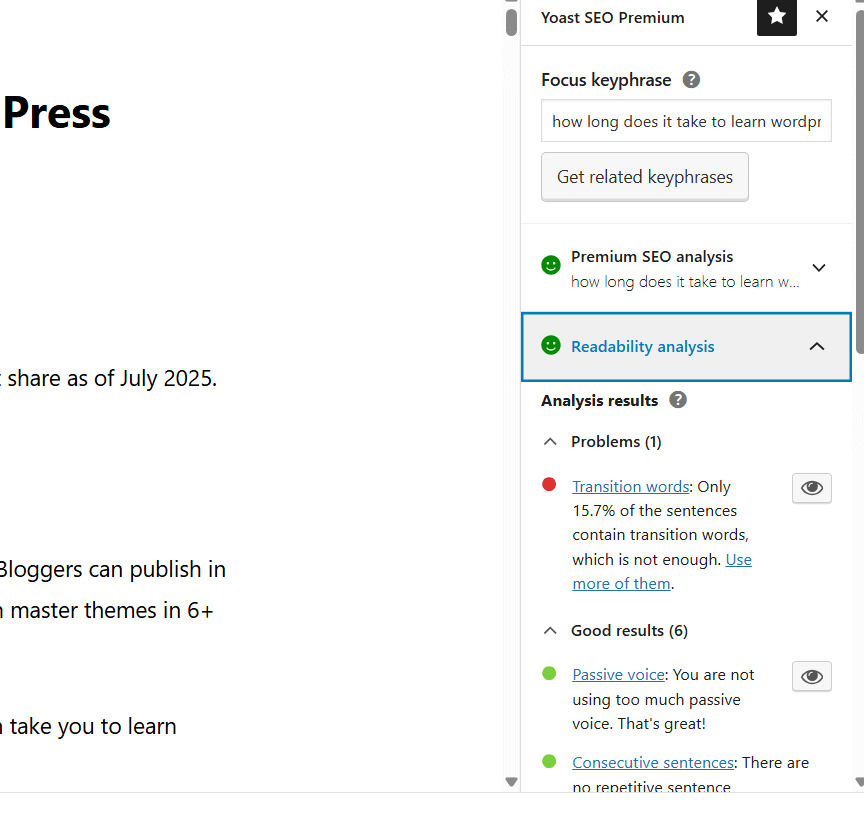
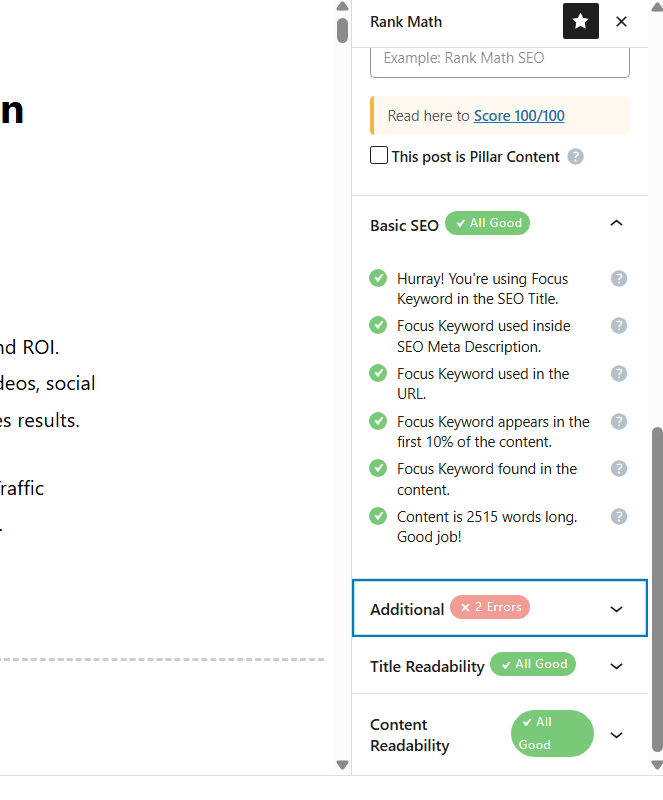
- Rank Math: A full-featured alternative to Yoast, offering similar preview functionality and advanced SEO analysis.
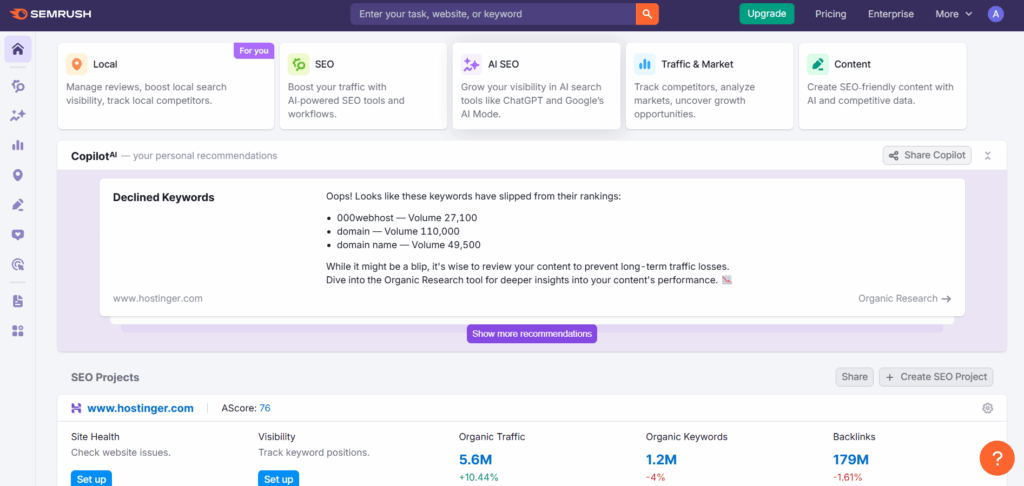
- SEMrush & Ahrefs: Use these tools for keyword research to discover what terms your audience is searching for, which should be included in your meta descriptions.
- AI Writing Assistants (like ChatGPT): Excellent for generating ideas and variations. Prompt example: “Generate five meta description options for a blog post about [your topic]. Keep them under 155 characters and include a call to action.”
Analyzing the Effectiveness of Your Meta Descriptions
Writing a good meta description is only half the job. You must also measure its performance. Some ways to measure your meta descriptions’ performance are:
- CTR Monitoring in Google Search Console: GSC shows the average CTR for your pages and specific queries. Identify pages with high impressions but low CTR. These are prime candidates for a meta description rewrite.
- A/B Testing: Use a tool like Google Search Console or other platforms to test different meta descriptions for the same page to see which one yields a higher CTR.
- Adjust Based on Data: Let the performance data guide your strategy. If a question-based description performs better, use that style more often.
How Analytify Helps You Master Your Meta Descriptions
Join 20,000+ beginners & professionals who use Analytify to simplify their Google Analytics!
Analytify tracks how each meta description actually performs, showing you what works and what does not.
Analytify blends directly with your WordPress dashboard to bring Google Analytics 4 data front and center. You don’t need a separate platform to see how your pages and their meta descriptions are performing.
With Analytify, you can:
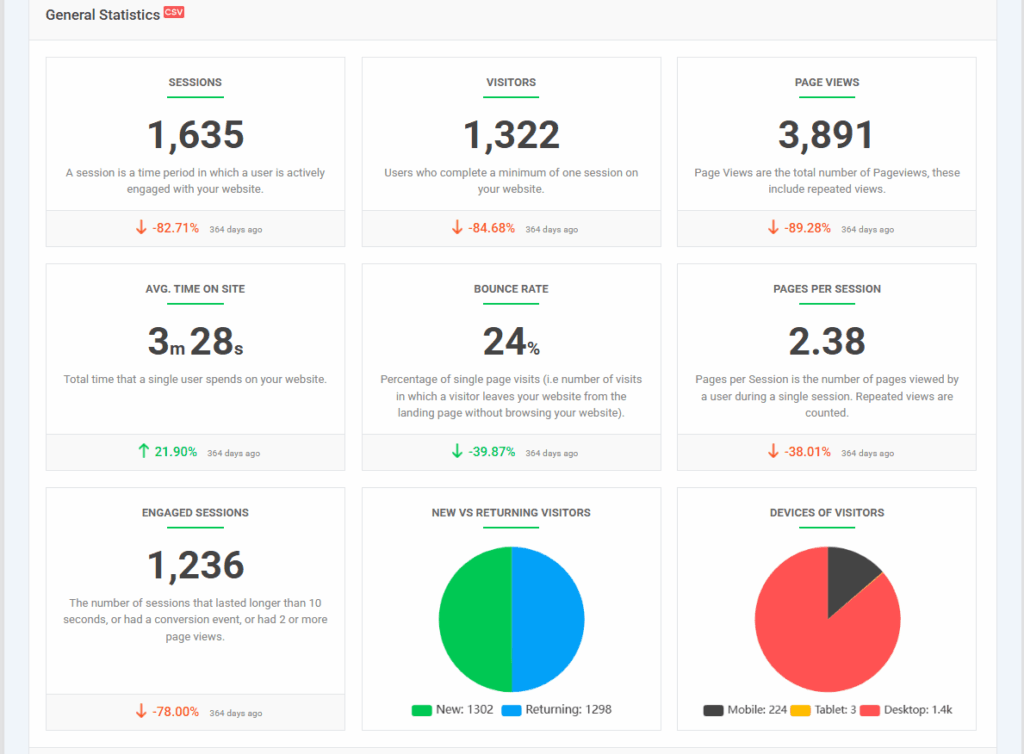
- Access Key Metrics Instantly: View pageviews, average time on page, and most importantly, bounce rate for every post and page. A high bounce rate after a meta description rewrite signals a mismatch.
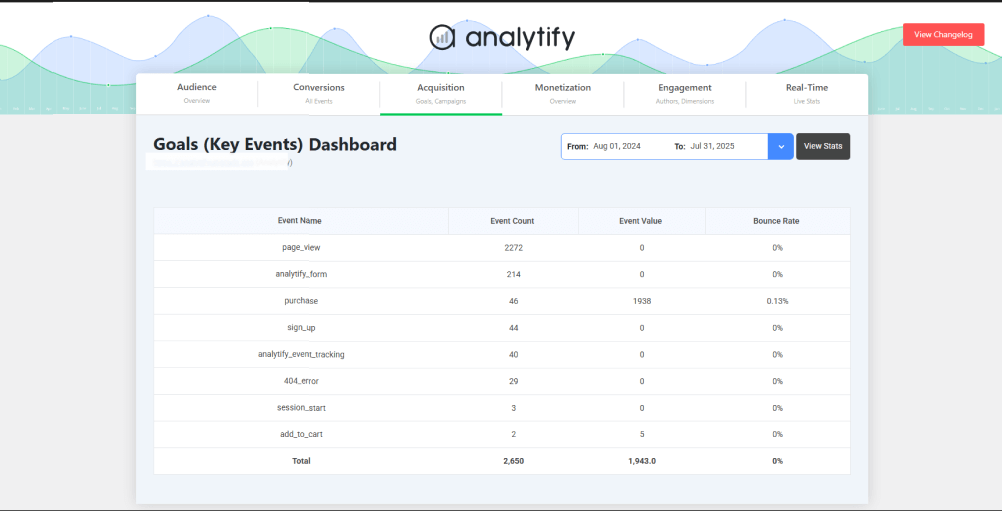
- Identify Top-Performing Content: Quickly see which pages have the best engagement metrics in the Key Events dashboard. Analyze what their meta descriptions have in common and replicate that success.
- Real-Time Traffic: You can track real-time traffic through your WordPress instead of switching tabs.
With Analytify, you can make data-driven decisions instead of guessing. By using real engagement data from within your WordPress admin, you can decide which meta descriptions to A/B test and optimize.
By combining the features provided by Analytify, you can create a continuous improvement schedule for your SEO and content strategy.
FAQs on Meta Descriptions
1. How long should a meta description be?
For a good meta description, you should aim to keep your meta descriptions between 150 and 160 characters. This is not a random limit; it is based on the average pixel width that search engines like Google will display before trimming your text with an ellipsis (…). While this length can fluctuate slightly based on the specific words and characters used, sticking to this range ensures your entire marketing message is seen properly.
2. Do I need a meta description for every page?
Absolutely. Crafting a unique and purposeful meta description for every page on your website is a critical best practice. If you neglect to write one, Google’s algorithm will automatically generate a snippet from your page’s visible text. This auto-generated description is often a disjointed sentence fragment that may not accurately represent the page’s core value or include your target keywords. By taking control, you ensure every result in the SERPs is a persuasive and accurate advertisement for your content, maximizing your potential click-through rate across your entire site.
3. Can I use quotes in my meta description?
It is generally recommended to avoid using straight quotation marks ( ” ” ) within your meta descriptions. Search engines may interpret a quotation mark as the closing point of the attribute in the HTML code, which can cause the entire description to be cut off prematurely. To avoid any risk of truncation, it is safer to use alternative punctuation like hyphens (-) or commas to structure your sentence and convey the same meaning without any technical hiccups.
4. How do I add a meta description in WordPress?
The simplest and most effective method for adding meta descriptions in WordPress is to use a dedicated SEO plugin, such as Yoast SEO or Rank Math. These plugins integrate directly into your WordPress admin experience, adding a dedicated meta description text box within the editing screen for every post and page. They provide a live preview of how your description will appear in search results and include a helpful character counter, eliminating the guesswork from optimization and making professional SEO practices accessible to all users.
5. Why isn’t my meta description showing in Google search results?
Google rewrites the snippet whenever it decides your description doesn’t match the searcher’s query better than the page’s own text, which happens on a large share of searches regardless of how well the description is written. Keep the description tightly matched to the page’s actual content and primary keyword to reduce how often Google overrides it.
Final Thoughts
A meta description is a small piece of HTML with enormous potential. It is your final pitch, your ad copy, and your chance to win the click in a crowded SERP.
While it won’t directly lift your rankings, a compelling meta description built with target keywords, active language, and a clear CTA will boost your CTR.
This CTR increase in user engagement sends a strong signal to Google, indirectly supporting your SEO efforts and driving more valuable traffic to your site.
So stop leaving your meta descriptions to chance. Use the 2026 best practices in this guide, analyze your results with tools like Google Search Console and Analytify, and start turning more impressions into visitors.
For more analytics-related articles:
- Top 5 Content Marketing Analytics Reports in GA4
- On-Page SEO in WordPress: Ultimate Guide
- How to Use Google Search Console for Keyword Research Guide
Which practice will you apply to your meta descriptions for enhanced CTR and SEO? Let us know in the comments below!