Website Intelligence Systems: Building a Smart Analytics Stack in 2026

A website intelligence system goes further than standard analytics. It combines data collection, AI analysis, and automated insights to help teams make faster, smarter decisions.
Traditional analytics tools show what happened: traffic went up, bounce rate increased, conversions dropped. A website intelligence system explains why it happened and suggests what to do next.
In this guide, you’ll learn what a website intelligence system is, how it works, and how to build a smart analytics intelligence stack for your website.
Website Intelligence System (TOC):
What Is a Website Intelligence System?
A website intelligence system is a framework that collects, analyzes, and interprets website data to generate actionable business insights. Unlike basic analytics, it connects multiple technologies into one platform. This includes tracking tools, data processing systems, and AI models. Together they turn raw data into strategic decisions.
What a website intelligence system helps businesses understand:
- How users interact with different parts of the website
- Why specific behaviors occur at certain points in the user journey
- What actions will improve performance, conversions, or user experience
- Which trends are emerging before they become visible in standard reports
Core Components of a Website Intelligence System
| Component | What It Does | Example Tools |
|---|---|---|
| Data Collection | Captures user behavior, traffic sources, device types, and on-site events | GA4, Analytify, Google Tag Manager |
| Data Processing and Integration | Combines data from multiple platforms into one structured environment | BigQuery, data warehouses, CRM connectors |
| Analytical Intelligence | AI and advanced models analyze patterns, trends, and correlations | GA4 Predictive metrics, Amplitude, Mixpanel |
| Visualization and Reporting | Dashboards present insights through charts and summaries teams can act on | Looker Studio, Analytify, custom dashboards |
| Automation and Alerts | Notifies teams of important changes without manual report checking | Analytify Email Notifications, GA4 alerts |
Difference Between Analytics and Intelligence Systems
Traditional analytics describes what happened on your website. A business intelligence website system goes further. It explains why something happened, predicts what is likely to happen next, and recommends actions.
Analytics is reactive. Intelligence is proactive.
| Factor | Traditional Analytics | Website Intelligence System |
|---|---|---|
| Purpose | Report historical data | Generate actionable insights and predictions |
| Data type | Descriptive: what happened | Predictive and prescriptive: what to do next |
| Focus | Metrics and reports | Decision support and strategy |
| Tools | Basic analytics dashboards | Integrated digital intelligence platform |
| Outcome | Understanding past performance | Improving future results |
| Speed of insight | Requires manual analysis | Automated pattern detection and alerts |
What analytics answers:
- How many visitors came to the website last month?
- Which pages received the most traffic?
- Where did users come from?
What a website intelligence system answers:
- Why did traffic drop last week, and which segment was affected?
- Which marketing channels will likely perform better next month?
- What user behavior patterns consistently lead to higher conversions?
Note: Both tools are needed. Use analytics to track performance. Use the intelligence layer to turn that performance data into strategic decisions.
How to Build an Analytics Intelligence Stack for Your Website
Building an analytics intelligence stack takes six steps:
- Define business goals
- Select a core analytics platform
- Connect your data sources
- Add predictive analysis
- Build dashboards
- Enable automation and alerts
Each layer builds on the one before it.
Here’s a step-by-step approach to building a smart analytics intelligence system for your website.
Step 1: Define Business Goals First
Choose tools after you know what you need to achieve. Goals determine the architecture.
- Do you need to improve website conversion rates?
- Understand which marketing channels generate the most revenue?
- Identify why users drop off at specific points in the funnel?
- Forecast future traffic or demand trends?
Clear goals determine what data you collect, which tools you connect, and how your digital intelligence platform should be structured.
Step 2: Select a Core Analytics Platform
The foundation of any website intelligence system is accurate, structured data collection. Without it, no other layer works reliably.
What to look for in a core analytics platform:
- Accurate user behavior tracking across all pages and events
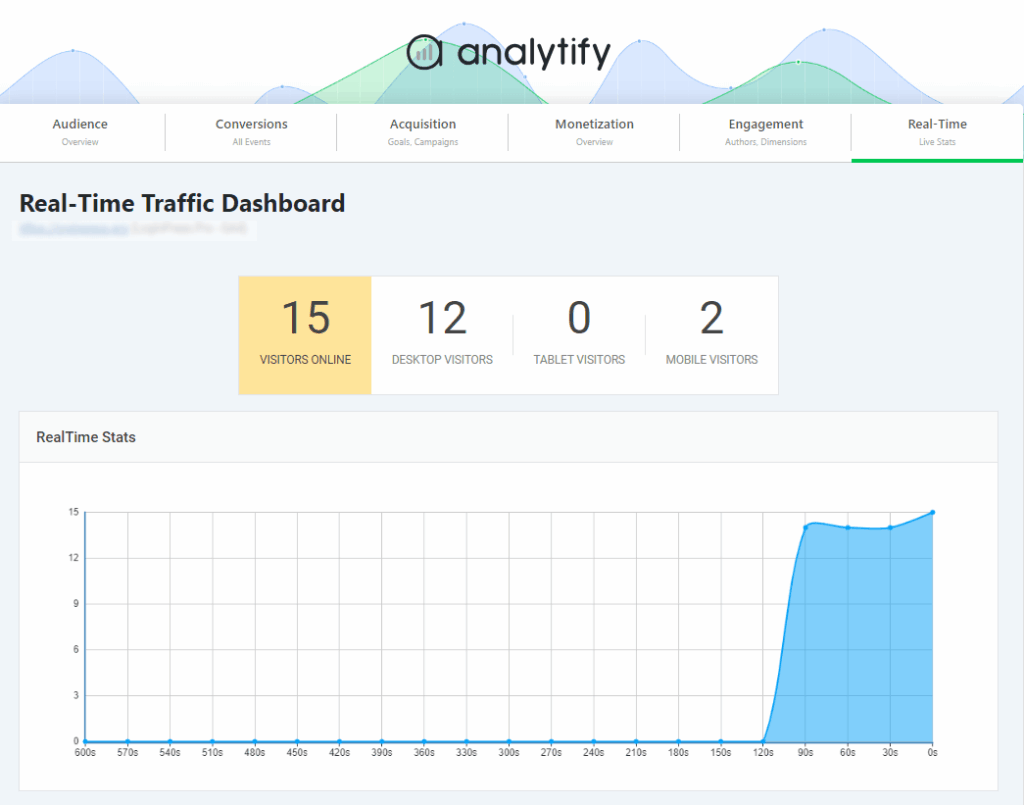
- Real-time performance data for immediate visibility
- Clear visualization of key metrics without requiring technical expertise
- Integration capability with other marketing and business tools
- Easy access to actionable reports for non-technical team members
Tip: For WordPress-based websites, Analytify connects GA4 directly to your WordPress dashboard. It makes traffic, engagement, ecommerce, and campaign data accessible inside WordPress without navigating GA4.
Join 50,000+ beginners & professionals who use Analytify to simplify their Google Analytics!
Instead of navigating complex analytics interfaces, website owners and marketing teams can quickly view:
- Traffic sources and audience data
- Page-level performance
- Real-time visitor activity
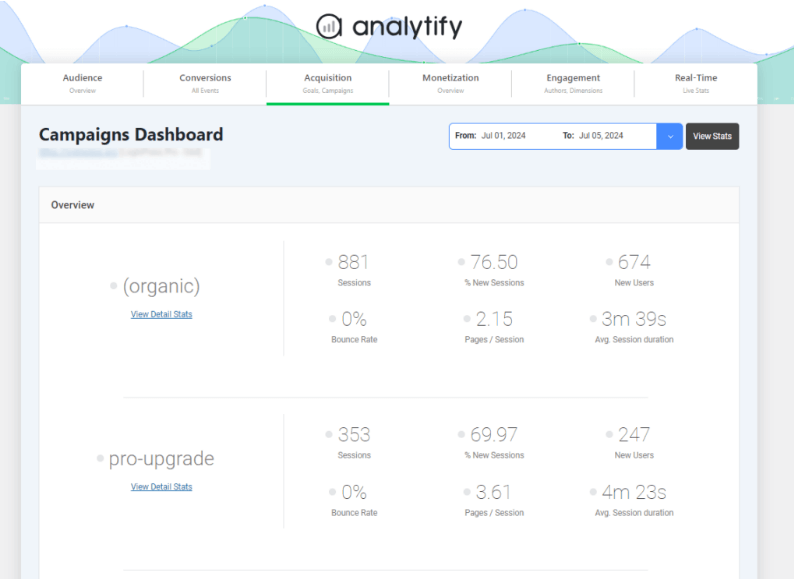
- Campaign performance metrics
- eCommerce tracking insights
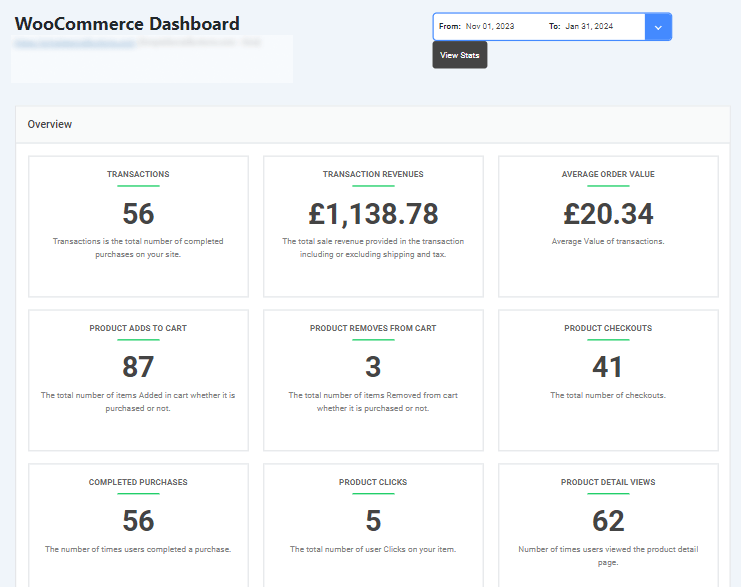
This makes it easier for teams to read website data and fold it into their broader digital intelligence platform.
Step 3: Connect Multiple Data Sources
A strong data intelligence stack integrates data from every system that touches the customer.
- Website analytics: traffic, behavior, and conversion data
- CRM systems: customer records, sales stages, and lifetime value data
- Marketing platforms: email, paid ads, and social performance
- Ecommerce platforms: product performance, cart data, and revenue
- Advertising networks: cost, impression, and conversion data per campaign
Combining these sources creates a complete view of how marketing, product, and sales interact in the customer journey.
Step 4: Add Predictive and Analytical Intelligence
Once data is collected and integrated, the next layer analyzes it for patterns and predictions.
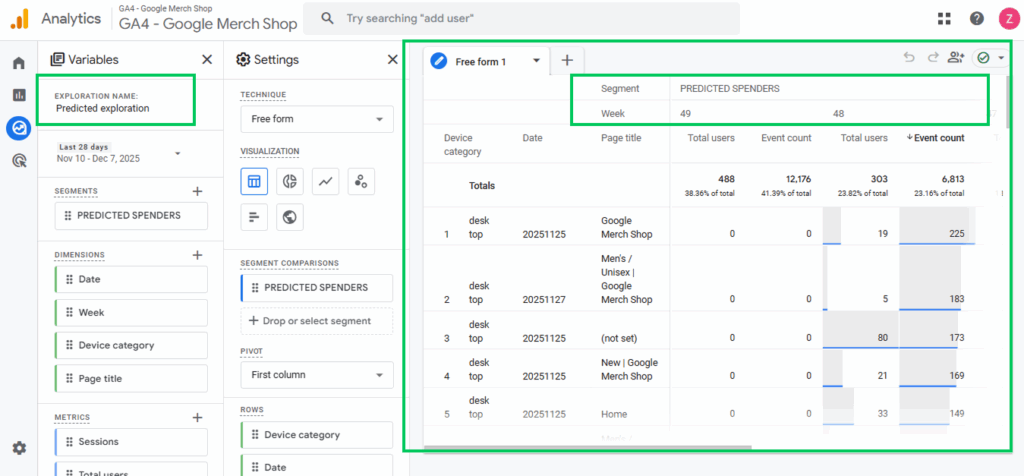
- Attribution models show which touchpoints in the customer journey actually drive results
- AI models detect trends and anomalies that manual review would miss
- Predictive models identify which traffic sources are most likely to convert
- Forecasting tools project future demand based on historical patterns
Step 5: Build Insight Dashboards
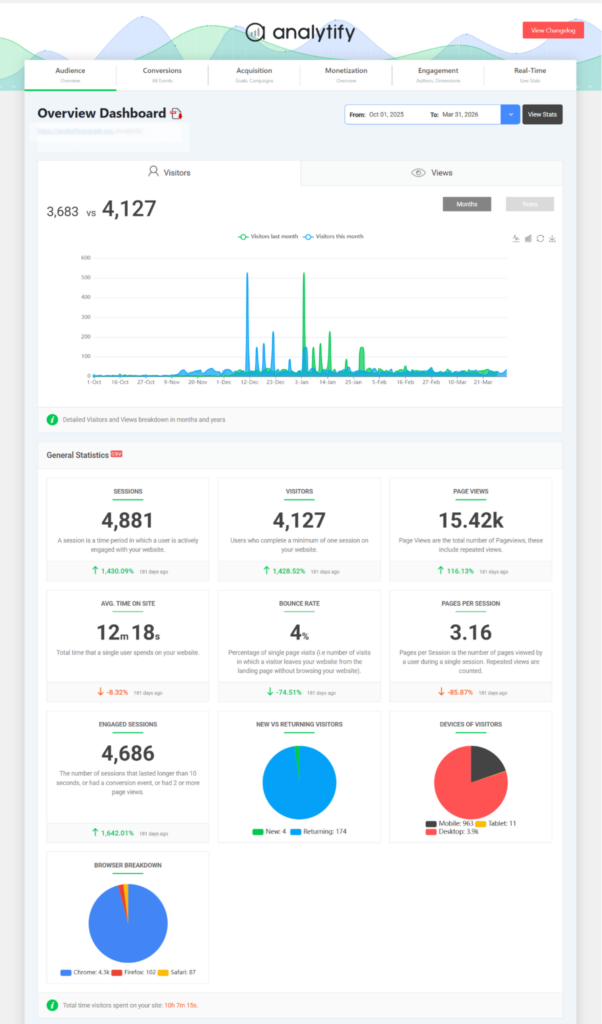
Insights are only useful when teams can access and understand them quickly.
- Keep each dashboard focused on 5 to 7 key metrics maximum
- Build role-specific dashboards for marketing, product, finance, and executive teams
- Display trends and comparisons, not just absolute numbers
- Update dashboards in real time so data is always current
Step 6: Enable Automation and Alerts
The most effective intelligence systems reduce manual reporting entirely.
- Automate data exports to business intelligence platforms for deeper analysis
- Set alerts for sudden traffic drops or conversion rate changes
- Configure automated weekly performance summaries for each team
- Trigger notifications when KPIs fall outside expected ranges
The 5 Essential Layers of a Data Intelligence Stack
A complete data intelligence stack has five layers, shown in the table below. Each layer feeds the next, turning raw events into strategic decisions.
| Layer | What It Does | Priority |
|---|---|---|
| 1. Data Collection | Captures website events, traffic sources, and user behavior accurately | Foundation: must be correct before anything else works |
| 2. Data Integration | Combines website, CRM, marketing, and ecommerce data in one place | Required for cross-channel insights |
| 3. Analytical Intelligence | AI models detect patterns, anomalies, and future trends | Required for predictive capability |
| 4. Dashboards and Alerts | Presents insights clearly; notifies teams of important changes | Required for team adoption |
| 5. Automated Actions | Triggers workflows, campaign adjustments, and optimization recommendations | Advanced: adds strategic leverage |
How Businesses Use Website Intelligence Systems to Drive Results
Businesses use website intelligence systems for four main outcomes: marketing attribution, UX and conversion improvement, product adoption tracking, and strategic forecasting. Each use case requires different data sources and intelligence layers working together.
1. Marketing Optimization and Attribution
An intelligence platform reveals which channels, campaigns, and touchpoints actually drive conversions.
- Identify which traffic sources convert at the highest rate
- Track the complete customer journey across multiple touchpoints
- Apply attribution models to distribute revenue credit accurately
- Reallocate marketing budget toward highest-performing channels
2. UX and Conversion Improvements
Behavioral data reveals exactly where users experience friction.
- Identify high-exit pages and the last actions users take before leaving
- Analyze scroll depth and engagement to find where content loses attention
- Use funnel reports to pinpoint the step losing the most users
- Test improvements with A/B tests and measure the conversion impact
3. Product Adoption Insights
For SaaS or product businesses, intelligence tools track how users engage with features over time.
- Monitor which features drive the highest engagement and retention
- Track onboarding behavior to reduce early churn
- Identify users at risk of churning before they cancel
- Measure feature adoption rates after new releases
4. Strategic Forecasting
Predictive analytical intelligence helps teams plan before changes happen.
- Model the impact of marketing investment changes on projected revenue
- Forecast traffic trends by month and quarter
- Predict seasonal demand peaks to prepare content and campaigns in advance
- Identify early signals of declining performance before they become critical
Metrics to Measure Whether Your Website Intelligence System Is Working
Measure your website intelligence system across the five metric categories shown below. Improvement across all five confirms the system is delivering strategic value.
| Metric Category | What to Measure | Success Signal |
|---|---|---|
| Outcome metrics | Conversion rate, revenue from website traffic, lead volume, CAC | These improve quarter over quarter |
| Operational efficiency | Time spent generating reports, speed of insight delivery | Reporting time reduces; decisions happen faster |
| Engagement and behavior | Engagement rate, session duration, funnel progression, bounce rate | Trends improve after intelligence-driven optimizations |
| Predictive accuracy | Traffic forecast accuracy, conversion prediction precision | Predictions align with actual outcomes within acceptable variance |
| Decision impact | How often dashboards are used, how many changes are data-driven | Teams act on insights regularly; strategies are updated based on data |
Note: The real measure of success is not data collection. It is whether insights lead to actions and those actions improve results.
Common Mistakes When Building a Website Intelligence System
Five mistakes consistently undermine website intelligence systems. The table below explains why each one happens and how to fix it.
| Mistake | Why It Happens | How to Fix It |
|---|---|---|
| Treating analytics as intelligence | Teams stop at dashboards and never move to prediction or action | Add analytical intelligence layers: attribution, forecasting, anomaly detection |
| Poor data quality | Tracking setup is inconsistent, incomplete, or misconfigured | Audit tracking quarterly; standardize event naming; maintain a tracking plan |
| No connection to business goals | Tools are chosen before objectives are defined | Define measurable goals first; connect every dashboard to a specific outcome |
| Too many disconnected tools | Teams add tools reactively without a unified architecture | Choose tools that integrate; build toward a connected data intelligence stack |
| Insights not acted on | Data is produced but not embedded in team workflows | Create workflows where insights trigger reviews, tests, and optimizations |
Frequently Asked Questions
1. What is a website intelligence system?
A website intelligence system is an integrated framework. It collects website data, analyzes it using AI or advanced analytics models, and delivers actionable insights. The goal is to guide faster, better business decisions.
2. How is a website intelligence system different from traditional analytics?
Traditional analytics is mainly descriptive. It shows what happened (traffic, conversions, engagement).
An intelligence system for a website goes further. It:
Identifies patterns
Predicts outcomes
Generates recommendations
Supports automated decisions
3. How do you build an analytics intelligence stack?
To build a smart analytics intelligence system, follow these steps:
Define clear business goals
Set up accurate tracking
Integrate multiple data sources
Add AI or predictive analysis layers
Create dashboards for visualization
Enable alerts and automation
Together, these layers form a complete intelligence stack.
4. What are website intelligence tools?
Website intelligence tools include tracking platforms, AI engines, visualization dashboards, and business intelligence systems that work together to analyze user behavior and deliver insights.
They form the core components of a modern digital intelligence system.
5. Why is a website intelligence system important in 2026?
In 2026, businesses need more than traffic reports. They need real-time insights, predictive analytics, and automated decision support.
A website intelligence system helps organizations:
I
mprove marketing performance
Optimize user experience
Forecast trends
Increase conversions
Make faster, data-driven decisions
It turns your website into a strategic growth engine, not just a content platform.
Final Thoughts
A website intelligence system moves your organization from describing the past to shaping the future.
The five layers your intelligence stack needs:
| Layer | What It Provides |
|---|---|
| Data collection | Accurate, structured behavioral and performance data |
| Data integration | A unified view across website, CRM, marketing, and ecommerce |
| Analytical intelligence | Pattern detection, trend analysis, and predictive forecasting |
| Dashboards and alerts | Accessible insights that drive team-level decisions |
| Automation | Proactive notifications and workflow triggers based on data |
For WordPress users, Analytify provides the data visibility and analytics layer that connects GA4 to your dashboard. Combined with other intelligence tools, it becomes part of a scalable, connected digital intelligence platform.
Further Readings:
Now, here’s a question for you:
Is your website simply collecting data, or is it actually turning that data into intelligence that drives real business growth?