Download
Back to All Categories
Improve Google Analytics 4 engagement rate

How to Improve Google Analytics 4 Engagement Rate (Easy Guide)

Google Analytics 4 (GA4) is the latest version of Google’s powerful analytics platform that lets website owners track and study how users behave on their sites. The engagement rate is one of the most important metrics in GA4. It shows how long people stay on your site and how often they interact with your material. 

In this blog post, we’ll talk about how important the engagement rate is and give you some tips on improving it. We’ll also tell you about Analytify, a powerful tool that can help you improve your Google Analytics 4 Engagement rate.

Continue reading “How to Improve Google Analytics 4 Engagement Rate (Easy Guide)” →

Why Google Ended Universal Analytics

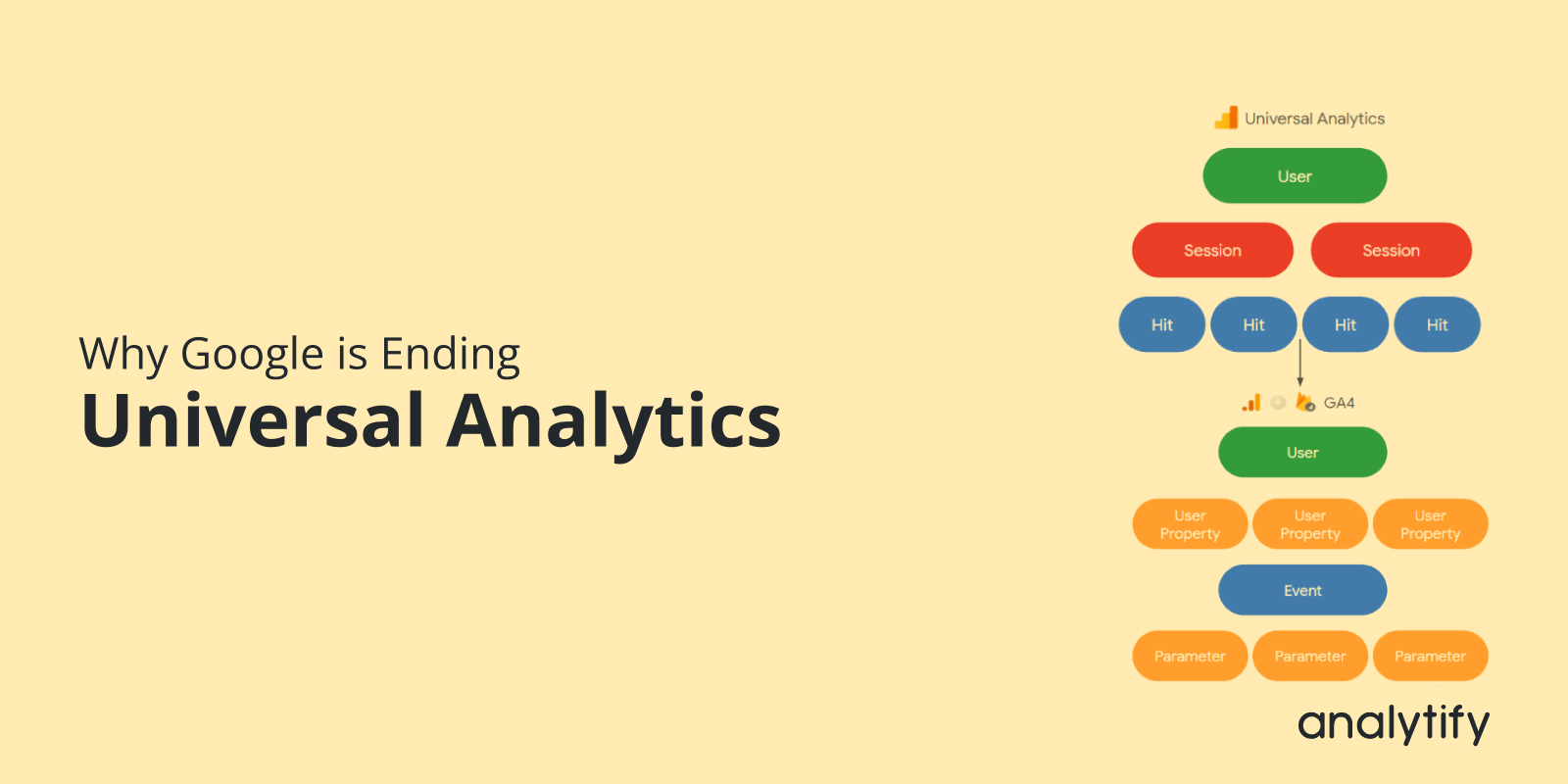
Why Google is Ending Universal Analytics in the Year 2025

Do you know why Google ended Universal Analytics and how this major shift could affect your web analytics? 

Google has become the leader in Internet marketing, advertising, and data analytics over the years. Starting with Google Analytics (GA) and subsequently expanding into Universal Analytics (UA), the company’s ever-growing suite of analytics tools has consistently lifted the bar in the field of data-driven marketing. 

Continue reading “Why Google is Ending Universal Analytics in the Year 2025” →
Monetization report in GA4

How to Use GA4 Monetization Reports For Tracking Revenue and E-commerce Success?

GA4 monetization reports show how much revenue your site or app earns from ecommerce, in-app purchases, subscriptions, and ads. Find them under Reports > Monetization.


I walk you through the Monetization Report Google Analytics 4, why they matter, and how to use them in GA4.

Continue reading “How to Use GA4 Monetization Reports For Tracking Revenue and E-commerce Success? “ →
Google Analytics 4 views

Google Analytics 4 Views: Understanding the Shift to Data Streams

Is your business making the most of Google Analytics 4 Views? Learn everything you need to know to maximize the power of GA4 Views and elevate your analytics game.

When it comes to watching and analyzing how people use websites and apps, Google Analytics 4 is smarter and easier to use than Universal Analytics. As you figure out how to use GA4, it’s important to know what “views” are and how they’ve changed in this new version. 

Continue reading “Google Analytics 4 Views: Understanding the Shift to Data Streams” →
Google Client ID and Client Secret in Google Developers Console

How To Get Google Client ID and Client Secret

Google Client ID and Client Secret are credentials that you need to connect your application to Google services.

A password manager is the right place for the Client ID and Client Secret. Save them as soon as you generate them.

You get them from the Google Developers Console. The process involves creating a project, enabling APIs, and generating OAuth credentials.

This article shows how to set up Google Client ID and Client Secret . You use them for authentication and authorization when you integrate applications with Google services.

Continue reading “How To Get Google Client ID and Client Secret” →
How to Share Google Analytics 4 Reports

How to Share Google Analytics 4 Reports (5 Easy Ways)

On July 1, 2023, new data will flow only into Google Analytics 4 properties because standard Universal Analytics properties will stop processing data.  This is a good indicator that you should learn Google Analytics 4 so that you feel no hurdles to sharing Google Analytics 4 Reports.

This article will teach you How to Share Your Google Analytics 4 Reports from your Google Analytics account and WordPress site.

Continue reading “How to Share Google Analytics 4 Reports (5 Easy Ways)” →
how to migrate to Google analytics 4

How to Migrate to Google Analytics 4 (Step by Step Transition Guide)

Important Note: Standard Universal Analytics properties stopped processing data on July 1, 2023, and Google removed access to Universal Analytics data starting the week of July 1, 2024. Google Analytics 4 is where your tracking and reporting now live.

To migrate to Google Analytics 4, create a GA4 property in Google Analytics Admin, add a web data stream, and add its Measurement ID to your site. I walk you through each step below, and it is for site owners who have not set up GA4 yet.

Continue reading “How to Migrate to Google Analytics 4 (Step by Step Transition Guide)” →
analytify vs Jetpack which one is better

Analytify vs Jetpack Stats – Which One is Better?

Are you looking for an alternative to Jetpack WordPress Stats?

When it comes to tracking website traffic, Analytify vs Jetpack Stats is a common debate. Users, particularly first-timers, see Jetpack WordPress Stats on their WordPress websites. 

Some of these users want detailed information about website traffic and user behavior. As a result, they often experiment with website analytics reporting plugins such as Analytify to find the right fit for their needs.

In this article, we’ll discuss several pointers in Analytify vs. Jetpack Stats and show how Analytify adds value to your website.

Continue reading “Analytify vs Jetpack Stats – Which One is Better?” →
How to track phone calls in Google Analytics with Analytify or GTM

How To Track Phone Calls In Google Analytics (3 Best Methods)

GA4 doesn’t track phone calls natively. Three methods fix that: Analytify, Google Tag Manager, or GA4’s native Ads import. Phone calls convert 10 to 15 times better than web leads. Tracking them closes a real reporting gap.

See our full guide: How to Set Up Google Analytics 4 and Connect it to Your WordPress Site?

GA4 doesn’t track phone calls by default. It only records web interactions like page views, clicks, and form submissions. Without call tracking, phone leads never appear in your conversion reports. Even real revenue-driving calls get missed.

Continue reading “How To Track Phone Calls In Google Analytics (3 Best Methods)” →
How to Quickly Find and Fix 404 Errors in GA4

Google Analytics 404 Report: How to Quickly Find and Fix 404 Errors

Do you want to find and fix 404 errors in Google Analytics? You’re at the right place!

Broken links can negatively impact the user experience. As such, you need to find all 404 errors on your website and remove them ASAP. The good thing is that Google Analytics (and Analytify) helps you find these broken links. Once you find them, you have several options to deal with these errors.

In this article, we’ll cover the basics of broken links and how to find 404 errors in Google Analytics 4 and fix them. We’ll also cover how Analytify makes it really easy to find pages with broken links on WordPress. 

Continue reading “Google Analytics 404 Report: How to Quickly Find and Fix 404 Errors” →
1 … 27 28 29 … 32