How to Get Google Analytics Certification in 2026

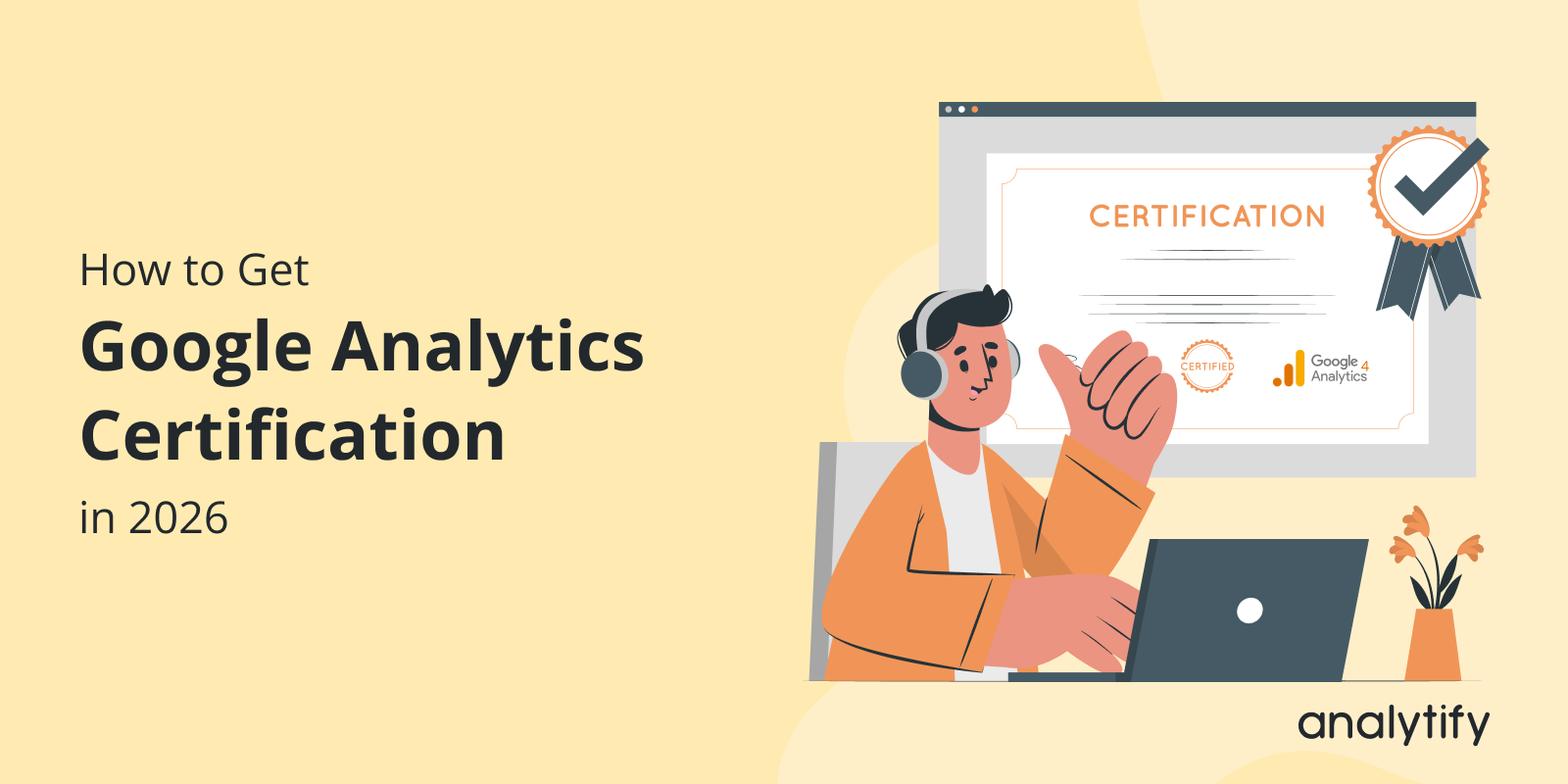
Getting Google Analytics certified means passing Google’s free GA4 exam through Skillshop. The exam proves you can set up, read, and act on GA4 data. This guide covers eligibility, exam prep, how to register, and how to keep the certification current once you pass.
If you manage GA4 for clients, take the certification. It gives you a credential you can show them.
Google Analytics is central to digital marketing, data analysis, and running an online business. As more companies rely on data to make decisions, your GA4 Certification proves you can back that up.
The rest of this guide walks through how to get Google Analytics certification, step by step. It includes exactly what to study to pass the exam on your first attempt.
GA4 Certification (TOC):
What is Google Analytics Certification?
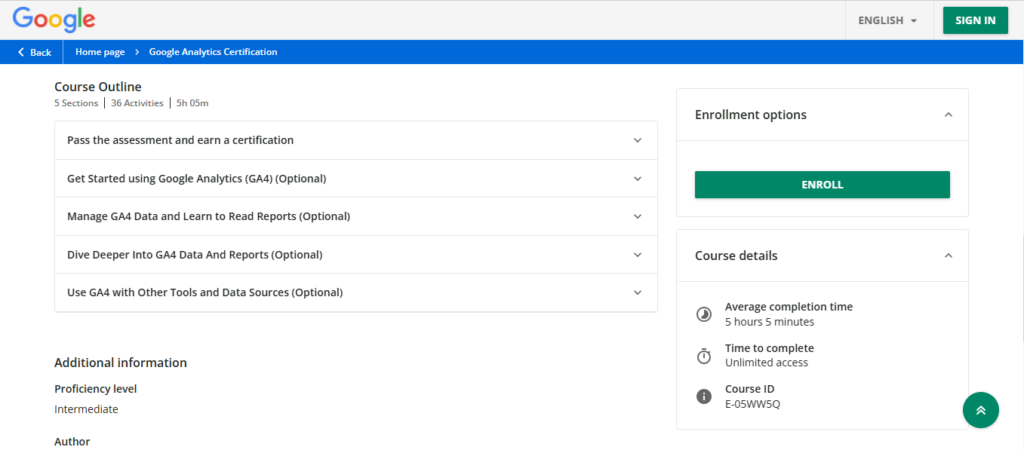
The Google Analytics Certification is a qualification offered by Google through its Google Skillshop platform. This certification demonstrates your proficiency in using Google Analytics to track and analyze website performance. The certification validates your knowledge of core concepts like audience analysis, campaign tracking, and e-commerce data analysis. It makes you a Google Analytics Qualified Individual in the eyes of employers and clients.
Why Should You Get Google Analytics Certified?
Google Analytics is one of the most widely used web analytics tools. If you get Google certified, it:
- Boosts your credibility.
- Enhances your skills in data-driven decision-making.
- Helps businesses improve user experience, marketing strategies, and overall site performance.
Additionally, the Google Analytics Certification helps you:
- Stand out in a competitive job market.
- Provide a clear indication of your expertise to hiring managers and clients.
By earning the Google Analytics Certification, Google shows that you can:
- Set up a Google Analytics 4 property for a website or an app: You’ll learn how to set up Google Analytics 4 (GA4). You then use it to track visitors on your website or app.
- Collect the data you need for your business and use the various reporting tools and features: With the certification, you’ll know how to collect key information about your site visitors. You’ll also use Google’s tools to see how well your website does.
- Recognize key measurement features that can show the effectiveness of your online marketing efforts: You’ll learn how to track and measure your online marketing. Examples include how many people clicked on ads or made a purchase.
- Unlock additional insights and capabilities by connecting Google Analytics with other products: Google Analytics works with other tools. Examples are Google Ads and Google Tag Manager. Certification helps you connect these tools to get more useful data and improve your website.
This certification shows you know how to use Google Analytics to help businesses grow with smart, data-backed decisions.
How to Get Google Analytics Certification (Step by Step)
Getting Google Analytics certified takes four steps. Check eligibility, build the prerequisite skills, prepare for the exam, and take the test. Here is the breakdown of obtaining your Google Analytics Certification in 2026:
Step 1: Know Eligibility
Anyone who works in digital marketing, data analysis, or online business is eligible to pursue Google Analytics Certification. Google sets no formal prerequisites, though the exam is built for people already using GA4 in some capacity.
The Google Analytics certification is ideal for anyone looking to enhance their skills in data analysis and digital marketing. This includes:
- Digital Marketers: Anyone in digital marketing should have a solid understanding of Google Analytics. It’s one of the most effective tools for measuring campaign performance.
- Data Analysts: Analysts can use the Google Analytics test to gain deeper insight into website traffic and user behavior.
- Business Owners: Small business owners can use Google Analytics qualification to track and improve their online presence and marketing.
- Content Creators and SEO Professionals: People in content creation or SEO can use Google Analytics to track how their content is performing. They then make data-driven decisions.
Step 2: Have Prerequisite Knowledge and Skills
Before attempting the Google Analytics certification exam, it’s beneficial to have a basic understanding of the following concepts:
- Digital Marketing Fundamentals: You should understand key concepts such as SEO, SEM, and PPC.
- Basic Web Analytics: Know how websites are structured, how data is collected, and how it is analyzed. That gives you a head start.
- Google Ads: This is not mandatory. Understanding Google Ads helps, because Google Analytics and Google Ads often work together to measure campaign performance.
If you’re new to Google Analytics, use free resources like Google Analytics Academy and Google Skillshop. They help you learn the platform before you take the certification exam.
Step 3: Preparing for the Google Analytics Certification Exam
To successfully get Google Analytics certified, preparation is key.
Study Strategies
You can develop a tailored study plan to pass the Google Analytics certification exam. Here are some strategies to ensure your success:
- Start with the Basics: Begin with introductory materials to ensure you understand the core principles of Google Analytics. Cover foundational topics like data collection, metrics, and dimensions.
- Focus on GA4: Google Analytics 4 certification is a major part of the exam. Focus your study on GA4’s new features, its interface, and its event-based tracking model.
- Use Practice Tests: Utilize practice exams and quizzes to test your knowledge and identify areas where you need improvement. Both Google Analytics Academy and Analytify blog platforms offer mock tests that simulate the real exam environment.
- Review and Refine: Take time to go over any areas of weakness. The Google Analytics certification study guide will help you pinpoint any topics you need to revisit.
Time Commitment
The time it takes to prepare for the Google Analytics certification exam can vary based on your prior knowledge. It usually takes 2 to 6 weeks to prepare. The exact time depends on how much you can study.
- For beginners: If you’re new to Google Analytics, plan on around 4 to 6 weeks. You need time to learn the core concepts and features of the platform.
- For experienced users: If you already use Google Analytics, 2 to 4 weeks of focused study should be enough.
Study Resources to Prepare for the Certification Exam
The following resources will help you study effectively for the Google Analytics certification exam:
1. Analytify Blog: A Key Resource for Certification Exam Preparation
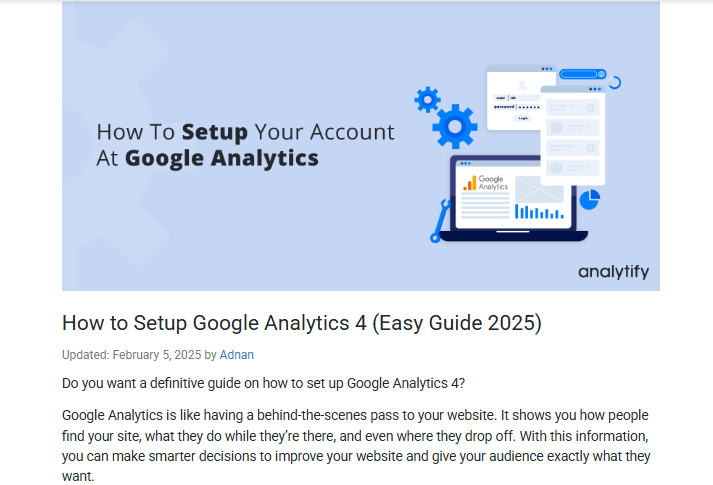
When preparing for the Google Analytics certification exam, having access to reliable and detailed resources is important. Analytify Blog offers content that explains key concepts in Google Analytics. It helps you sharpen your skills for the Google Analytics certificate test.
Analytify focuses on real-world uses of Google Analytics. That makes it a useful resource for seeing how the platform works in real marketing and business scenarios. It supports both your exam and your professional growth.
Here’s how it can help:
- In-Depth Guides and Tutorials: Analytify provides detailed guides and step-by-step tutorials on how to use GA4. They explain the core concepts and functions the exam covers.
- Practical Examples: The blog shares practical examples of how to set up GA4 properties, track events, and configure Google Analytics for websites and apps. They prepare you for the hands-on parts of the exam.
- GA4 Features Explained: It covers the new features of Google Analytics 4. These include event-based tracking, audience creation, and enhanced reporting. Understanding these features is key to passing the GA4 certification.
- Tips and Best Practices: Analytify offers tips and best practices for working with GA4. They help you understand its tools and use them well for data analysis.
- Keep Up with Updates: GA4 keeps evolving. Analytify keeps you updated on the latest changes and features in the platform. This ensures that you are studying the most up-to-date content for your Google Analytics 4 Certification.
- Easy-to-Understand Language: The blog explains complex GA4 concepts in simple language. That makes it accessible to beginners new to analytics.
- Helpful Resources: Analytify provides additional resources, such as video tutorials and downloadable materials, to further support your learning.
2. Google Skillshop
Google’s official platform, Google Skillshop, offers free courses designed to help you prepare for the Google Analytics certificate test. These courses cover everything from basic to advanced topics, including GA4, event tracking, and eCommerce tracking. The Google Skillshop is a must-use resource for anyone serious about passing the Google Analytics test.
3. Google Analytics Academy
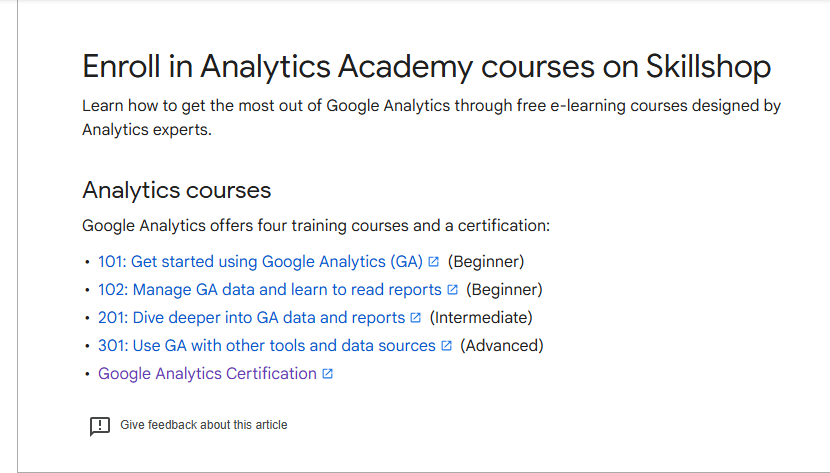
Another excellent resource for exam preparation is Google Analytics Academy. This platform offers structured learning paths. They include courses like “Google Analytics for Beginners” and “Advanced Google Analytics.” These courses go deeper into user behavior, audience segmentation, and campaign tracking. Use the Google Analytics certification study guide in these courses. It keeps your learning focused on exam-relevant topics.
Step 4: Take the Google Analytics Test
Once you’re ready, it’s time to sit for the Google Analytics Certification Test.
The Google Analytics certification exam is free and accessible through Google Skillshop. To register for the exam:
- Visit Google Skillshop and sign in with your Google account.
- Navigate to the Google Analytics Academy section and select the Google Analytics certification exam.
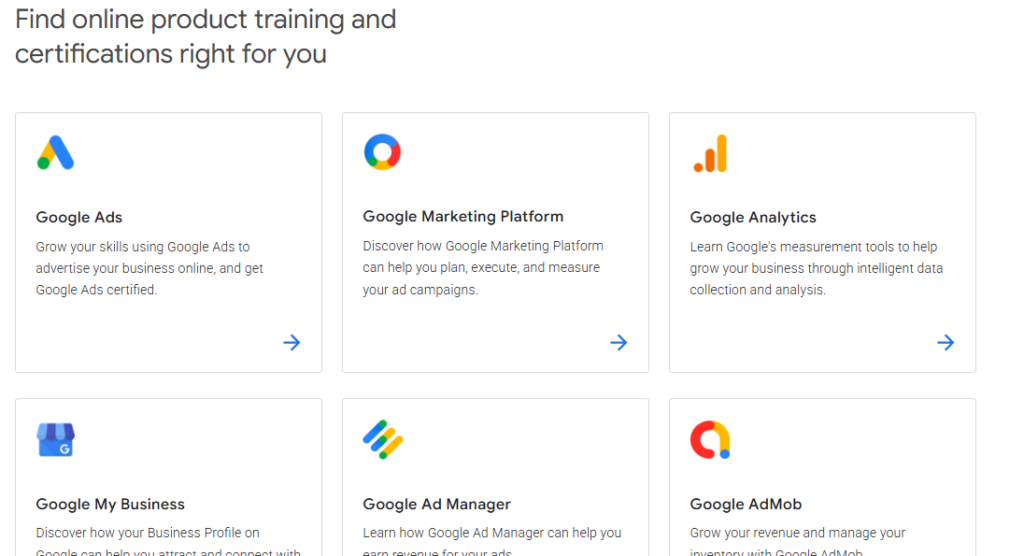
- Complete any recommended courses or modules to prepare.
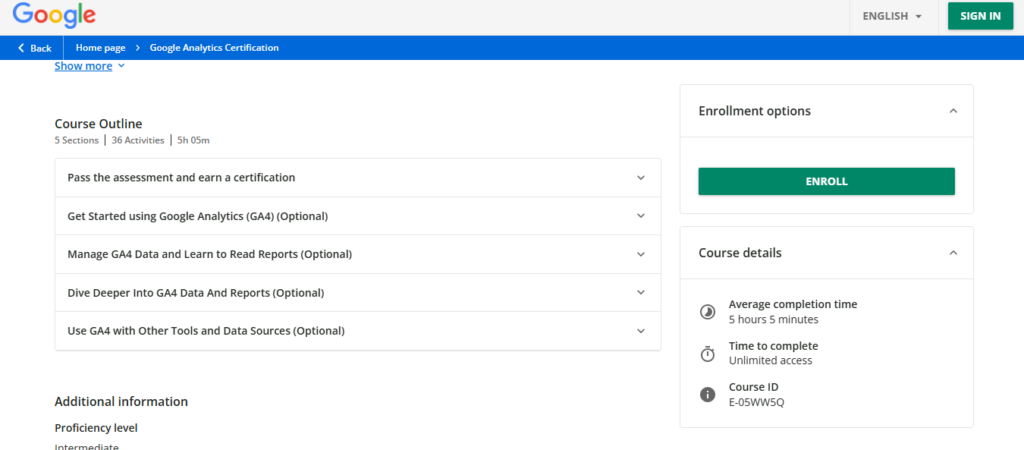
- Once you’re ready, click the “Start Exam” button and begin the test.
Google Skillshop gives immediate feedback when you finish the exam. It shows your score and whether you passed or failed. If you don’t pass, you can retake the exam after 24 hours.
Note: The Google Analytics Certification Exam is free. You can take it at any time through the Google Skillshop platform. You’ll need to score at least 80% to pass the exam and earn your certification.
Maintaining Your Google Analytics Certification
Once you pass the GA4 certification exam, your certification will be valid for 12 months. This period lets you showcase your expertise while staying up to date with Google Analytics tools and features.
After 12 months, your certification expires. You need to retake the exam to keep your Google Analytics qualification.
Staying updated is essential, especially as Google Analytics 4 (GA4) is continuously evolving. Retaking the certification exam ensures that you’re proficient in the latest changes and tools in Google Analytics.
How to Renew Your Google Analytics Certification?
The process to renew your certification is simple:
- Revisit Google Skillshop: After your certification expires, go to Google Skillshop and sign in with your Google account.
- Retake the Exam: You’ll be able to retake the exam at any time. While you can start the process early, remember you can’t take the exam until the certification expires.
- Stay Informed: Keep up to date with any changes to Google Analytics features, especially the evolving GA4. This will help ensure you pass the exam and maintain your status as a Google Analytics Qualified Individual.
Keeping your certification current validates your skills. It also shows employers and clients that you stay on top of the latest trends in analytics.
Frequently Asked Questions
1. What is the Google Analytics Individual Qualification (IQ)?
The Google Analytics Individual Qualification (IQ) is a certification that demonstrates proficiency in Google Analytics. It is earned by passing the Google Analytics IQ exam, which covers both basic and advanced concepts of the platform.
2. How can I prepare for the Google Analytics certification exam?
You can prepare for the Google Analytics certification exam by taking free courses offered through Google Analytics Academy. These courses cover fundamental and advanced topics to help you understand the platform and pass the exam successfully.
3. How much does it cost to get Google Analytics certified?
The Google Analytics certification exam is free of charge. Additionally, Google provides free courses through the Analytics Academy to help individuals prepare for the exam.
4. How long is the Google Analytics certification valid?
The Google Analytics Individual Qualification is valid for 12 months from the date you pass the exam. After this period, you’ll need to retake and pass the exam to maintain your certification.
5. How long does Google Analytics certification take?
The time required to earn the Google Analytics Certification depends on your familiarity with the platform. If you’re a beginner, it may take 4 to 6 hours to complete the free training courses available on Google Analytics Academy. The certification exam itself takes about 1 hour to complete.
6. What happens if you fail the Google Analytics certification exam?
You are not locked out. Google Skillshop lets you retake the exam after a 24-hour waiting period, with no limit on how many times you can retry. Use the score breakdown from your first attempt to see which topic areas you missed, and review those specific sections in Google Analytics Academy before retaking the exam rather than restudying everything from scratch.
Final Thoughts
Getting your GA4 Certification is a valuable step toward stronger web analytics skills. It moves you toward expert level in the field. Follow the steps in this guide, and you’ll be well on your way to becoming a Google Analytics Qualified Individual.
Let’s recap the guide:
- Understand Google Analytics 4: Learn GA4’s new features. They are a major focus of the certification exam.
- Prepare with Official and Third-Party Resources: Use Google Skillshop, Google Analytics Academy, and other reputable courses to build your knowledge.
- Take the Certification Exam: Study strategically, use practice tests, and register for the exam on Google Skillshop.
- Maintain Your Certification: Renew your certification annually. Take advanced Google Analytics courses to stay current.
You may also like to read:
Once you are certified, put that GA4 knowledge to work without leaving WordPress. Analytify shows your GA4 reports directly inside your dashboard. You can apply what you just learned without switching between platforms to check your data. Still choosing a tool? Compare every Google Analytics plugin for WordPress side by side. If you also manage a WordPress login page, LoginPress secures and customizes it without writing code.