Download
Most Important Google Analytics 4

Most Important Google Analytics Reports For WordPress Site

The number of WordPress Websites serving the same market segment is growing every day. The competition is growing harder every second. Only those Websites will stay afloat and retain their market segment who can exploit their strengths properly.

For a complete walkthrough, see our guide: How to Set Up Google Analytics 4 and Connect it to Your WordPress Site?.

And in order to identify your strength, you need data. Like so many people, you might also be using Google Analytics, but the question is are you checking the most important google analytics reports? 

This blog covers four aspects of analyzing how good your Website is by analyzing the Most Important Google Analytics Reports. The first step is to see how effective your Web-Pages are. The second step involves checking how good your Website content is. And the last two steps involve analyzing SEO and Traffic. So let’s get started.

Continue reading “Most Important Google Analytics Reports For WordPress Site” →
Google Analytics 4 Upgraded Version GA4

Google Analytics 4 Upgraded Version GA4

Google introduced the new Google Analytics 4 Upgraded Version GA4 in 2020 with 4 amazing new features for marketers, plus one major update that we need to discuss for website or online business owners whose Google Analytics tracking ID has now changed from the Universal tracking ID UA-xxxxxx-x to the Upgraded tracking ID G-xxxxxx-x, with other new features to help marketers.

Continue reading “Google Analytics 4 Upgraded Version GA4” →
share your Google analytics report with others

How To Share Your Google Analytics Reports With Others

Would you like to learn how to share your Google Analytics report with others? Sharing analytics data is a great way to gain the trust of your customers, team members, and your business partners.

To share your Google Analytics data with your clients or business partners, you need to give them access to your Google Analytics account which is risk-taking.

Continue reading “How To Share Your Google Analytics Reports With Others” →
Analytify vs Monsterinsights

Analytify vs MonsterInsights – Which WordPress Plugin Is Best In 2026?

I built Analytify because I was tired of opening a second browser tab every time I wanted to know how a post was doing. MonsterInsights already existed. It still does the same job, at roughly the same price, for a lot more people. So which one should you actually install?

Here’s the short version: Analytify wins if you run WooCommerce or LearnDash, or want eCommerce, LMS, and ad pixel tracking without moving to a higher-priced tier. MonsterInsights wins if you want AI-generated summaries of your traffic and don’t mind paying more to get eCommerce tracking.

This article compares both plugins on price, eCommerce, LMS support, AI features, dashboard design, performance, data accuracy, and how much WordPress users actually trust each one. Every number below is dated and sourced, mine and theirs.

What changed in this update (September 2026): we re-checked every MonsterInsights claim against their pricing page and corrected four comparisons on pixel tracking, LifterLMS, AI availability, and per-post stats. Competitor details verified on 22 September 2026.

Continue reading “Analytify vs MonsterInsights – Which WordPress Plugin Is Best In 2026?” →
Google analytics 4 reports

6 Most Important Google Analytics SEO Reports to Measure Search Performance

Have you ever wondered which Google Analytics reports are essential for boosting your SEO efforts?  Navigating the large amount of data available in Google Analytics can be overwhelming, but focusing on the correct reports can make all the difference in your search engine optimization strategy.

For a complete walkthrough, see our guide: How to Set Up Google Analytics 4 and Connect it to Your WordPress Site?.

This article will explore the most important Google Analytics SEO reports that everyone should consider. By the end, you’ll learn how to access and utilize these reports to improve your website’s performance and drive more organic traffic. 

Let’s analyze the SEO reports in Google Analytics 4 that can help boost your organic search visibility!

Continue reading “6 Most Important Google Analytics SEO Reports to Measure Search Performance” →

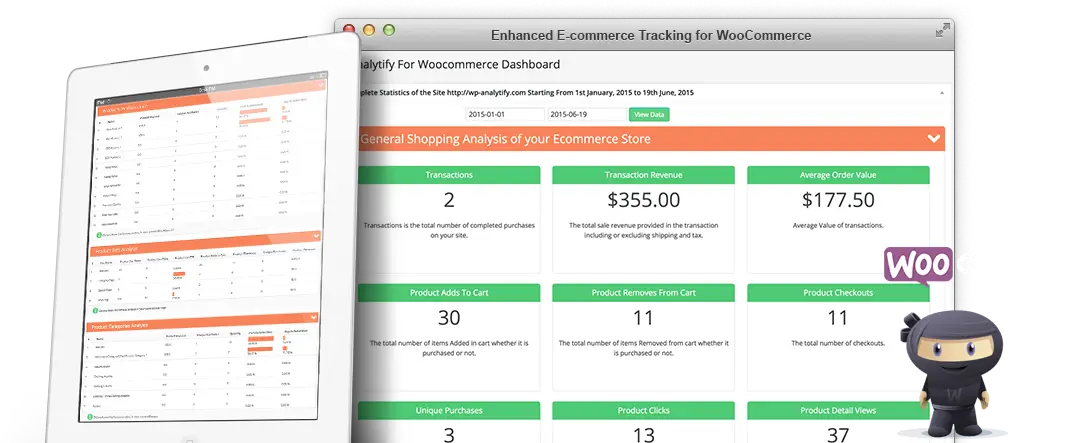
Introducing Analytify For eCommerce: Comprehensive E-commerce Analytics for WordPress

WooCommerce Add-on for Analytify or Analytify for eCommerce to bring Google Analytics eCommerce data for the WooCommerce shop is finally here. And all credit goes to you, the Enthusiastic WordPress Community, and user of Analytify!

Continue reading “Introducing Analytify For eCommerce: Comprehensive E-commerce Analytics for WordPress” →
1 2