
What is Organic Search in Google Analytics 4 and How to Analyze It?

Organic search in Google Analytics 4 is unpaid traffic from search engine results. It excludes paid ads entirely. GA4 groups it under the Organic Search channel in your acquisition reports.
The shift to Google Analytics 4 changed how this traffic is measured. This guide covers three things. How to find organic search traffic in GA4. How to track GA4 organic search terms. How to connect WordPress to Google Analytics with Analytify.
Table of Contents
What is Organic Search in Google Analytics?
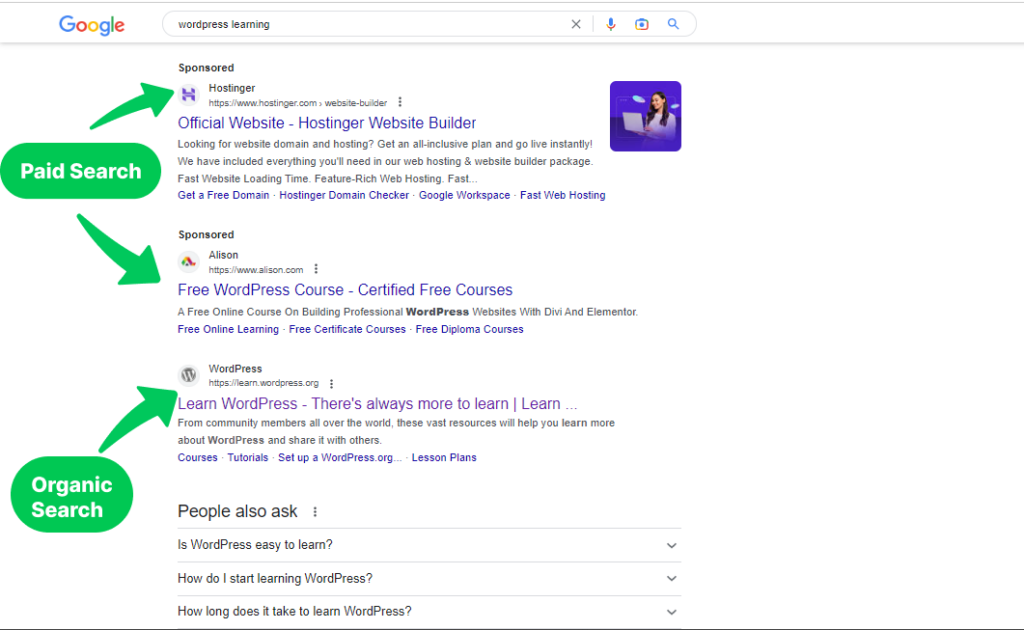
Organic search is the natural, unpaid results in search engines like Google, Bing, or Yahoo. A query returns two kinds of results. Paid ads sit at the top. Everything else is organic search results.
What is organic search in Google Analytics? Google Analytics tracks several traffic types. Those include direct traffic, referral traffic, and organic search. Organic Search Traffic is the subset of visitors who click a natural, unpaid result.
GA4 organizes organic search metrics differently than Universal Analytics. The new metrics reveal deeper insight into user behavior.
GA4 now tracks GA4 organic search terms directly. It also tracks GA4 organic search keywords that bring people to your site. That data feeds your content decisions. It also sharpens your SEO strategies.
Paid traffic comes from ads you pay for. Organic search costs nothing per click. It comes from ranking naturally in search results.
Organic search usually drives the most qualified traffic. These visitors searched for something specific and found your page. Understanding this segment shows what content actually works.
The screenshot below shows Google’s sponsored versus organic results.
Why Should You Do Organic Traffic Analysis in GA4?
GA4 shows which content and keywords earn free, organic traffic. Track GA4 organic search metrics to see what converts best.
| Reason | Why It Matters |
|---|---|
| Event-Based Tracking | Tracks user behavior in detail, not just sessions |
| User-Centric Reporting | Shows how organic visitors actually engage |
| Cross-Platform Tracking | Follows users across web and app |
| Customization | Lets you configure reports around your goals |
| Audience Building | Builds retargeting segments from search terms |
| Data Retention | Keeps data longer for trend analysis |
GA4 organic search tracking replaces the old Universal Analytics view. The data is more granular. It is also easier to act on.
Connect your Website with Google Analytics (Detailed Guide)
Get your site connected to Google Analytics before anything else. Every organic search number in this guide depends on that connection. Without it, GA4 has no data to show.
Running WordPress and not connected yet? Analytify is the fastest way to fix that. Here is why it works well for Google Analytics integration with WordPress.
- Easy Setup: With Analytify, setting up Google Analytics is as simple as a few clicks. You don’t need to mess around with code or hire a developer.
- Real-Time Stats: Analytify offers a real-time statistics dashboard right within your WordPress admin panel. You check your GA4 organic search metrics without switching tabs. You don’t log into a separate account.
- Enhanced E-commerce Tracking: Apart from organic search, you can track other Google Analytics metrics straight from WordPress dashboard. If you run an online store, Analytify makes e-commerce tracking a breeze. You can easily track product views, add-to-carts, and actual purchases.
- User-Friendly Interface: The Analytify dashboard is intuitive. It’s easy to find what you need, even if you’re new to Google Analytics or SEO.
Need the exact steps? Read our guide: How to Integrate Google Analytics 4 with Analytify.
How to See Organic Search Traffic in Google Analytics 4 (Step by Step)
Follow these steps to see organic traffic in GA4.
Sign in to Google Analytics 4
Sign in to GA4 and select the property you want to check.
Open Reports
Click Reports on the left sidebar.
Go to Traffic Acquisition
Click Acquisition, then Traffic Acquisition. Organic Search shows below.
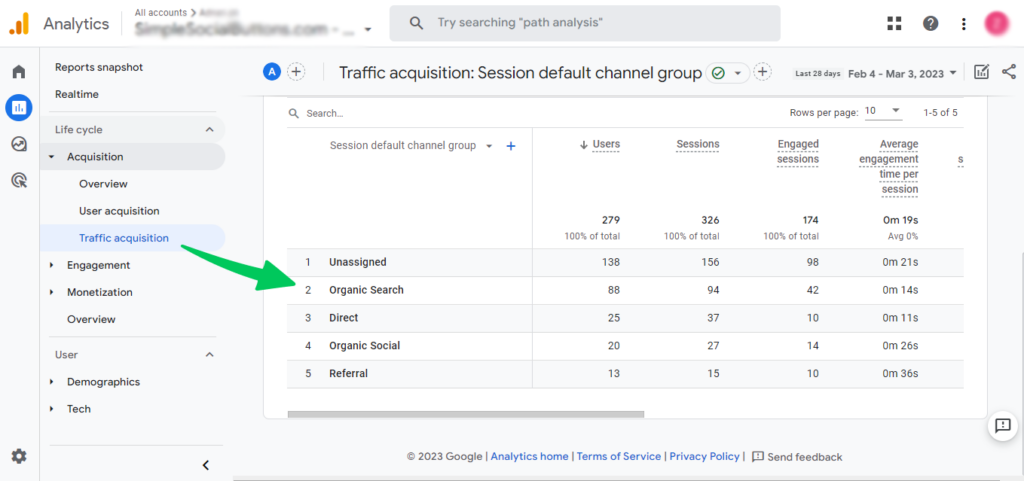
Ten more metrics sit alongside organic search. Those include users, sessions, engaged sessions, events per session, and engagement rate.
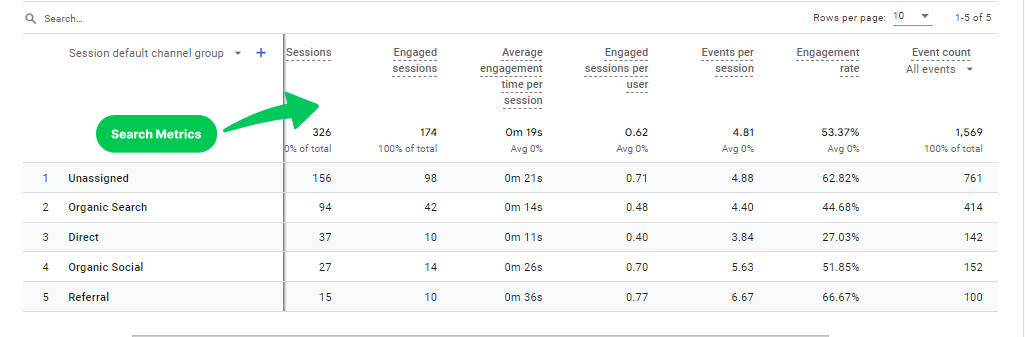
The report also breaks down visits by search term. That view sits right below the metrics table.
This is your complete organic search traffic report in GA4.
Next, check which pages your organic visitors landed on. This shows what they did on your website.
How to Track Organic Search Pages?
Navigate to Reports first, then Acquisition, then Traffic acquisition.
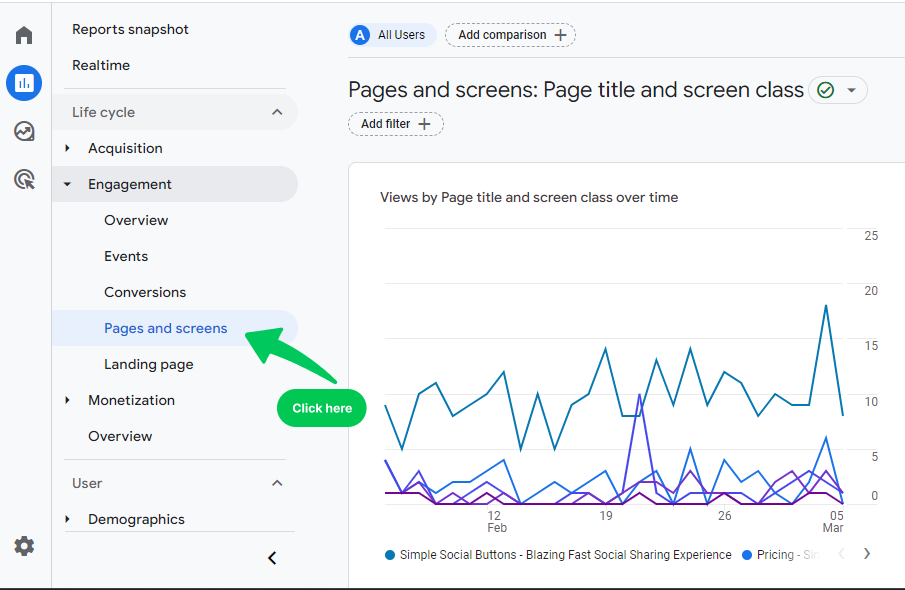
Scroll down the page. It takes into account all site visitors, not just organic ones.
Scroll down the page. GA4 counts every site visit here by default.
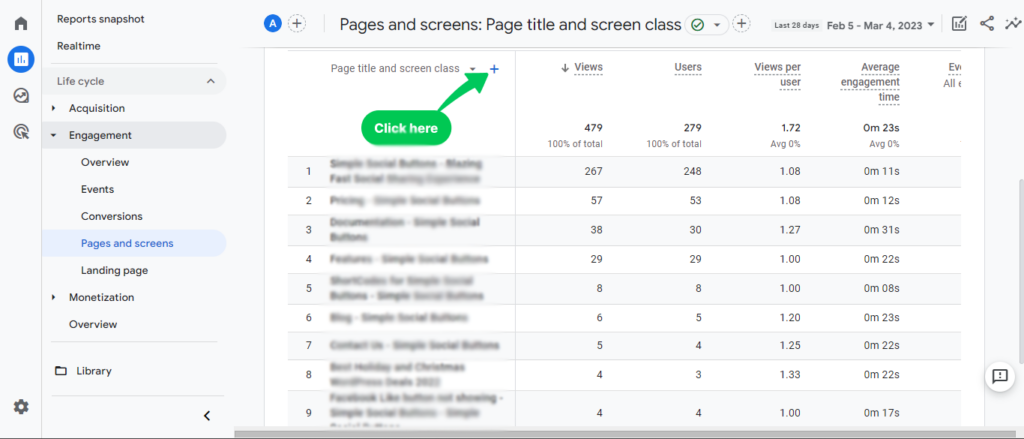
Click ‘Traffic source’ and choose whatever factor you want to see. Let’s choose ‘session medium’. Look at the picture below for help.
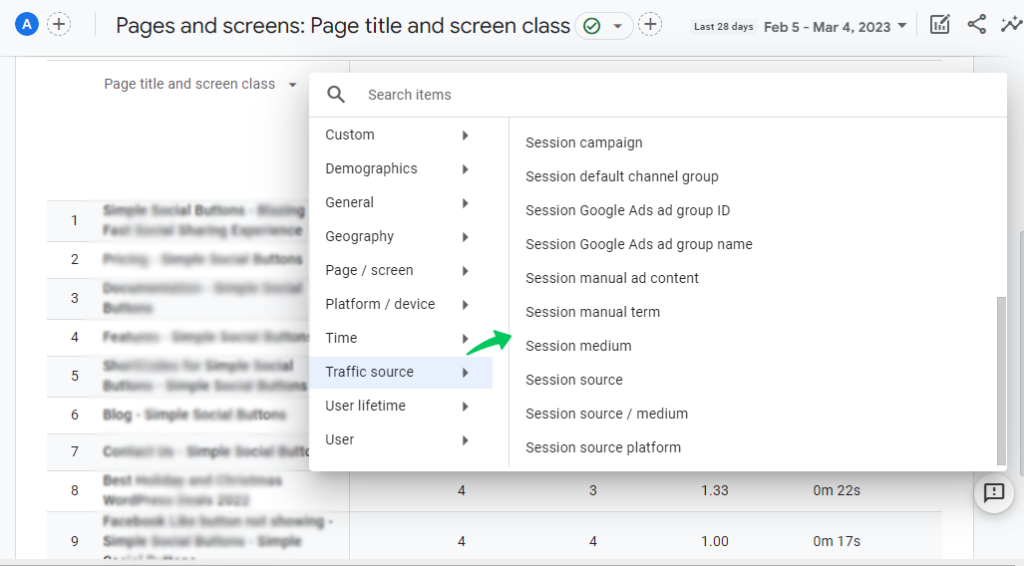
You will see overall data about the session medium.
GA4 then shows a search list. Select Organic Search from that list.
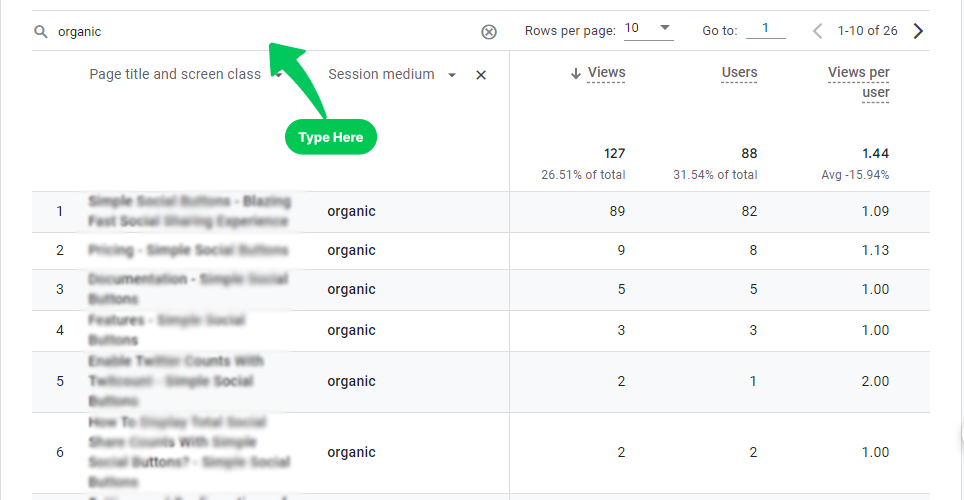
You now see data limited to organic search pages only.
Use the filters at the top of the page. Check date ranges, devices, and countries.
Compare other measurements by selecting the plus icon.
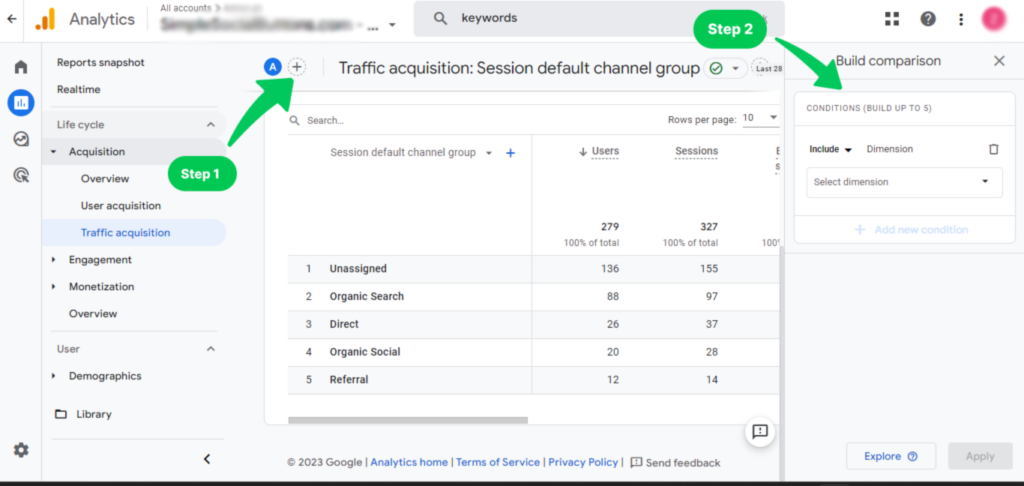
GA4 covers traffic, sources, engagement time, and bounce rate. It also breaks down organic traffic among dozens of other metrics.
International organic traffic needs its own strategy. A generic translation is not enough for most markets.
Understanding SEO translation vs. localization matters here. Content matched to local search intent drives more qualified organic traffic than translation alone.
GA4 makes organic search term tracking simple. Our Google Analytics SEO Reports guide covers how to extract and interpret that SEO data. Use it to refine your optimization strategy.
Local businesses gain from a second channel too: Google Business Profile. Optimizing your GBP drives direct organic visits to your physical location. It complements the organic search traffic GA4 already tracks.
Frequently Asked Questions
1. What is the difference between organic search and paid search in Google Analytics?
Organic search is unpaid, natural search traffic. Paid search comes from ads. Google Analytics 4 separates the two channels automatically.
2. How can I track specific organic search terms and keywords in GA4?
Connect Google Search Console to GA4 for exact GA4 organic search keywords. GA4 alone won’t show keyword-level search terms.
3. Can I connect my WordPress site to Google Analytics without using Analytify?
Yes. Add tracking code to your site’s header or using other plugins. Analytify connects GA4 with zero code.
4. Does Analytify work with Google Analytics 4 (GA4)?
Yes. Analytify fully supports GA4 organic search tracking. It shows this data right inside your WordPress dashboard.
5. Why isn’t Analytify showing my organic search data?
Analytify won’t show organic search data in two cases. First, if Google Analytics isn’t fully connected. Second, if the site has no organic traffic yet. Check your Analytify connection in WordPress settings. Link Google Search Console for keyword data. Give GA4 time to process new sessions.
Conclusion
GA4’s organic search data shows your top content and keywords. Track it to know what free traffic to create next.
Google Analytics 4 shows organic traffic against industry SEO benchmarks.
Want the deeper ranking picture? Read Search Engine Ranking Reports: 5 Ultimate Tools and Tips.
See organic search performance inside WordPress with Analytify, a WordPress plugin for GA4.

 Halloween Sale: Know which campaigns drive sales this season.