Best SEO Software: 15 Tools Ranked and Scored for 2026

The best SEO software depends on your budget, your team size, and whether you need free foundational data or a paid all-in-one platform. This guide ranks and scores 15 SEO tools, from Google’s own free tools to specialized platforms for backlinks, rank tracking, and content optimization.
Most “best SEO tools” lists just describe features. This one scores every tool on four criteria that matter for a real buying decision: how easy it is to set up without technical help, how well it works with a WordPress site, how much you get on a free tier, and how transparent the pricing actually is. Each tool below carries its score and a one-line verdict.
Fifteen tools are covered here, spanning free options like Google Search Console through specialized platforms for keyword research, backlink building, and technical audits. A comparison table, a scorecard, and a single stated overall pick close out the ranking.
Best SEO Tools (TOC):
How to Choose the Right SEO Software for Your Needs
The right SEO software depends on your role: freelancer, agency, or enterprise, and on which SEO priority matters most to you right now.
- Freelancers need affordable, versatile tools for search engine optimization that pack a punch without draining their wallets. They should look for platforms that combine keyword research, content help, and rank tracking in one simple package.
- Agencies juggle multiple clients with different needs. Your ideal SEO optimization tools should offer clean reports you can brand as your own, team access options, and ways to handle several projects at once without losing your mind.
- Enterprises need serious firepower. When you’re managing massive websites, you need the best software for SEO that plays nice with your existing tech, handles complex technical issues, and keeps everything secure.
Your specific goals matter, too. Technical SEO fans should prioritize site auditing and crawling features. Building links? Look for backlink analysis and outreach capabilities. Content creators need tools that analyze topics and spy on competitors.
So, before asking what the best SEO software is or just wondering what SEO tools for competitors are truly worth your time, think about what you need. The right choice should fit your business size, respect your budget, and solve your specific SEO challenges.
Selection Criteria for the Best SEO Software
Seven factors separate a genuinely useful SEO tool from a bloated one: keyword research depth, technical auditing, rank tracking accuracy, backlink analysis, competitor insight, reporting, and integration with your existing stack. Each of the 15 tools below is judged against all seven.
- Keyword Research Capabilities: We looked for tools that surface high-volume, low-competition keywords instead of the obvious, overcrowded ones. Those hidden opportunities drive real traffic faster than chasing the same terms as everyone else.
- Site Auditing & Technical SEO: The best online SEO tools don’t just identify problems. They explain them and provide clear steps to fix them. We prioritized solutions that make technical SEO less complex, even for beginners.
- Rank Tracking: Rank tracking makes progress visible. We included tools that offer accurate, up-to-date position monitoring across multiple search engines and locations.
- Backlink Analysis: Good links remain crucial for SEO success. The standout SEO tools and software in this category help you understand your backlink profile, identify toxic links, and most importantly reveal exactly where your competitors are getting their most valuable backlinks.
- Competitor Analysis: We value SEO optimisation tools that go beyond basic metrics to show you the “why” behind competitor rankings, uncovering their content strategies, keyword targets, and site structure so you can learn from (or outmaneuver) them.
- Reporting & Integrations: Nobody wants to copy data between systems manually. That’s why we focused on top tools for SEO that play nice with other platforms, offer customizable reports that make sense to clients, and automate the boring stuff.
- Pricing & Scalability: Even the best SEO tool isn’t a good choice if it breaks your budget. We looked for options that offer clear value at different price points and can grow alongside your business without sudden, painful price jumps.
How We Scored Each SEO Tool
Each tool is scored out of 20 across four criteria: how easy it is to set up without a developer, how well it works with a WordPress site, how much real capability the free tier includes, and whether pricing is published or hidden behind a sales call. These are editorial judgments based on each platform’s documented features and public pricing, not a formal lab test, and they are scored the same way for every tool so the comparison stays consistent.
| Tool | Setup Ease | WordPress Fit | Free Tier | Price Transparency | Score /20 | Best For |
| Google Search Console | 5 | 4 | 5 | 5 | 19 | Every WordPress site, no exceptions |
| Google Analytics (GA4) | 3 | 3 | 5 | 5 | 16 | Understanding what visitors do after they land |
| SE Ranking | 4 | 3 | 2 | 4 | 13 | Agencies wanting one platform instead of five |
| Moz Pro | 4 | 2 | 2 | 4 | 12 | Beginners who want SEO concepts explained plainly |
| Ahrefs | 3 | 2 | 1 | 3 | 9 | Backlink research at scale (no meaningful free tier) |
| Majestic SEO | 3 | 2 | 2 | 4 | 11 | Link-graph analysis specifically |
| Ubersuggest | 5 | 3 | 4 | 5 | 17 | Solo site owners and freelancers on a budget |
| Semrush | 3 | 3 | 2 | 4 | 12 | Agencies managing multiple client accounts |
| SEO PowerSuite | 2 | 2 | 3 | 3 | 10 | Professionals who want to own their data, no subscription |
| WebCEO | 3 | 2 | 2 | 3 | 10 | Agencies that need white-label client reports |
| Ranktracker | 4 | 2 | 3 | 4 | 13 | Straightforward rank tracking without the bloat |
| Screaming Frog | 2 | 2 | 4 | 5 | 13 | Technical audits, steep learning curve |
| BrightLocal | 3 | 2 | 2 | 3 | 10 | Local businesses and multi-location brands |
| ChatGPT | 5 | 1 | 4 | 5 | 15 | Drafting content briefs fast, not technical SEO |
| Surfer SEO | 4 | 3 | 1 | 4 | 12 | Turning keyword research into a content brief |
Our overall pick: Ubersuggest. For most WordPress site owners, freelancers, and small agencies, it scores highest on the criteria that matter most to that buyer: a straightforward setup, a genuinely useful free tier, and published pricing with no sales call required. Ahrefs and Semrush have deeper data, but that depth is built for agencies with dedicated SEO staff, not a solo WordPress site owner checking rankings between client work.
Google Search Console scores highest overall (19/20), but it is not really a competitor to the paid tools above. It is a free baseline every WordPress site should already have connected, regardless of which paid platform gets picked.
Comparison Table of Top SEO Tools
| Tool | Core Features | Pricing | Best for |
| Google Search Console | Traffic Source Tracking, User Journey Mapping, Behavior Analysis, Real-Time Website Monitoring | Free | All website owners |
| Google Analytics | Traffic Source Tracking, User Journey Mapping, Behavior Analysis, Real-Time Website Monitoring | Free (GA4), Paid (Analytics 360) | All website owners |
| SE Ranking | Rank Tracker, Keyword Research, Website Audit, On-Page SEO Checker, Competitive Research, Backlink Checker, Content Marketing Tools | From $65/month, 14-day trial | Small-medium agencies, in-house marketing teams |
| Moz Pro | Keyword Explorer, Search Intent Analysis, Competitive Research, On-Page Grader, Site Crawl, Rank Tracking | From $49/month, 30-day trial | SEO beginners |
| Ahrefs | Site Explorer, Keywords Explorer, Site Audit, Rank Tracker, Content Explorer, Backlink Checker | From $129/month, free Webmaster tools | Experienced SEO professionals and agencies |
| Majestic SEO | Backlink Analysis, Keyword Generator, Site Explorer, Search Explorer, Competitor Analysis | From $49.99/month, 7-day refund | SEO agencies focused on backlinks |
| Ubersuggest | Rank Tracking, Competitive Analysis, Keyword Research, Site Audit, Content Ideas, AI Writer | From $29/month, lifetime available | Beginners & small business owners |
| Semrush | Keyword Research, Site Audit, Rank Tracking, Competitor Analysis, Link-Building, PPC Analysis, Agency Growth Kit | From $139.95/month, 7-day trial | Agencies, large marketing teams, and enterprise businesses |
| SEO PowerSuite | Rank Tracker, Website Auditor, SEO SpyGlass, LinkAssistant | From $29.10/month (annual only), free version | SEO professionals and agencies managing extensive SEO data |
| WebCEO | Rank Tracking, Technical Audit, Keyword Research, Backlink Analysis, Task Manager, White-Label Tools | From $119/month, 14-day trial | SEO agencies handling multiple clients |
| Ranktracker | Rank Tracker, Keyword Finder, SERP Checker, Website Audit, Backlink Checker, Backlink Monitor | From $24/month, 7-day trial | Small businesses, medium-sized teams |
| Screaming Frog | Website Crawler, Metadata Analysis, Duplicate Content Detection, JavaScript Rendering, XML Sitemap Generation | Free version, $259/year | Technical SEO specialists, web developers |
| BrightLocal | Local Rank Tracking, Local SEO Auditing, Citation Building, Google Business Profile Optimization, Reputation Management | From $39/month, 14-day trial | Local businesses and agencies |
| ChatGPT | SEO Content Generation, Keyword Research, Content Outlines Generation, Meta Descriptions Generation, SEO Analysis | Free, paid plans from $20/month | Content creators, SEO professionals |
| Surfer SEO | Content Editor, Surfer AI, Topical Maps, Content Audit, AI Outline Generator, AI Detector and Humanizer | From $99/month, 7-day money-back guarantee | Companies and agencies producing SEO-focused content |
Best SEO Software in 2026 (Ranked List)
The 15 tools below are ranked using the scoring criteria above. Each entry lists its score out of 20 and a one-line verdict on who it fits best.
1. Google Search Console
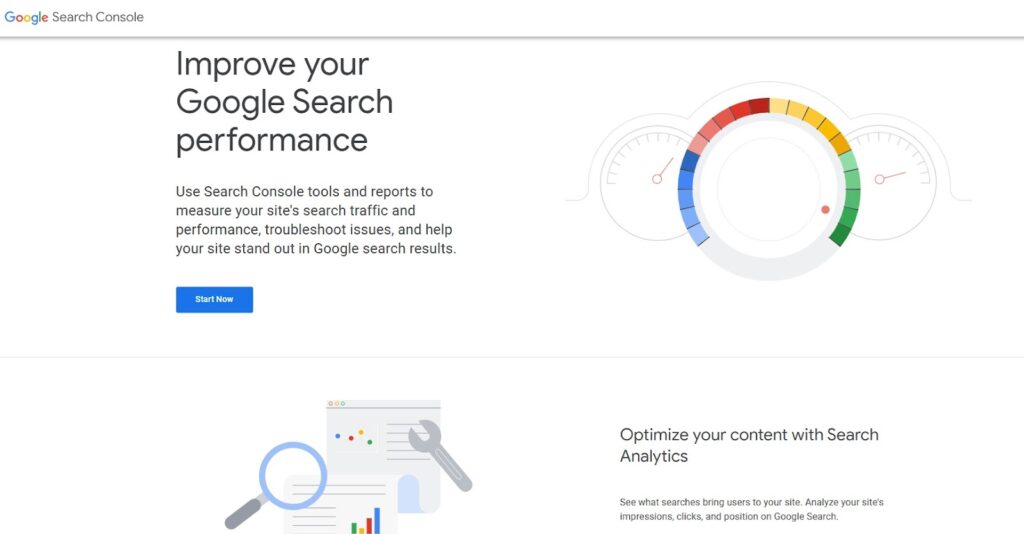
Google Search Console (GSC) is Google’s free tool for monitoring how your site performs in search results. Google itself is the data source, not a third-party estimate, so GSC shows exactly which queries bring traffic and where indexing breaks down.
Features:
GSC packs surprising power for a free tool. Key features include:
- Performance dashboards that reveal which queries actually bring visitors
- Technical health metrics measuring if your site meets Google’s speed standards
- Page indexing monitors that flag when Google struggles to read important content
- Mobile-friendly tests identifying when smartphone users face frustrations
- On-demand crawl tools let you push new pages to Google without waiting
- An XML sitemap helping Google discover everything you want to be indexed
Pricing:
Completely free, with no usage limits or hidden upgrades.
Pros & Cons:
Pros:
- Free forever with unlimited access
- Straight-from-the-source Google data
- Real control over how Google sees your pages
- Works smoothly with other Google tools
Cons:
- Missing many advanced features of premium SEO tools and software
- Steeper learning curve for beginners
- No customer support available
- Limited to Google (no Bing or other engines)
Who it’s for:
GSC is crucial for anyone serious about SEO, from beginners to agencies. As one G2 reviewer calls it, the “best friend for an SEO guy,” providing “insane value” despite being free.
2. Google Analytics
Google Analytics (GA) tracks what happens after visitors land on your site: which pages convert, where they drop off, and which channels drive revenue. Google Analytics for Beginners (Updated Guide 2026). Ranking tools show who finds your site. GA shows whether those visitors take action, which is what proves SEO work is paying off.
Features:
GA goes far beyond simple traffic counting. Key capabilities include:
- Traffic source tracking reveals exactly which channels, campaigns, and mediums drive visitors to your site
- User journey mapping shows how people navigate from the landing page to the conversion
- Behavior analysis highlighting which content keeps visitors engaged and which sends them running
- Conversion metrics connecting SEO efforts to actual sales, sign-ups, and downloads
- Audience insights breaking down visitor demographics, locations, and devices
- Custom reporting lets you build client-specific dashboards that showcase your SEO wins
Pricing:
Standard GA4 is completely free with generous usage limits. For enterprise needs with massive traffic, Google Analytics 360 offers expanded features through authorized resellers.
Pros & Cons:
Pros:
- Free version for everyone
- Works perfectly with other Google tools
- Gives trustworthy, straight-from-the-source data
- Shows visitor activity as it happens
Cons:
- Steep learning curve
- GA4 upgrade forces everyone to relearn the system
- No customer support for free users
- Can’t purchase the premium version directly from Google
Who it’s for:
GA is essential for anyone who cares about what happens after visitors actually land on their site.
Analytify to Integrate GA4 with your WordPress Site
Join 50,000+ beginners & professionals who use Analytify to simplify their Website Analytics!
Analytify turns Google Analytics’ raw data into simple, visual reports inside your WordPress dashboard. It shows exactly which pages and traffic sources drive results, which makes it easier to improve SEO rankings based on real numbers instead of guesswork.
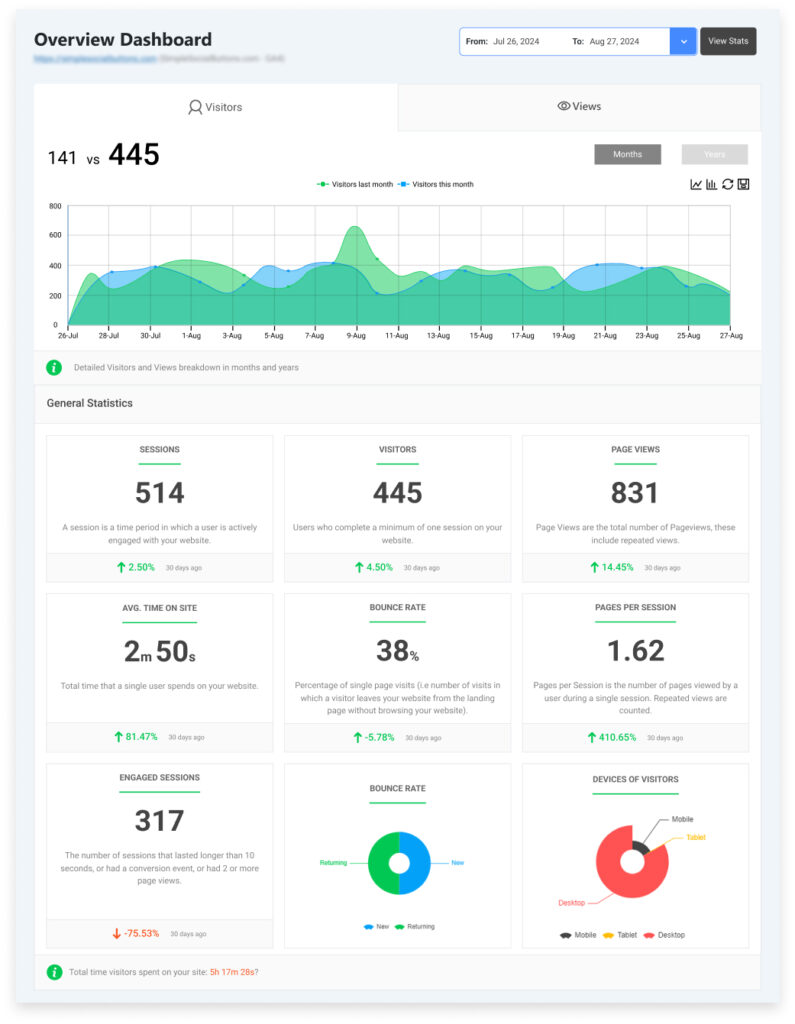
However, while Google Analytics provides valuable data, its interface can be overwhelming, especially for beginners or those who want quick, actionable insights.
3. SE Ranking
“Everything you need” is how one G2 reviewer describes SE Ranking, an all-in-one SEO platform that combines rank tracking, site audits, and keyword research in a single subscription. It replaces the need to juggle separate tools for each task.
Features:
SE Ranking delivers the best tool for SEO analysis through these key components:
- Rank Tracker monitoring positions across search engines with location-specific results
- Keyword Research discovering profitable terms competitors miss
- Website Audit identifying technical issues with actionable fixes
- On-Page SEO Checker analyzing and improving page optimization
- Competitor Analysis revealing organic and paid rival strategies
- Backlink Checker with profile analysis and monitoring
- AI Overviews Tracker monitoring visibility in Google’s AI results
- Content Marketing Tools with AI optimization assistance
- Local Marketing features for managing local search presence
- Agency Tools, including white-label reporting and client management
Pricing:
SE Ranking offers three main pricing plans, starting from $65/month. A 14-day free trial is available for all options.
The platform provides annual discounts and flexible pricing with various add-ons.
Pros & Cons:
Pros:
- Complete SEO toolkit in one straightforward platform
- Simple, easy-to-navigate interface
- Low pricing compared to other tools
- Strong agency options
Cons:
- Essential plan limited to one user
- Agency features cost extra
Who it’s for:
SE Ranking shines for small to mid-sized agencies and in-house marketing teams who need a single solution to handle multiple aspects of SEO.
4. Moz Pro
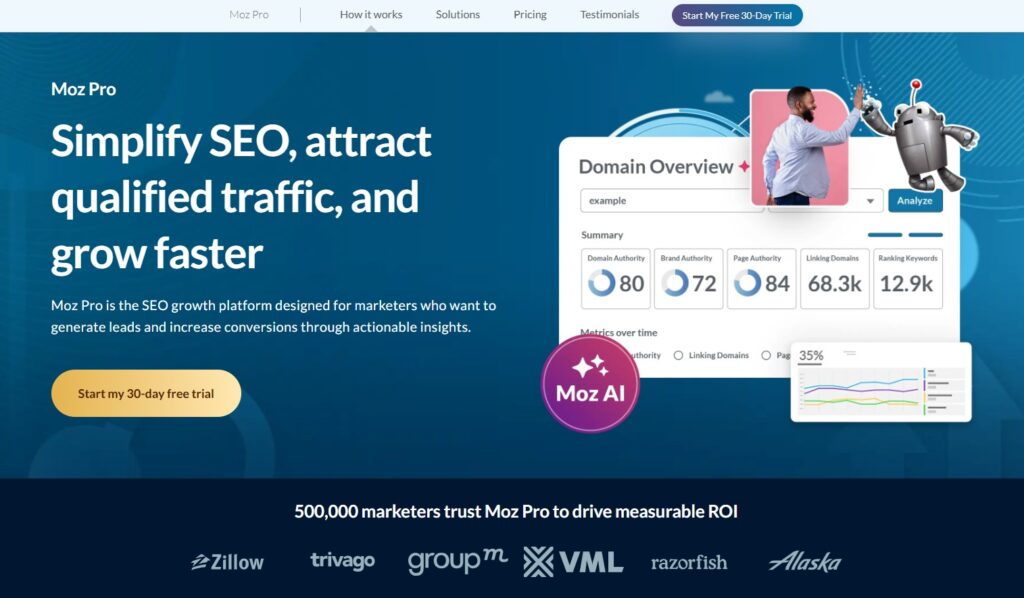
Moz Pro is a long-standing SEO platform built around keyword research, rank tracking, and site audits, with a strong focus on translating algorithm changes into plain-language guidance. As one satisfied user notes, “Moz Pro is simple to use, giving the data required to improve content for best SEO ranking.”
Features:
Moz Pro offers comprehensive search engine optimization tools to elevate your search visibility. Key among them include:
- Keyword Explorer reveals search volume, difficulty, and potential reach
- AI-Powered Search Intent Analysis shows people search specific terms
- Keyword Suggestions grouped by intent to expand your reach
- Site Crawl identifying technical issues with clear fix instructions
- On-Demand Crawling to quickly validate fixes and refresh data
- On-Page Grader with recommendations to improve rankings
- Competitive Research revealing rivals’ top keywords and pages
- Rank Tracking across multiple locations and search engines
- Domain Overview Dashboard monitoring key metrics in one place
Pricing:
Moz Pro offers four subscription tiers starting from $49/month with monthly billing and includes a generous 30-day free trial to explore all features.
Pros & Cons:
Pros:
- Industry-standard domain authority metric
- Excellent educational resources for beginners
- Useful free tools
- Clear, actionable recommendations
Cons:
- Limited keyword tracking on lower-tier plans
- Local SEO requires buying a separate product
Who it’s for:
Moz Pro is the best SEO tool for beginners and education-focused teams who want to understand the “why” behind their optimization efforts.
5. Ahrefs
Ahrefs is built around backlink data, powered by the web’s second-most active crawler after Google’s. In an Editorial.Link survey, 68.1% of SEO professionals ranked Ahrefs as the most accurate and comprehensive backlink data provider. One reviewer summed up its core value simply: backlink monitoring that shows historical and live data in the same place.
Features:
Ahrefs, as one of the SEO best tools, offers many valuable features such as:
- Site Explorer analyzing organic search traffic and backlink profiles
- Keywords Explorer uncovering opportunities across 217 locations
- Site Audit scanning for 170+ technical issues with prioritized fixes
- Content Marketing Tools improving your content strategy with AI
- Rank Tracker monitoring positions with visibility scores
- Content Explorer discovering high-performing content
- SEO Dashboard providing high-level metric views
- Web Explorer searching pages indexed by its crawler
Pricing:
Ahrefs offers four subscription plans starting from $129/month, with a 17% discount for annual billing. There’s no free trial, but they provide a free Webmaster Tools package with limited functionality. Additional paid add-ons are available for specialized needs.
Pros & Cons:
Pros:
- Best-in-class backlink database
- Excellent keyword research data
- Strong technical audit tools
- The free basic version is available
Cons:
- Difficult for beginners
- Each plan includes only one user (extra users must be purchased separately)
- Expensive for advanced features
Who it’s for:
We recommend Ahrefs for experienced SEO professionals and agencies prioritizing backlink building and competitive analysis.
6. Majestic SEO
Majestic SEO focuses entirely on link intelligence, nothing else. It has spent close to two decades building backlink measurement tools, while most competitors treat backlinks as one feature among many.
Features:
Majestic’s power lies in its unique suite of proprietary metrics explicitly designed for link quality assessment:
- Trust Flow measures link quality by evaluating how close a site is to trusted seed sites
- Citation Flow focuses purely on link quantity without judging the quality
- Visibility Flow helps distinguish valuable editorial links from less impactful directory listings
- Topical Trust Flow analyzes subject relevance across more than 800 categories
- Flow Metric Analysis provides insights when different metrics show unexpected patterns
The platform also includes other popular SEO tools like Keyword Generator, Site Explorer, Link Context, Campaigns, Competitor Analysis, and mutual link discovery for comprehensive link intelligence.
Pricing:
Majestic offers three main pricing tiers starting from $49.99/month. New customers receive a 7-day money-back guarantee.
Pros & Cons:
Pros:
- Unmatched depth of backlink data
- Unique proprietary metrics
- Excellent data visualization
- Free browser extensions
Cons:
- Steep learning curve
- Single-user limits on basic plans
- No all-in-one SEO features
Who it’s for:
We recommend Majestic for SEO professionals and agencies needing in-depth backlink intelligence. While it won’t handle keyword research or content optimization like other best SEO software tools, it offers unparalleled insights into link ecosystems that can give you a significant competitive advantage.
7. Ubersuggest
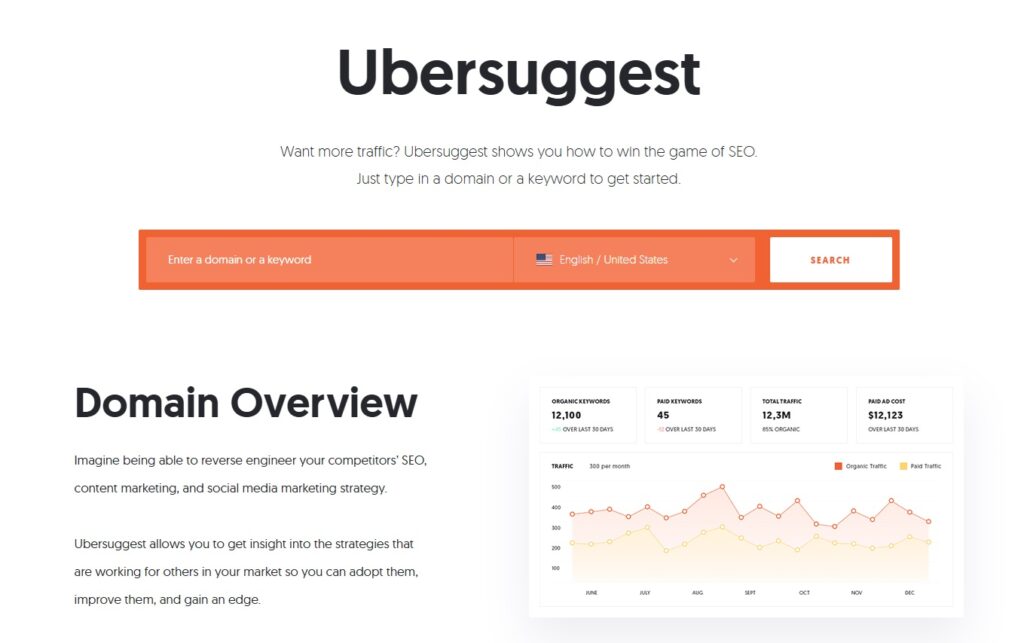
Ubersuggest is Neil Patel’s SEO platform built for beginners. It started as a keyword research tool and has grown into a full SEO suite covering rank tracking, site audits, and content ideas, without the steep learning curve of enterprise tools.
Features:
Ubersuggest delivers essential tools with a focus on simplicity. The platform includes:
- Rank Tracking for monitoring performance
- Competitive Analysis to benchmark against rivals
- Keyword Research with volume and difficulty metrics
- Site Audit with prioritized improvement recommendations
- Content Ideas for discovering successful content
- Backlink Analysis for link-building opportunities
- AI Writer for content generation
- SEO Training with courses and coaching calls
Pricing:
Ubersuggest offers both monthly plans starting at $29/month/month and unique lifetime access options. Monthly plans include a 7-day free trial, while lifetime purchases have a 30-day money-back guarantee.
Pros & Cons:
Pros:
- Simple, easy-to-navigate interface
- Affordable pricing with a lifetime option
- Comprehensive learning resources
- Multiple user seats in higher tiers
Cons:
- Limited features compared to premium tools
- Less comprehensive data depth
- No API access
- Basic reporting capabilities
Who it’s for:
Ubersuggest offers the best SEO tools for small businesses, bloggers, and SEO beginners who need affordable, straightforward tools without a steep learning curve.
8. Semrush
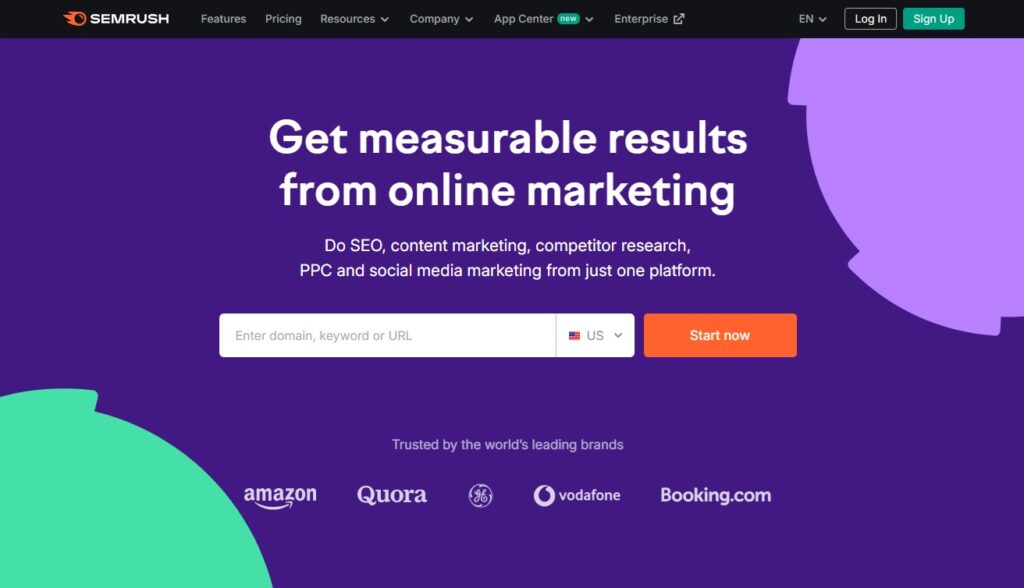
Semrush combines keyword research, competitor analysis, site audits, and content tools in one platform, backed by one of the industry’s largest keyword databases. Agencies managing several client accounts use it most, since it replaces several single-purpose tools with one subscription.
Features:
Semrush delivers an all-encompassing toolkit for digital marketers. You will find there:
- Keyword Research uncovering thousands of opportunities
- Site Audit checking over 140 technical parameters
- Rank Tracking across multiple devices and search engines
- Competitor Analysis for keyword portfolios and visibility
- Link-Building with advanced prospecting
- PPC Analysis for paid search campaigns
- Content Marketing tools with AI solutions and ready-to-use templates
- Agency Growth Kit, including CRM and white-label reporting
Pricing:
Semrush offers three main tiers starting at $139.95/month. You can test each plan during a 7-day free trial. Annual billing saves up to 17%.
Pros & Cons:
Pros:
- Massive keyword database
- Comprehensive competitor analysis
- Regular updates
- Agency-specific solutions
Cons:
- Steep learning curve
- Extra costs for additional users
- Complex and high-priced
Who it’s for:
Semrush is the best enterprise SEO tool for companies that need maximum data depth and analytical power, delivering unmatched insights for both SEO and PPC.
9. SEO PowerSuite
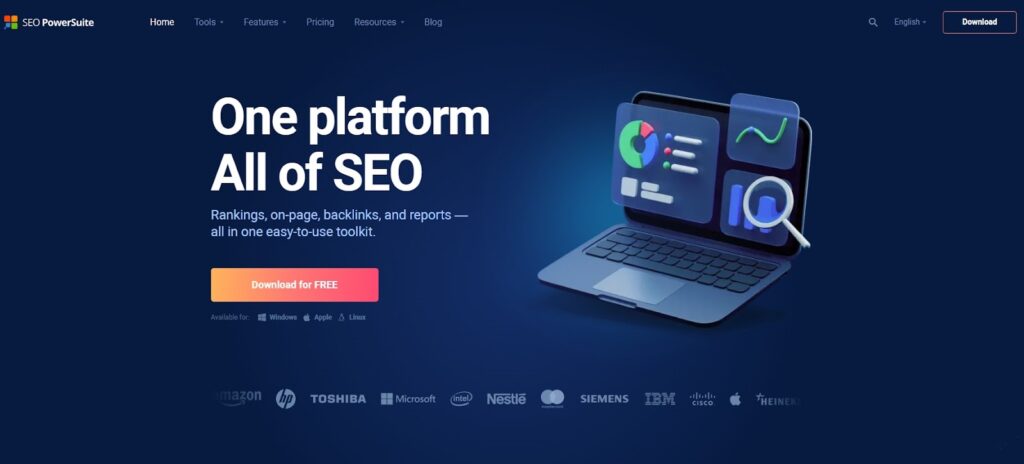
SEO PowerSuite is a desktop SEO platform, not cloud-based, so your data stays on your machine with no subscription limits on how much you can pull. It has been built and refined for over 20 years, and agencies that need unlimited data access without a monthly fee are its core audience.
Features:
SEO PowerSuite delivers its functionality through four specialized applications:
- Rank Tracker monitoring positions across almost 600 search engines
- Website Auditor identifying technical SEO issues and content optimization opportunities
- SEO SpyGlass analyzing backlink profiles
- LinkAssistant managing link-building
Pricing:
SEO PowerSuite offers a free version with basic functionality plus two paid tiers starting at $29.10/month (billed annually). Unlike most competitors, there are no monthly plans, but you can save up to 34% with multi-year options. Tools can also be purchased separately.
Pros & Cons:
Pros:
- No usage limits on keywords or projects
- Comprehensive reporting options
- Free version available forever
Cons:
- Desktop-only software
- No monthly payment options
- Slower performance than cloud platforms
Who it’s for:
If you’re looking for the best SEO software that offers unlimited data at a fixed price, SEO PowerSuite could be your answer. It is ideal for agencies and professionals tired of hitting data limits or watching costs rise as they scale.
10. WebCEO
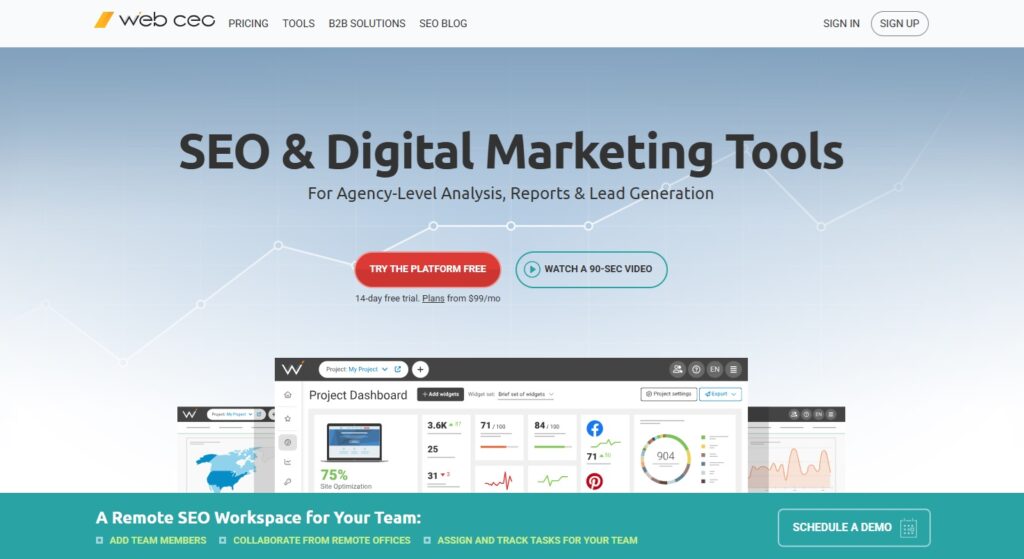
WebCEO is an agency-first SEO platform built for teams managing several client websites at once. Where most SEO tools focus on data collection alone, WebCEO is built around workflow efficiency, team collaboration, and client-ready reporting.
Features:
WebCEO offers specialized tools designed for agency needs:
- Rank Tracking across 370+ search engines with local targeting
- Technical Audit identifying site issues with task-based solutions
- Keyword Research from multiple sources
- Backlink Analysis for evaluating link quality
- Task Manager with customizable SEO checklists
- White-Label Tools that create reports with your domain
Pricing:
WebCEO offers three subscription plans starting at $119 /month. Annual billing saves 16%, and a 14-day free trial is available.
Pros & Cons:
Pros:
- Extensive agency management tools
- Additional users for just $5/month each
- Branded reporting is included in all plans
Cons:
- Complex pricing structure
- Limited AI capabilities
- Overwhelming interface for beginners
Who it’s for:
WebCEO is perfect for marketing agencies managing multiple clients who need streamlined workflows and professional deliverables. If you’re looking for the best SEO software that emphasizes team collaboration over having the largest keyword database, this platform delivers.
11. Ranktracker
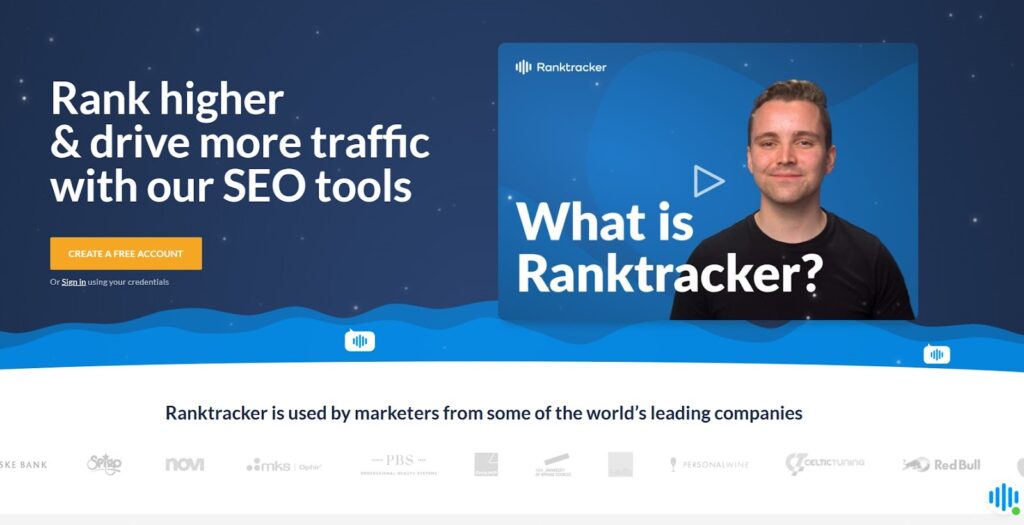
Ranktracker combines rank tracking, keyword research, and technical analysis in one platform. Small businesses and agencies managing several clients use it most, largely because of its straightforward interface and comprehensive data in a single dashboard.
Features:
Ranktracker offers a straightforward set of top SEO tools:
- Rank Tracker for monitoring keyword positions
- Keyword Finder to discover high-opportunity terms
- SERP Checker for analyzing competitor rankings
- Website Audit that scans for technical SEO issues
- Backlink Checker for researching competitor links
- Backlink Monitor tracking your link profile changes
Pricing:
Ranktracker offers four subscription plans starting at $24/month. All plans include a 7-day free trial, and annual billing can save you up to 5 months of subscription costs.
Pros & Cons:
Pros:
- Clean, simple interface
- Comprehensive keyword research
- Good value with annual billing
Cons:
- The steep learning curve for beginners
- Customer service concerns
- Controversy over lifetime deal changes
Who it’s for:
Ranktracker suits small to medium businesses and agencies needing straightforward rank monitoring without complexity. While featured in many SEO tools list roundups for its tracking capabilities, potential customers should research recent user experiences regarding support before committing.
12. Screaming Frog
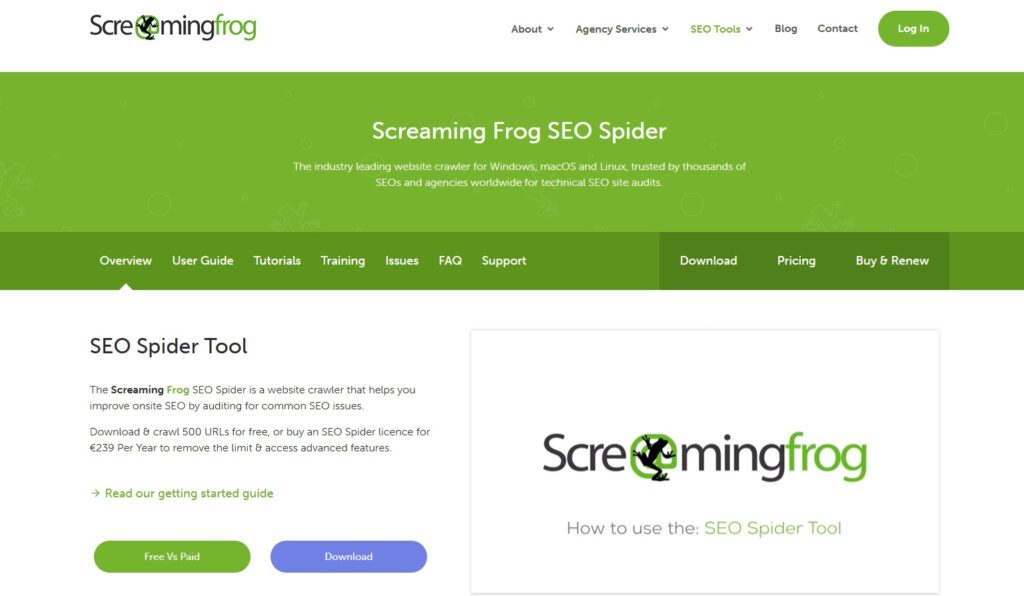
Screaming Frog’s SEO Spider is a desktop crawler that surfaces technical issues before they hurt your rankings: broken links, duplicate content, missing metadata, and more. It requires no monthly subscription for the core crawling features, which is why it has become a standard tool for technical SEO audits.
Features:
Screaming Frog provides comprehensive technical tools such as:
- Website Crawler that identifies broken links, redirects, and server errors
- Metadata Analysis finding titles and descriptions that need optimization
- Duplicate Content Detection with both exact and partial matching
- JavaScript Rendering for crawling modern web applications
- Site Architecture Visualization showing the internal linking structure
- XML Sitemap Generation with customizable settings
Pricing:
Screaming Frog offers a free plan that crawls up to 500 URLs and a paid version at $259 per year.
Pros & Cons:
Pros:
- Detailed technical analysis
- Free version available
- Deep data extraction capabilities
Cons:
- Steeper learning curve for beginners
- Desktop-only software
- Limited features compared to the best SEO tools
Who it’s for:
Screaming Frog offers the best SEO marketing tools for technical SEO specialists and developers who need deep insights into website structure. It excels during site migrations, redesigns, and technical health checks.
13. BrightLocal
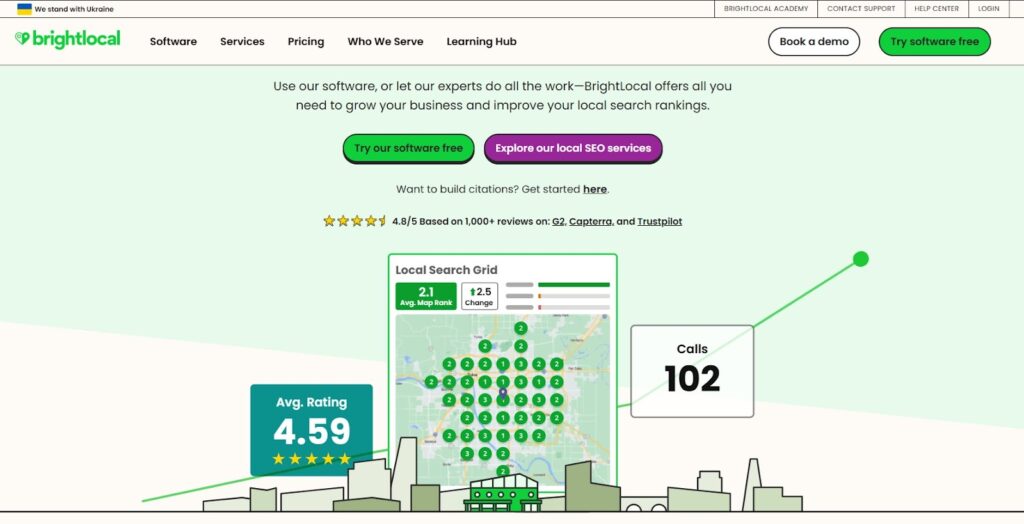
BrightLocal is built entirely around local search visibility: Google Business Profile optimization, local citations, and Google Maps rankings. As one reviewer put it, it “provides a wide range of usable information that allows users to correctly optimize websites, Google Business Profiles, Google Maps, Local Finder, and citations.”
Features:
BrightLocal delivers local SEO capabilities:
- Local Rank Tracking with location-specific results
- Local SEO Auditing analyzing 300+ data points
- Citation Building without recurring fees
- Google Business Profile Optimization
- Reputation Management across 80+ platforms
Pricing:
BrightLocal offers three subscription tiers starting at $39/month, with pricing increasing based on location count. Annual billing provides a 25% discount, and a 14-day free trial is available.
Pros & Cons:
Pros:
- Purpose-built for local SEO
- Simple, easy-to-navigate interface
- Excellent support
Cons:
- Not a complete SEO solution
- Occasional data issues
Who it’s for:
BrightLocal is ideal for agencies managing local clients and multi-location brands. If local search visibility is your focus, this ranks among the best SEO tools online for regional targeting.
14. ChatGPT
ChatGPT isn’t a dedicated SEO platform, but it has become a genuine part of many SEO workflows for drafting content briefs, generating meta descriptions, and outlining topic clusters faster than doing it manually.
Features:
ChatGPT provides a flexible approach to SEO assistance:
- Content Generation creating engaging, keyword-rich articles
- Keyword Research helping identify valuable search terms
- Content Outlines structuring SEO-friendly articles
- Meta Descriptions crafting compelling snippets for search results
- SEO Analysis providing insights on optimization opportunities
- Specialized GPTs offering purpose-built tools for specific SEO tasks
- Web Browsing accessing current information for up-to-date content
Pricing:
ChatGPT offers a free version with basic capabilities, plus premium tiers at $20/month (Plus) and $200/month (Pro), which provide faster responses, advanced features, and access to the latest models.
Pros & Cons:
Pros:
- Free version available
- Simple conversational interface
- Versatile beyond just SEO
- Constantly improving capabilities
Cons:
- Lacks dedicated SEO features
- No built-in data verification
- Requires clear instructions
- No native website integration
Who it’s for:
ChatGPT is ideal for SEO professionals, content creators, and digital marketers seeking to enhance their strategies with AI-powered assistance. Its range of features and flexible pricing make it suitable for both individuals and organizations aiming to improve their online visibility and search engine rankings. And of course, for more specialized needs, development teams like UPTech Team can create custom solutions that combine AI with deeper technical SEO capabilities.
15. Surfer SEO
Surfer SEO analyzes over 500 on-page ranking factors and turns them into a content brief, showing exactly what a page needs to compete for a given keyword. It’s built specifically for content optimization, not general SEO management.
Features:
Surfer SEO offers specialized content optimization SEO tools:
- Content Editor with real-time SEO guidance
- Surfer AI generating ranking-ready articles
- Topical Maps identifying content gaps
- Content Audit automating existing content optimization
- AI Outline Generator for content structures
- AI Detector and Humanizer for managing AI content
Pricing:
Surfer SEO offers three subscription tiers starting at $99/month, with annual billing providing a 20% discount. All plans include a 7-day money-back guarantee.
Pros & Cons:
Pros:
- Comprehensive content optimization
- Simple interface
- AI capabilities throughout
Cons:
- High pricing
- Limited beyond content
- White-labeling is restricted to the custom plan
Who it’s for:
Surfer SEO is ideal for content creators, marketers, and agencies prioritizing content-driven SEO. Many consider it the best SEO tool online for content optimization, though it works best when paired with other tools for comprehensive campaigns. If you regularly produce content and want data-backed recommendations for improving rankings, Surfer delivers impressive results despite its premium pricing.
Best SEO Tools: Frequently Asked Questions
1. What are SEO tools and why are they important?
SEO tools are software applications designed to help website owners and digital marketers optimize their sites for search engines. They assist in keyword research, site auditing, backlink analysis, and tracking search engine rankings. Utilizing these tools is crucial for improving online visibility, driving organic traffic, and staying competitive in search engine results.
2. How do SEO tools help improve my website’s ranking?
SEO tools provide data-driven insights into various aspects of your website’s performance. They help identify technical issues, optimize content, and uncover opportunities for building quality backlinks. By addressing these areas, SEO tools enable you to enhance your site’s relevance and authority, leading to improved rankings on search engine results pages (SERPs).
3. Are free SEO tools as effective as paid tools?
Free SEO tools can be effective for basic tasks like keyword research and site analysis. However, paid tools often offer more advanced features such as detailed competitor analysis, comprehensive backlink tracking, and in-depth reporting. Investing in paid tools can provide greater insights and deeper feature sets, which are beneficial for more competitive industries.
4. How do I choose the best SEO tool for my needs?
Selecting the right SEO tool depends on your specific requirements:
Freelancers: Opt for affordable, all-in-one tools that cover keyword research and site tracking.
Agencies: Look for tools offering advanced features for client reporting, team collaboration, and competitor analysis.
Enterprises: Choose tools that can handle complex SEO strategies and integrate with existing technologies.
5. How does Analytify enhance Google Analytics for SEO?
Analytify simplifies Google Analytics by turning complex data into easy-to-understand reports. It provides real-time insights, conversion tracking, and goal tracking, helping you quickly identify areas for improvement. With Analytify, you can make more informed SEO decisions without getting lost in the overwhelming data that Google Analytics can sometimes present.
6. Why isn’t my SEO software showing accurate data?
Inaccurate numbers usually trace back to setup, not the software itself. The most common causes are a missing or duplicated tracking tag, a filtered view that excludes real traffic, or a reporting delay of 24 to 48 hours that hasn’t caught up yet. Ad blockers and cookie consent tools also suppress a portion of client-side data, which is expected behavior rather than a bug. If two tools still disagree by more than 10 to 15% for the same date range after checking the tag setup, that gap points to a configuration issue worth investigating rather than a real traffic discrepancy.
7. Can I use SEO tools for local businesses?
Yes, several SEO tools are specifically designed for local businesses. These tools focus on local rank tracking, citation building, and Google Business Profile optimization, helping local businesses improve their visibility in location-based searches.
Final Thoughts: Which SEO Software is Right for You?
As you can see, the world of the best SEO analysis tools has never been more exciting. But remember, finding the right SEO tool depends on your business size and goals.
Freelancing solo and watching every penny? Ubersuggest is your budget-friendly sidekick for finding keywords and checking websites without breaking the bank.
Running an agency? SE Ranking is a total lifesaver without emptying your wallet.
Got a small business? WebCEO will be your new best friend for digging up competitor secrets.
The best part? Most of these tools offer free trials, so you can kick the tires before spending a dime. So, grab some of the best SEO software from our list and stop hoping people will find you; start making sure they do.
You may also like to read:
- 15+ Best Practices for WordPress SEO to Improve Search
- SEO For Landing Pages: Best Optimization Practices (2026)
- How to Track WordPress Site Stats and Page Views for High-Fidelity Growth?
- Best Ecommerce Digital Marketing Strategies & Tools (2026)
Now, we’d love to hear from you. What tools were you already using for SEO to rank, and which one did you find the best?