8 Best Google Tag Manager Alternatives for 2026

Looking for the best Google Tag Manager alternatives in 2026
If GTM feels too complex or overwhelming, you’re not alone. Many website owners, marketers, and beginners are exploring easier and more beginner-friendly alternatives to Google Tag Manager.
GTM’s technical setup and privacy requirements can be a challenge, particularly for those new to it. Luckily, there are several GTM alternatives for beginners that simplify tracking.
Google Tag Manager Alternatives (TOC):
Why Consider Alternatives to Google Tag Manager?
Google Tag Manager (GTM) is a capable tool, but it’s not always the best fit for everyone, especially those new to it. One major limitation is its complexity.
While GTM offers extensive customization and flexibility, setting up and managing tags, triggers, and variables can quickly become overwhelming for those without technical experience.
The interface is loaded with advanced features that often require a solid understanding of JavaScript and event tracking. This can make it difficult for small business owners, marketers, or non-developers to implement even basic monitoring correctly.
Another challenge is that Errors in tag configuration can go unnoticed until data is missing or inaccurate, and debugging these issues often requires technical expertise.
Choosing a GTM alternative can offer several advantages, especially for those looking for simplicity and user-friendliness.
- Easier setup with pre-built templates and visual interfaces
- Ideal for beginners and small teams with minimal coding needed
- Better privacy features like GDPR compliance and data anonymization
- Specialized tracking for eCommerce, marketing attribution, or content performance
- Reduced reliance on developers for website tracking management
In short, if GTM feels too technical, switching to a beginner-friendly tool can help with your analytics setup while maintaining accurate and compliant data.
| Tool | Starting Price | Free Option |
| Google Tag Manager | Free | Yes, fully free |
| Analytify | $99/year (Pro) | Yes, free WordPress.org plugin |
| Adobe Experience Platform Tags | Custom, enterprise pricing | No |
| Tealium iQ | Custom, enterprise pricing | No |
| Piwik PRO | From €36/month | 30-day free trial |
| CHEQ Manage (formerly Ensighten) | Custom, enterprise pricing | No |
| Segment (Twilio) | Custom, contact sales | 14-day trial on the Connections plan |
| Matomo Tag Manager | From €29/month (Cloud); free self-hosted | Yes, free Community edition |
| Oracle Infinity | Custom, enterprise pricing | No |
1. Analytify: The Best GTM Alternative for Easy Analytics Integration
Analytify is a straightforward WordPress plugin for integrating Google Analytics. It simplifies the entire process and makes it easy for anyone to use.
Join 50,000+ beginners & professionals who use Analytify to simplify their Google Analytics!
Instead of manually setting up tracking codes or handling complex tag management systems like Google Tag Manager (GTM), Analytify provides a streamlined solution.
It installs and connects Google Analytics to your website in just a few clicks. This makes it an ideal choice for beginners, marketers, and business owners who want clear insights without the technical difficulties.
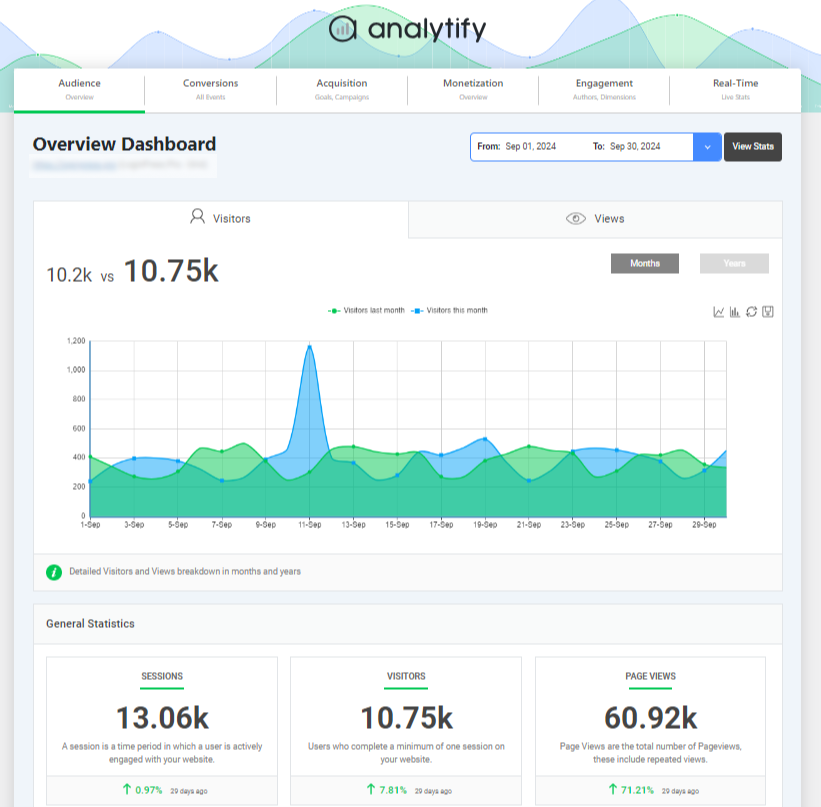
There are several reasons to consider Analytify as a practical alternative to GTM:
- Simplicity and Ease of Use
GTM is feature-rich but often difficult for non-technical users. Analytify removes the need for coding or tag management. Anyone with access to the WordPress admin can set up and view analytics without relying on developers or learning JavaScript. - Complete Google Analytics Integration
Analytify connects your site with Google Analytics and provides real-time, detailed reporting directly within your WordPress dashboard, so you can monitor performance without switching between platforms. - Customization for E-Commerce Tracking
For online store owners, Analytify integrates easily with WooCommerce. It tracks important e-commerce data such as product impressions, add-to-cart actions, and completed transactions, without needing the advanced configuration that GTM usually requires.
Key Features of Analytify
Analytify is packed with features that make analytics simple and accessible:
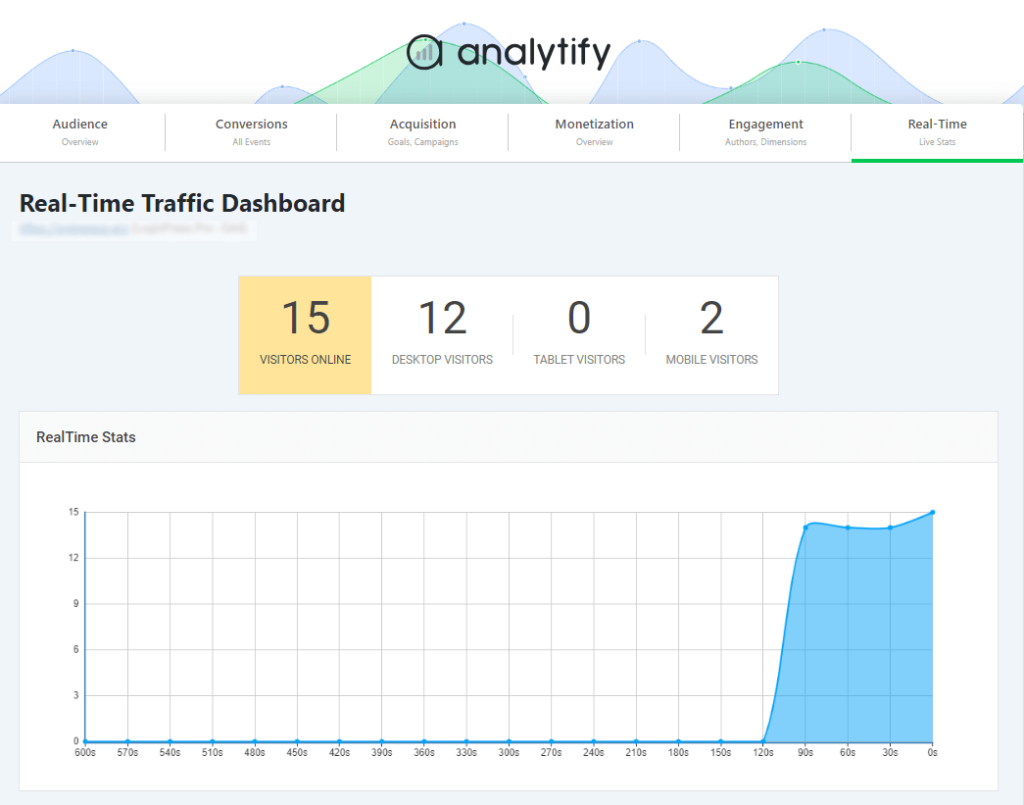
- Real-Time Analytics
Gain instant insights into how visitors interact with your website as it happens.
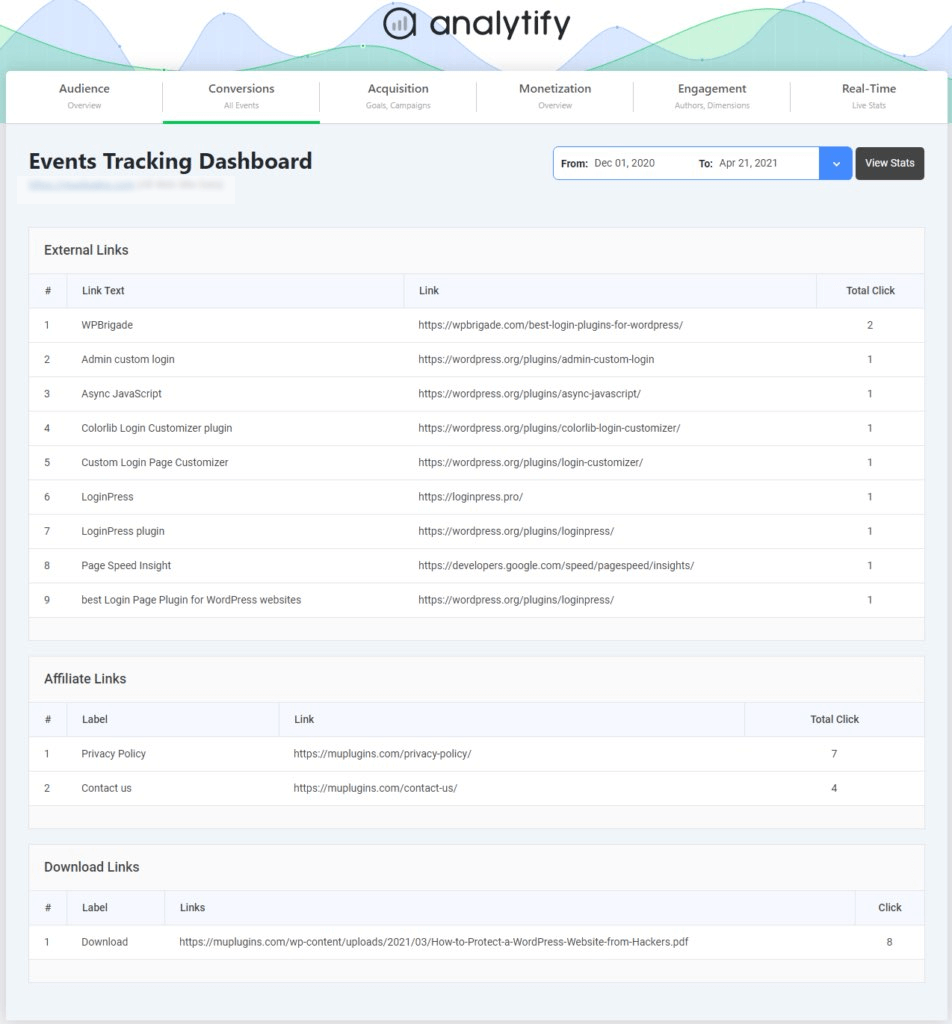
- Custom Event Tracking
Track specific user actions, such as form submissions, button clicks, and downloads, with ease – no manual tag setup required.
- E-commerce Tracking
Analytify supports WooCommerce, making it easy to monitor product views, purchases, revenue, and conversion rates directly from WordPress.
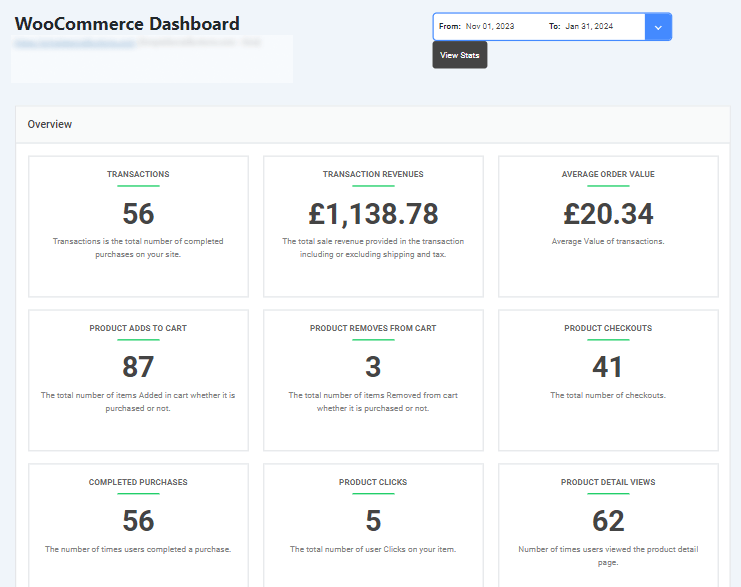
- Simple Reporting Interface
View designed reports for traffic, audience demographics, top-performing pages, referral sources, and more, all without leaving your dashboard.
Analytify vs. Google Tag Manager
Here’s a comparison table for Analytify vs. Google Tag Manager :
| Feature | Analytify | Google Tag Manager (GTM) |
| Ease of Use | Beginner-friendly with a simple setup process | Can be complex, especially for non-technical users |
| Technical Knowledge Required | No coding or tag management skills needed | Requires understanding of tags, triggers, and JavaScript |
| Integration with Google Analytics | Built specifically for Google Analytics integration | Requires manual setup of GA tags and configuration |
| Reporting | Real-time and detailed reports inside the WordPress dashboard | No built-in reporting interface, depends on connected tools |
| Event Tracking | Easy custom event tracking (e.g., clicks, forms) without coding | Must create tags and triggers manually for event tracking |
Other Notable Google Tag Manager Alternatives in 2026
In this section, we will explore other alternatives to Google Tag Manager. Each of these tools has distinctive features and benefits according to different business types and user needs. Let’s explore each tool one by one:
2. Adobe Launch
Adobe Launch is a tag management tool created by Adobe. It’s built to work directly with the Adobe Experience Cloud, helping organizations manage tracking tags across their websites and apps.
It’s designed for businesses already using Adobe’s marketing and analytics tools. This tool provides teams with full control over how data is collected and customized, making it a strong option for businesses that require advanced tracking solutions.
Key Features:
- Rule-based trigger system for precise tag deployment
- Custom extensions to expand functionality
- Advanced debugging tools for accurate implementation
Pros and Cons:
- Highly customizable, built for experienced users
- Not ideal for beginners or small teams
It is best for Large enterprises, especially those already using Adobe’s suite of marketing and analytics tools.
3. Tealium iQ
Tealium iQ is a flexible and advanced tag management platform that helps businesses track data across websites and digital tools. It supports many integrations and offers real-time data collection.
With a strong focus on privacy, security, and compliance, it’s ideal for organizations that need to follow strict data regulations and require greater control over how user information is managed.
Key Features:
- Real-time data collection across digital touchpoints
- Automatic versioning for reliable change management
- Strong data compliance tools for privacy-focused organizations
Pros and Cons:
- Excellent for managing complex, multi-platform data strategies
- Requires technical expertise and a thorough initial setup
It is ideal for enterprises that prioritize data privacy, compliance, and integration with multiple marketing tools.
4. Piwik PRO Tag Manager
Piwik PRO Tag Manager is a privacy-focused alternative to Google Tag Manager, designed for users who want full control over their data. It offers built-in compliance features that help businesses meet strict data protection laws such as GDPR and HIPAA. This makes it especially suitable for industries like healthcare, finance, and government.
Key Features:
- GDPR and HIPAA compliance
- User-level data tracking and consent management
- Support for server-side tagging
Pros and Cons:
- Excellent privacy controls and data protection features
- Offers fewer third-party integrations compared to GTM
It is best for Privacy-conscious businesses and organizations that prioritize legal compliance and secure data handling.
5. Ensighten (Now CHEQ Manage)
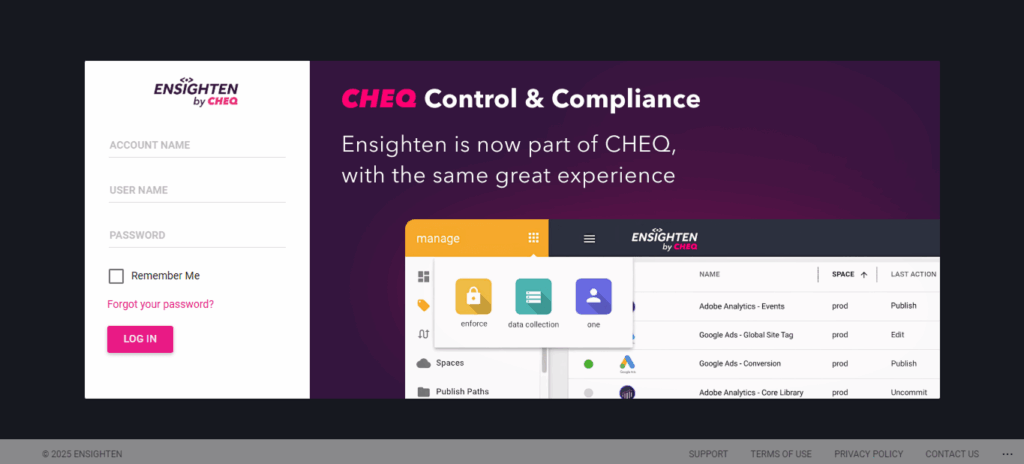
Ensighten rebranded to CHEQ Manage after CHEQ acquired the company. CHEQ Manage combines real-time tag collection with enterprise-level privacy controls, and a companion product, CHEQ Enforce, handles compliance. Large organizations use it to manage tags across multiple channels while meeting global privacy regulations, with added integration for testing and personalization tools.
Key Features:
- Compliance with global data privacy laws
- Integration with A/B testing tools
- Real-time analytics and customer data capture
Pros and Cons:
- Built for large-scale operations
- Complexity and cost may be too much for smaller teams
It is best suited for large enterprises that require strict privacy controls, as well as marketing and testing functionalities.
6. Segment
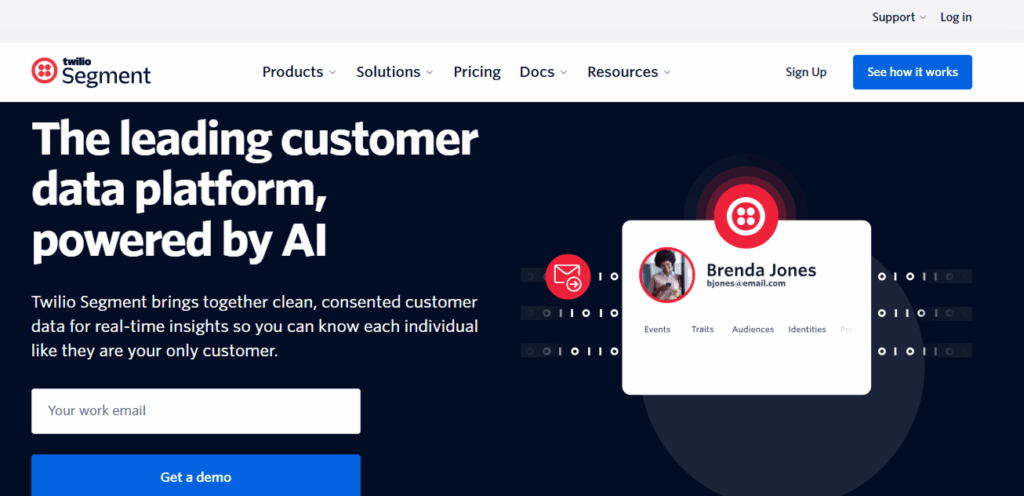
Segment is a customer data platform (CDP) that includes tag management as one of its core features. It collects, organizes, and sends customer data to a wide range of analytics, marketing, and customer service tools. Its unified data approach helps businesses deliver personalized experiences across platforms.
Key Features:
- Data collection from multiple sources
- Unified customer profiles and cross-platform tracking
- Easy data routing to third-party tools
Pros and Cons:
- Ideal for businesses that rely on deep customer insights and automation
- It may be too complex or costly for smaller businesses with basic tracking needs.
It is a suitable option for growing businesses or enterprises seeking an all-in-one solution for managing customer data, tracking, and personalization.
7. Matomo Tag Manager
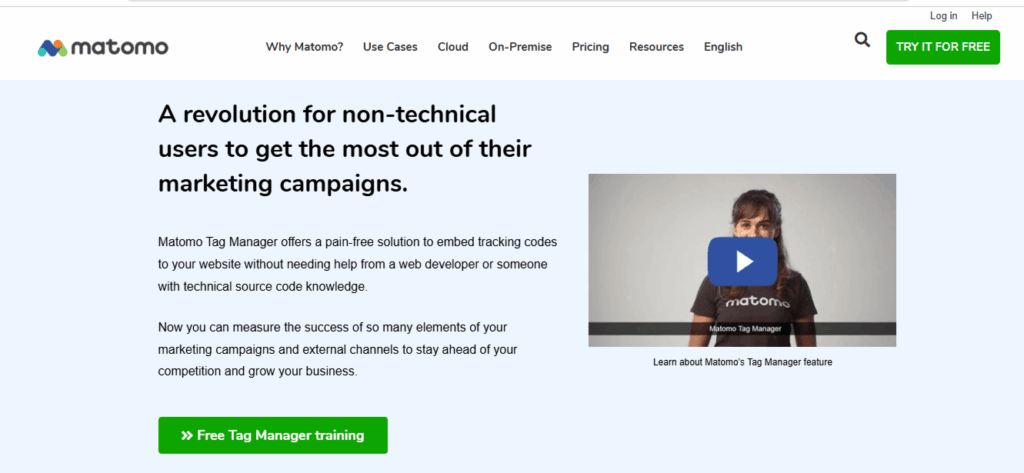
Matomo Tag Manager is a free, open-source tag management solution designed with a strong emphasis on user privacy and full data ownership.
Unlike Google Tag Manager, Matomo does not share data with third parties, making it an ideal choice for businesses that prioritize confidentiality and compliance with data protection laws.
Key Features:
- Privacy-first architecture with no data sharing
- Full GDPR compliance with built-in tools for consent tracking
- Real-time analytics and customizable event tracking
- Self-hosting options for complete data control
Pros and Cons:
- Strong privacy features and full control over user data
- Customize and host independently due to its open-source nature
- Limited third-party integrations compared to GTM
- May require more manual setup for complex tracking
It is ideal for Small to mid-sized businesses, NGOs, and public institutions that want a privacy-focused tag management system with full ownership of their data.
8. Oracle Infinity (formerly Maxymiser)
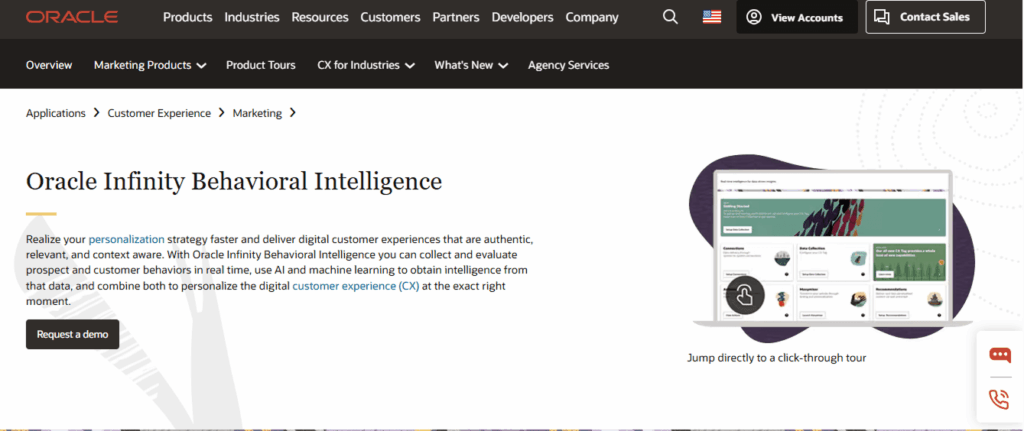
Oracle Infinity is a tag management and analytics solution designed for large businesses with high website traffic and extensive customer data. It combines real-time tracking, advanced A/B testing, and personalization tools to enhance the user experience, particularly for e-commerce websites.
As part of the wider Oracle Marketing suite, it connects directly with other marketing and customer management tools.
Key Features:
- Real-time data collection for immediate decision-making
- Advanced A/B and multivariate testing for optimizing UX
- Detailed audience segmentation and personalization capabilities
- Integration with Oracle’s marketing and data platforms
Pros and Cons:
- Built for large-scale, performance-driven businesses
- Excellent for businesses that rely on personalization and testing
- Requires a complex setup and technical expertise
- Best suited for companies already using Oracle’s ecosystem
It is ideal for large e-commerce businesses and enterprises that require advanced analytics, testing, and real-time user behavior data to drive conversions and optimize marketing strategies.
How to Choose the Right Google Tag Manager Alternative
Choosing the right Google Tag Manager (GTM) alternative depends on your business size, goals, and technical skill level.
- Consider Your Business Size and Needs:
If you’re using WordPress, Analytify is a great choice. It’s built for WordPress and connects directly with Google Analytics, requiring no coding. Beginners and small businesses might also like Matomo for its simple, privacy-friendly setup.
Larger companies with complex tracking needs often opt for more advanced tools, such as Tealium iQ or Adobe Launch. These offer more flexibility.
- Evaluate Key Features:
Think about what matters most to your business. Whether you need real-time reports, strong eCommerce tracking, or built-in privacy tools, look for platforms that match your requirements.
- Budget Considerations:
If budget is a concern, open-source or free tools like Matomo and Piwik PRO are excellent. Enterprise-level solutions, such as CHEQ Manage (formerly Ensighten) or Adobe Experience Platform Tags, are better suited for companies with larger budgets and technical teams.
| Tool | Best For | Key Feature |
| Analytify | WordPress and WooCommerce sites | Code-free GA4 integration inside your WordPress dashboard |
| Adobe Experience Platform Tags (Adobe Launch) | Enterprises deep in the Adobe Experience Cloud | Unified web, mobile, and server-side tag deployment |
| Tealium iQ | Large enterprises with complex data layers | 1,300+ turnkey integrations |
| Piwik PRO | Teams that need analytics, tag management, and consent tools together | Built-in Consent Management Platform |
| CHEQ Manage (formerly Ensighten) | Enterprises that need tag governance and security | Combines tag management with go-to-market security |
| Segment (Twilio) | Teams building a unified customer data platform | Unifies data across 700+ destinations |
| Matomo Tag Manager | Privacy-focused teams that want to self-host | Free, open-source Community edition available |
| Oracle Infinity | Large enterprises already on Oracle’s marketing stack | Real-time behavioral personalization |
The best pick is the one that fits your goals, budget, and comfort level. You can choose the best tag management tool for your business.
FAQs About Google Tag Manager Alternatives
1. What is the alternative to Google Tag Manager?
Several tools serve as alternatives to Google Tag Manager (GTM), depending on your needs. Popular options include Analytify for WordPress users who want a simple Google Analytics setup, Matomo Tag Manager for privacy-focused sites, Tealium iQ and Adobe Launch for enterprise-level tracking, and Segment for unified customer data management.
2. What are the changes in Google Tag Manager as of April 2026?
As of April 2026, Google Tag Manager introduced enhanced server-side tagging, better privacy controls to align with global data laws, and AI-powered tag suggestions to simplify implementation. The updates aim to improve performance, data accuracy, and user experience for both marketers and developers.
3. Why consider alternatives to Google Tag Manager?
You may want to consider alternatives to Google Tag Manager if you find it too complex, require stronger privacy controls, or prefer a more beginner-friendly experience. Many alternative tools offer focused features that suit specific business goals or compliance needs better than GTM.
4. Are there GTM alternatives for beginners?
Yes, GTM alternatives for beginners include tools like Analytify and Matomo, which simplify the process of setting up tracking without requiring coding skills. These platforms are ideal for marketers, bloggers, and small business owners looking for easy-to-use solutions.
5. What are some easy tag management tools?
If you’re looking for easy tag management tools, Analytify and Piwik PRO stand out. They offer simple interfaces, quick setup, and built-in reporting, making tag management less technical and more accessible.
6. Can you use GA4 without Google Tag Manager (GTM)?
Yes, you can use GA4 without Google Tag Manager (GTM). Google Analytics 4 (GA4) can be set up directly on your website by installing the GA4 tracking code manually or using a plugin like Analytify for WordPress. This method doesn’t require GTM and is often easier for beginners or non-technical users.
Final Thoughts: Google Tag Manager Alternatives
Google Tag Manager works well for advanced tracking, but its setup and privacy requirements are not the easiest fit for beginners or small teams.
For WordPress and WooCommerce sites, Analytify gives you code-free Google Analytics integration, real-time tracking, WooCommerce reports, and built-in dashboards, making it a practical fit for small businesses and non-technical users. Larger teams with complex compliance needs are better served by Adobe Launch, Tealium iQ, Piwik PRO, Ensighten, Segment, Matomo, or Oracle Infinity, each suited to different scales and requirements.
Match the tool to your setup: WordPress and WooCommerce sites need code-free integration, agencies managing multiple clients need scalability, and regulated industries need built-in privacy controls.
If your site also needs a secure, branded login page, pair your analytics setup with LoginPress. And if you run WordPress, see your GA4 reports inside the WordPress dashboard with Analytify.
For further reading: