
Matomo vs Google Analytics: A Detailed Comparison

Matomo and Google Analytics both track visitors, clicks, and site performance, but they differ on the two things that matter most: where your data lives and what you pay for advanced features. Google Analytics (GA4) is free and hosted by Google; Matomo can be self-hosted for full data ownership or run as a paid cloud service.
This guide breaks down where the two overlap, where they differ, and which one fits your site.
Matomo vs Google Analytics (TOC):
What is Google Analytics?
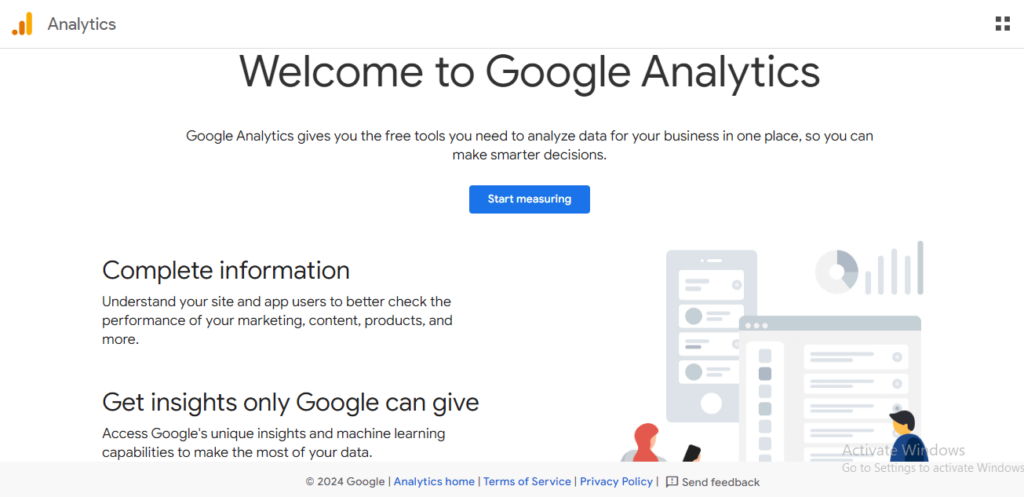
Google Analytics is Google’s web analytics tool. It tracks and analyzes your website traffic, and shows you how people find and interact with your site.
Google Analytics 4 (GA4) is the current version of Google Analytics, built around events rather than pageviews. It tracks the customer journey across web and app, in one property, helping businesses understand their audience and improve marketing decisions.
GA4 includes detailed reports, such as real-time, Acquisition, Engagement, Monetization, and Retention, which provide insights into user behavior and website performance.
One standout feature is event tracking that monitors a wide range of user interactions without extra code. GA4 also includes funnel exploration reports to visualize and optimize user journeys.
Other notable features include cross-platform tracking, data privacy controls, predictive metrics, and direct integration with Google Ads.
It provides you with a wealth of information. For instance, you can find out which pages are most popular on your website, which social media channels drive the most traffic and more.
What is Matomo?
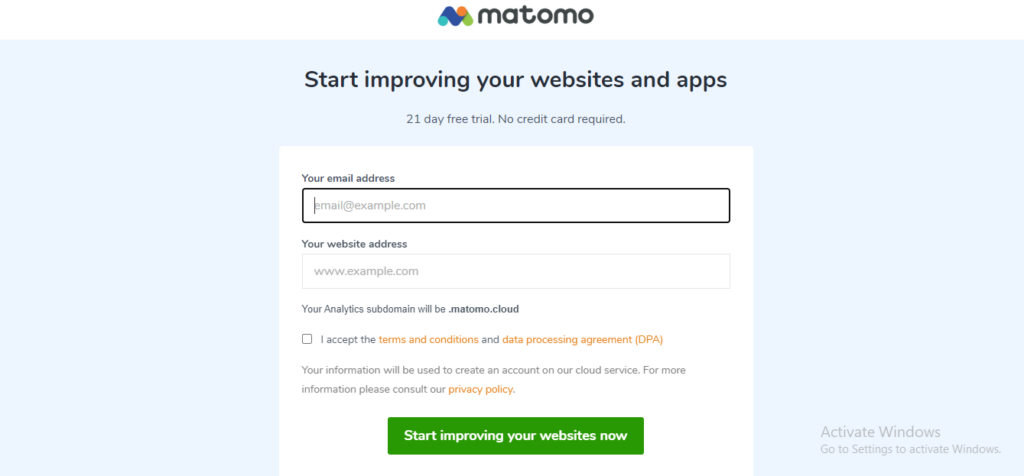
Matomo (formerly Piwik Analytics) is a free, open-source website detective. It tracks visitors to see who visits your website, where they come from, and what they do while they’re there. You can also get detailed reports to analyze all the visitor data.
It’s open-source! That means a community of developers keeps it up-to-date, and anyone can contribute to making Matomo even better.
Matomo comes in two versions to deal with different needs:
- Matomo Cloud – a cloud-hosted premium version.
- Matomo On-Premise – a self-hosted, free, open-source software version.
Launched in 2007, Matomo has grown to serve over a million websites in 190+ countries. It works like Google Analytics, tracking visitors and giving you insights into your marketing campaigns.
Matomo works well for anyone who wants to understand their website audience without paying for a premium analytics tool, as long as you’re comfortable with self-hosting.
Similarities and Differences between Matomo and Google Analytics
Both track visitor behavior and website performance, but which one fits your site depends on your priorities. Check the key similarities and differences below to decide.
Matomo vs Google Analytics: Similarities
| Feature | Description |
|---|---|
| Core Functionality | Both platforms track website visitors and provide insights into their behavior, including page views, clicks, and time spent on your site. |
| Data Analysis | Both offer tools to analyze visitor data and understand how users interact with your website, so you can spot trends and optimize content. |
| Goal Tracking | Both let you set specific goals, like purchases or newsletter signups, and track conversion rates against them. |
| Reporting | Both generate reports that visualize website performance, so you can track progress and spot areas to improve. |
Matomo vs Google Analytics: Differences
| Feature | Matomo | Google Analytics |
|---|---|---|
| Cost | A free tier with limited features, paid plans for additional functionality | Completely free |
| Data Ownership | You own your data | Data belongs to Google |
| Open Source | Yes | No (closed source) |
| Data Retention | No fixed limit; you control how long data is stored | Up to 14 months by default for user and event data (adjustable in settings, capped at 14 months) |
| Features | Focuses on core analytics with some unique features (heatmaps, session recordings on paid plans) | Broader feature set, integrates with other Google products |
| Security | Emphasizes data privacy and GDPR compliance | Raises data-usage concerns for some users, given Google’s ad business |
| Ease of Use | Requires some technical knowledge for self-hosting (optional) | Generally easier to set up |
| Additional Considerations | GDPR friendly | Integrates with Google Ads for campaign tracking |
Matomo vs Google Analytics (Features Comparison)
1) Matomo vs Google Analytics Installation Process
Installing GA4 on WordPress is a five-minute job. Here’s how each platform sets up:
A user-friendly installation process is a significant factor when choosing a web analytics tool. Let’s see Google Analytics 4 vs. Matomo and check which one is more efficient in WordPress.
Installation of Google Analytics 4 in WordPress
You can install GA4 manually. Head to the Google Analytics platform and create a new GA4 property. Once your property is set up, navigate to the “Admin” settings and locate the “Tracking code” section. Copy the provided code snippet.
Add the Tracking Code to Your Website. After implementing the tracking code, you are recommended to verify the installation. You can do this by visiting the “Real-time” reports section in your GA4 property. If you see real-time user activity, your installation is successful!
Read How to Set Up Google Analytics 4 for your wordpress site for detailed instructions.
For the WordPress crowd, Analytify streamlines the entire process. No coding is required; just a few clicks, and Google Analytics is running. Analytify is a popular WordPress plugin that simplifies the installation process for GA4.
Install Analytify Plugin for GA4
Here’s how to do it:
- Navigate to WordPress Dashboard >> Plugins >> Add New.
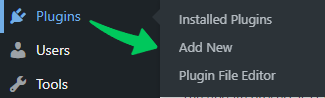
- Search Analytify and install the plugin.
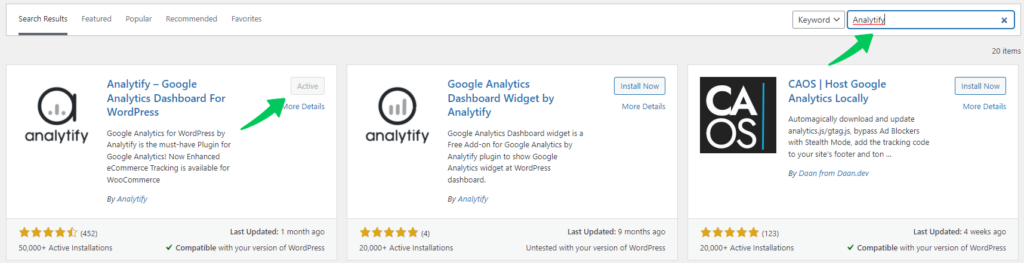
- Once Analytify is installed, go to Plugins >> Analytify and click on the Settings tab.
- Follow the instructions on the Settings tab to connect Analytify to your GA4 property.
For more details, read How to Integrate Google Analytics 4 with Analytify.
Have a sneak peek of what our analytics dashboard has to offer:
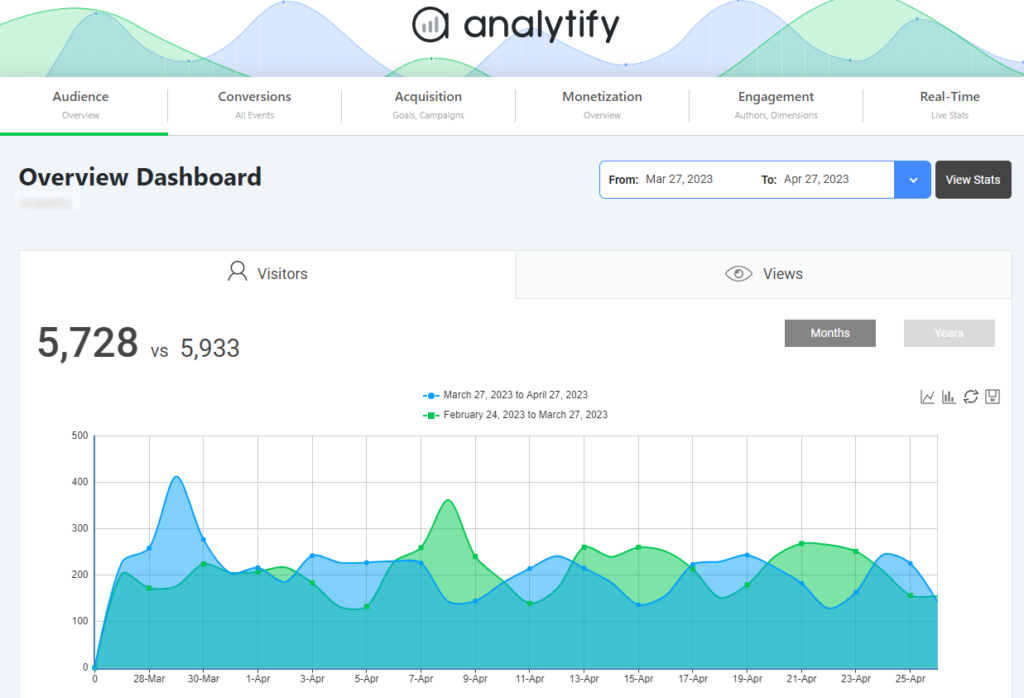
GA4 will be up and running on your WordPress website following these steps. It will allow you to track website traffic and gain a valuable understanding of user behavior.
Installation of Matomo
Matomo offers two options for WordPress integration:
- Matomo On-Premise (Free): Self-hosted, open-source software requiring technical expertise.
- Matomo Cloud (Paid): Similar to installing Google Analytics, but with a subscription fee.
To begin using Matomo Cloud on your WordPress website, create a Matomo account, obtain a tracking code, and embed it into your website’s header or using a plugin.
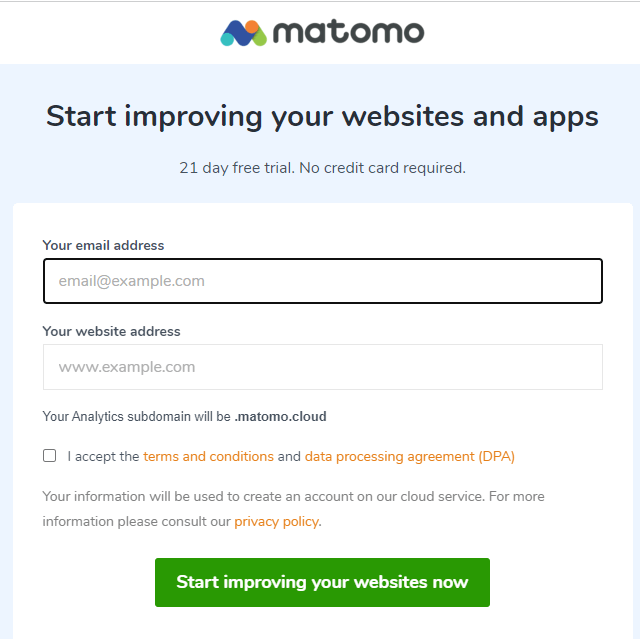
First, Create a Matomo account by providing your email address and website URL.
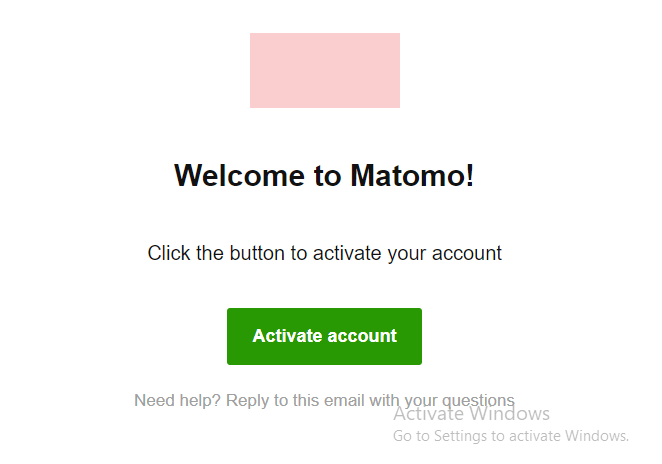
Your account will activated via a confirmation email.
Then, you’ll be presented with options to integrate Matomo into your site. The most common approaches are:
- Matomo recommends installing it through Google Tag Manager (GTM), which supports more complex tracking setups but requires some familiarity with GTM.
- You can also embed the tracking code directly, which is more straightforward but means manually adding it to your WordPress theme’s header.
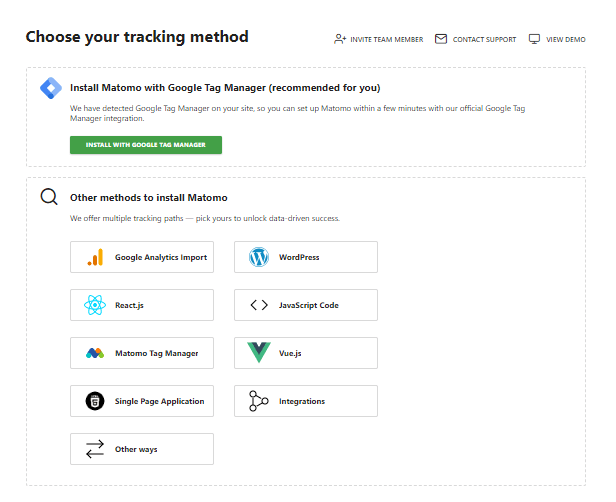
While WordPress plugins exist for Matomo, their user-friendliness, and compatibility might vary. If you opt for this method, it’s essential to research and choose a reliable plugin.
Self-Hosted Matomo (On-Premise): Installing Matomo on your own server is an option for those seeking full control over their data. This requires technical expertise and ongoing maintenance. If you’re uncomfortable with code, consider using a managed Matomo service or hiring a developer.
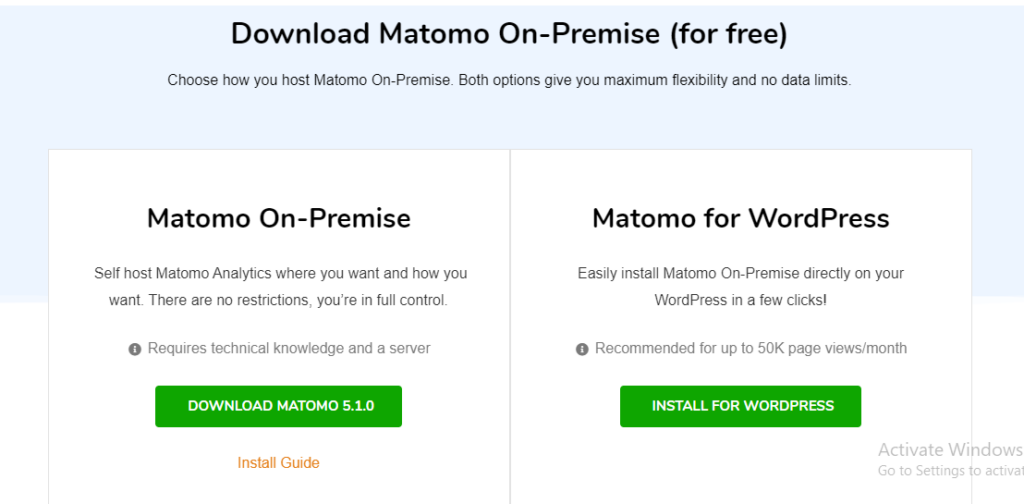
By carefully considering your technical capabilities and data privacy preferences, you can select the Matomo setup that best aligns with your website’s needs.
2) Matomo vs Google Analytics Ease of Use
Ease of use is a major factor when deciding between Google Analytics and Matomo for your website tracking needs. Here’s what to know:
Google Analytics
Google Analytics is free of cost, a significant advantage especially for beginners. The interface is clean and well-organized, making navigation and understanding reports easier. It integrates directly with other Google products like Google Ads, which streamlines your marketing workflow. Adding tracking to your WordPress site is straightforward, especially with the new Google Tag Manager integration.
Matomo
Paid Cloud Version (Easier): Matomo Cloud offers a similar setup process to Google Analytics but with a subscription fee.
Free On-Premise Version (Difficult): Server management and installation require technical knowledge, making it less beginner-friendly.
While Matomo offers valuable features, the complex interface might require additional learning for non-technical users compared to Google Analytics.
For ease of use, Google Analytics has a clear advantage. Matomo Cloud is still a good alternative if you value data privacy and don’t mind a paid subscription for a relatively simple setup.
3) Matomo vs Google Analytics Tracking Capabilities
Choosing the right analytics platform depends on the data you need to track. Both Google Analytics and Matomo provide essential tracking capabilities, such as monitoring real-time users, tracking user locations and devices, identifying operating systems, analyzing top landing and exit pages, and tracing traffic referrals. Here’s a table of Matomo vs Google Analytics 4 tracking capabilities for WordPress users:
| Feature | Google Analytics | Matomo |
|---|---|---|
| Website Traffic | Basic tracking (sessions, page views, users, bounce rate); free and easy to set up | Similar tracking, plus heatmaps and session recordings on paid plans |
| Ecommerce Tracking | Basic metrics (transactions, revenue) | Advanced tracking (product performance reports, product-level insights, cart abandonment), but the deeper reports require a paid plan |
| User Engagement | Basic metrics (time on page, scroll depth) | Advanced features: heatmaps, session recordings, form analytics, time-based reports |
| Custom Events | Tracks interactions beyond pageviews | Tracks custom events too, configured through the same dashboard used for setup |
| Marketing Campaigns | Basic tracking with UTM parameters | Advanced tracking with multi-channel insights and attribution modeling on paid plans |
| Data Ownership | Data belongs to Google | You retain data ownership |
| Offline Conversion Tracking | Limited; requires additional tools | Built-in features to track conversions that happen outside the website, like phone calls |
Remember, the best platform depends on your tracking needs, technical expertise, and budget.
With its free plan and basic tracking features, Google Analytics is a good starting point for beginners. However, Google Analytics requires setting up form tracking to monitor form submissions and performance metrics. It’s now easy to set up form tracking with the Analytify Form Tracking add-on in Google Analytics. It takes just a few clicks to configure form tracking.
Matomo is an alternative with advanced functionalities, a focus on data privacy, and offline conversion tracking. It provides in-depth data analysis and complete data ownership, but setting up Matomo requires technical expertise.
Google allows unlimited users, segments, goals, and custom dimensions, all at no cost. It is ideal if you support Google products and prioritize ease of integration.
The tracking capabilities of matomo depend on your chosen plan. Unlike the on-premise version, which has unlimited features, Cloud plans to provide a set amount of functionality, such as 30 team members, 150 goals, 100 segments, and 30 action custom dimensions.
Besides Google Analytics and Matomo, numerous user-friendly cloud platforms offer basic and advanced tracking features, depending on your plan. One such example is Analytify, which provides a convenient alternative for those who prefer a less technical setup.
With its user-friendly interface, cloud-based platform, and range of features (from free core tracking to premium add-ons like Event Tracking, WooCommerce Addon, and Email Notifications), Analytify positions itself as the best website tracking solution for various needs and budgets.
4) Matomo vs Google Analytics Reporting Features
When comparing Best web analytics tools, the discussion often centers around Matomo vs Google Analytics. Both Google Analytics and Matomo offer various reporting features to help you understand your website traffic and user behavior.
Google Analytics has a large library of pre-built reports covering website performance, user demographics, and marketing campaign effectiveness. It connects directly with other Google products like Google Ads and Search Console, giving you real-time insight into website traffic and user activity.
GA4 offers a wide variety of analytics reports that are essential for understanding user behavior and website performance:
| GA4 Report | What It Shows |
|---|---|
| Realtime | Live data on current visitors: location, pages viewed, events triggered right now. |
| Acquisition | How users arrive at your site: organic search, social media, direct visits, paid campaigns. |
| Engagement | How users interact with your content: page views, session duration, engagement rate. |
| Monetization | Revenue data: ecommerce transactions, in-app purchases, subscription metrics. |
| Retention | How well you retain users over time: returning visitors and their engagement patterns. |
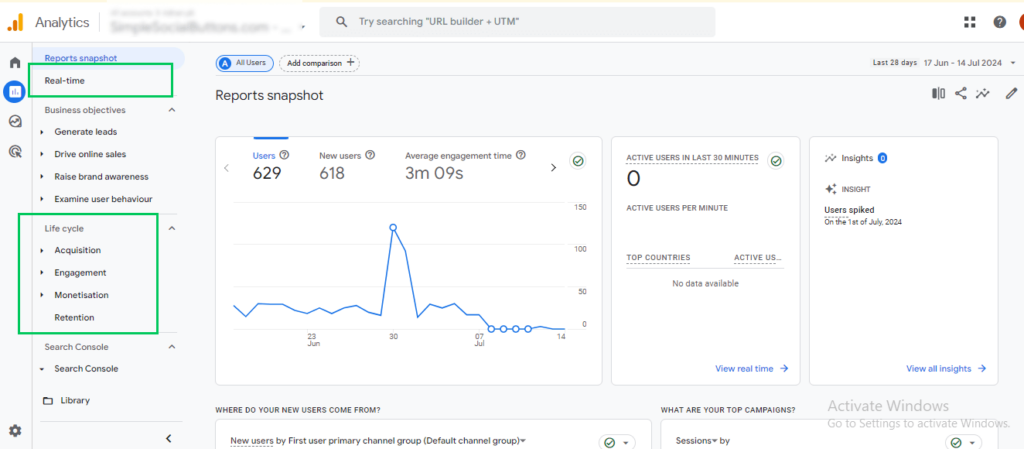
While Google Analytics offers some customization options for pre-built reports, the flexibility may not be as extensive as Matomo. Free plans might utilize data sampling for large datasets, potentially affecting report accuracy.
Matomo offers extensive report customization options, allowing you to tailor reports to your needs and analyze data in greater detail. All your data is processed without sampling, ensuring accurate reporting for any website size.
Matomo’s free plans offer basic reporting functionalities, with advanced features requiring paid plans. Unlike Google Analytics, beginners might not easily understand the interface and report options.
Analytify is a WordPress plugin that integrates Google Analytics data directly into your WordPress dashboard, offering convenient reporting features tailored for website administrators and marketers. Some of its reporting features include:
- Dashboard Widgets: These widgets summarize key metrics such as sessions, pageviews, bounce rate, and more directly on your WordPress dashboard.
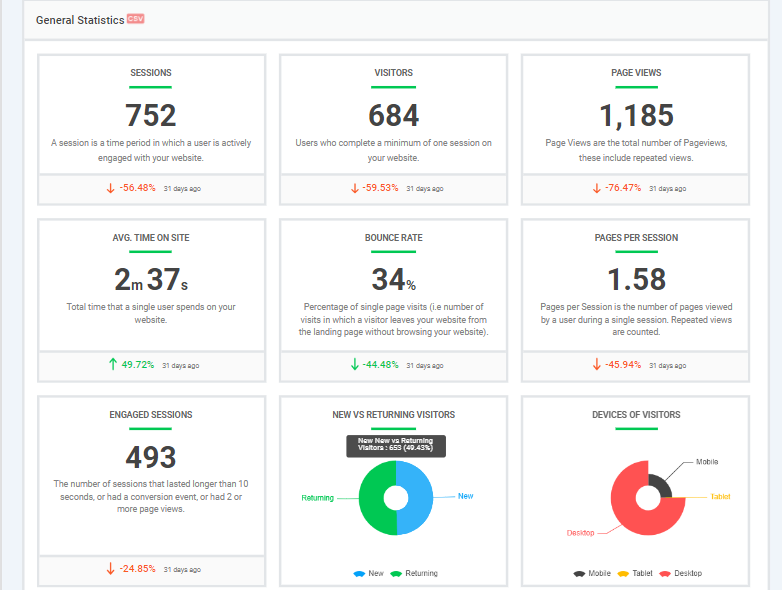
- Post/Page Reports: This feature offers analytics for individual posts and pages, showing metrics like views, average time on page, and bounce rate without leaving the WordPress interface.
- Real-time Stats: Displays real-time visitor information, showing active users, traffic sources, and page views.
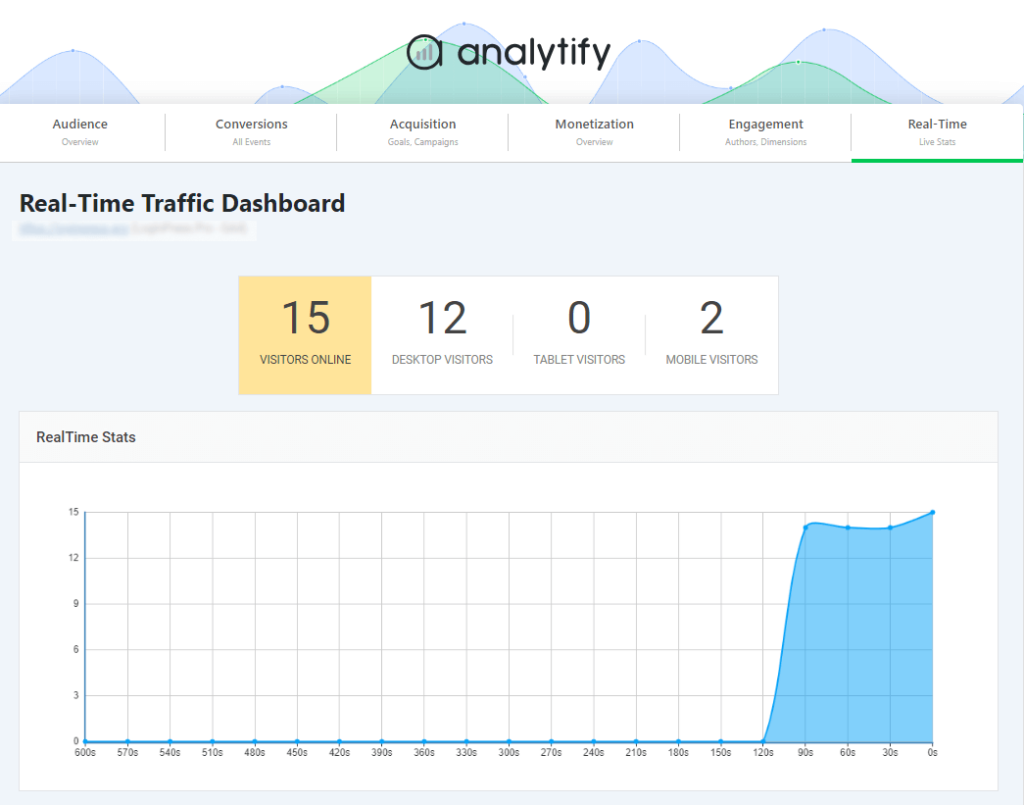
- Customizable Reports: Allows users to create customized reports based on specific metrics and timeframes, providing flexibility in analyzing website performance.
- E-commerce Tracking: Integrates with e-commerce platforms to track sales, transactions, and revenue directly within WordPress.
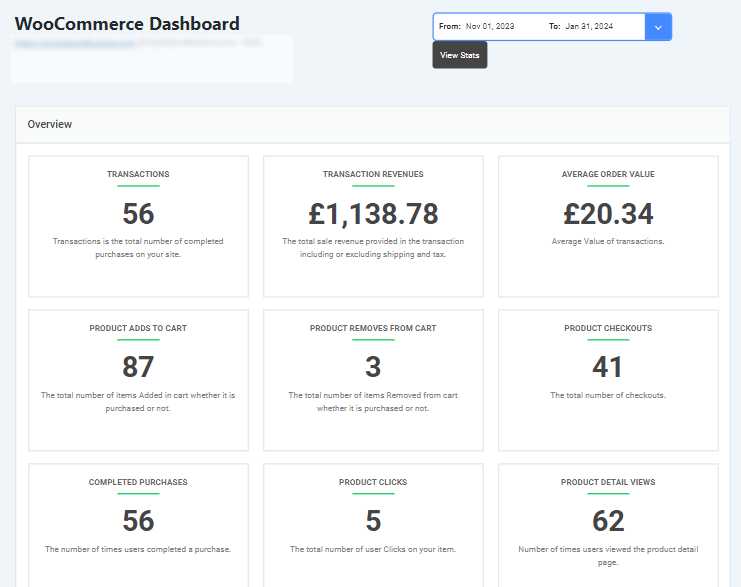
It’s recommended that you install Analytify with the WordPress dashboard for the most current and detailed information, including specific features and capabilities.
5) Google Analytics vs Matomo Pricing Comparison
When it comes to cost-effectiveness, matomo analytics vs google analytics platform offer different approaches:
Google Analytics Pricing
Unlike many analytics services, GA offers extensive features without any cost. This includes allowing multiple users to access data, creating a significant number of goals to track conversions, and building custom segments to analyze specific user groups. Additionally, it provides a vast array of data points (dimensions) to explore user behavior in detail.
This makes GA a cost-effective option for businesses of all sizes, from startups to large enterprises. WordPress users can extend the free tier with Analytify, which adds advanced tracking and reporting inside the WordPress dashboard.
Website tracking needs vary with site size and complexity. Analytify offers a free plan and premium plans built around that range, from single-site blogs to multi-site agencies.
Free Plan
Analytify’s free plan offers basic analytics features. It provides essential tracking functionalities like page views, traffic sources, visitor demographics, and basic real-time traffic data.
Premium Plans
Analytify’s paid plans add advanced tracking, UTM campaign building, and event-level reporting on top of the free plan. Current available plans:
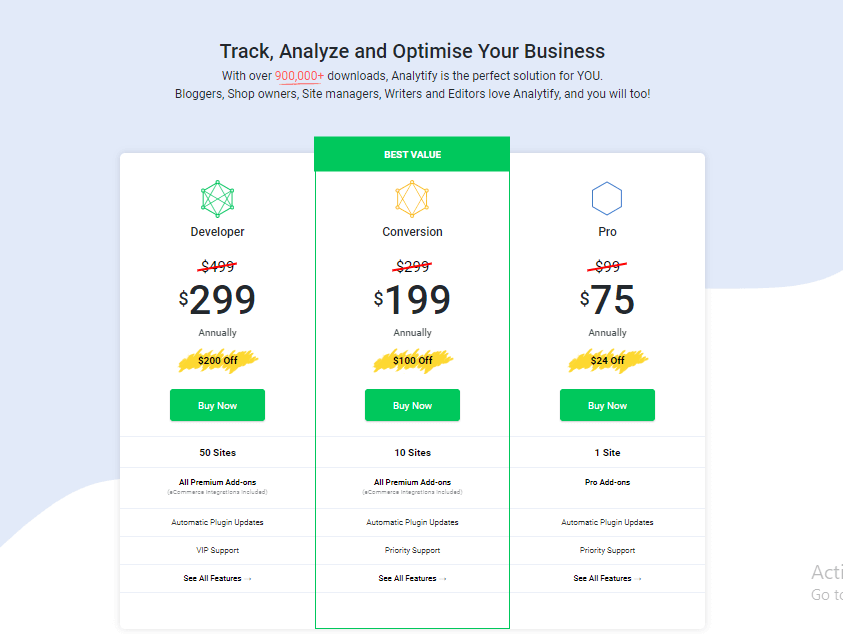
| Plan | Price | Sites | Support |
|---|---|---|---|
| StartUp | $99/year | 2 sites | General support |
| Agency | $199/year | Unlimited sites | VIP support |
| Developer | $499 one-time (lifetime) | Unlimited sites | VIP support |
All three plans include the same add-on library (WooCommerce, Easy Digital Downloads, LearnDash, UTM campaign tracking, custom dimensions, and more) plus automatic updates. The difference is site limit and support tier.
Matomo Pricing
Matomo offers two options:
Matomo comes in two forms: self-hosted (Matomo On-Premise), which is free but requires you to handle installation, hosting, and updates yourself, and Matomo Cloud, a paid, fully hosted subscription.
| Traffic | Matomo Cloud Price |
|---|---|
| Up to 50,000 hits/month | From €29/month |
| Beyond 10 million hits/month | Custom Enterprise pricing (contact Matomo) |
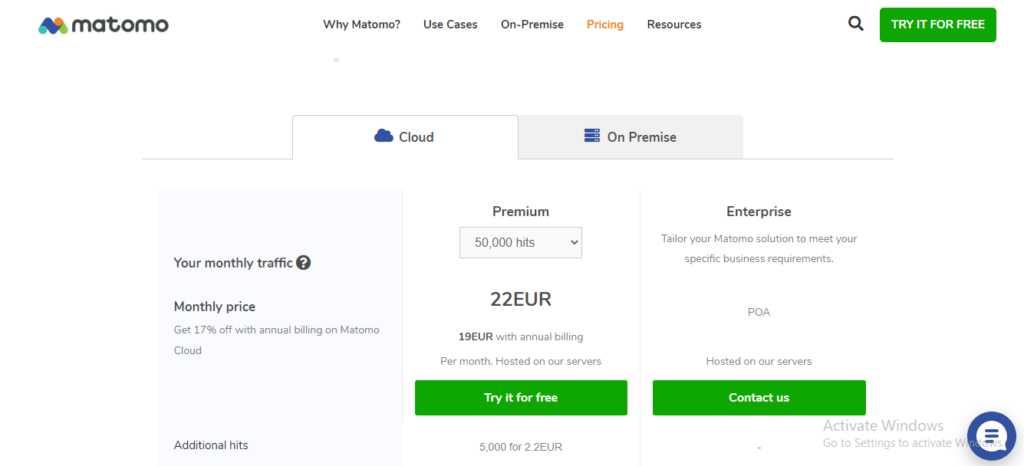
Additionally, features like activity logs, heatmaps, and session recordings come at an extra cost within Matomo Cloud.
Choosing the right platform:
Google Analytics is the winner due to its free plan. For WordPress users seeking basic features with a user-friendly interface, Analytify’s free plan might be sufficient.
Analytify’s premium add-ons start at $99/year for the StartUp plan, a flat rate regardless of traffic. Matomo Cloud starts at €29/month and scales up with your traffic, so Analytify is the more cost-effective option for most WordPress sites, especially lower-traffic ones.
Matomo On-Premise could be cost-effective (assuming you have the technical expertise or can afford a developer). However, for cloud-hosted solutions with advanced features, Matomo Cloud’s pricing can become very expensive for websites with high traffic volumes.
6) Matomo vs Google Analytics Support
Google Analytics offers many free support resources, including documentation, user guides, and a large online community forum. These resources can help you find solutions to the most common issues without relying on paid support.
Unlike the free version, Analytics 360 provides paid support. This support offers direct access to Google’s support team for troubleshooting issues, resolving technical difficulties, and guiding best practices.
If you’re using Analytify with WordPress, check its plugin’s documentation or dedicated support channels for plugin-specific help.
Analytify provides direct support within the free plan, including documentation, FAQs, tutorials, and an active community forum. Paid plans add email and ticketing support, with VIP support on the Agency and Developer plans.
Both Google Analytics and Analytify offer premium support options for paid plans. These include priority access to support staff, phone support, or even dedicated account managers for larger organizations.
In comparison, Matomo offers primary support resources like documentation and FAQs for its free plan. It provides paid support plans with varying service levels depending on your needs. These plans typically offer faster response times, dedicated account managers, and more in-depth assistance.
Matomo vs Google Analytics FAQ
How many websites use Matomo?
Matomo claims to be trusted by over 1 million websites across 190 countries.
Is Matomo better than Google Analytics?
Neither is strictly better: it depends on what you value most. Google Analytics is free and easier to set up, while Matomo costs money to self-host well but gives you full ownership of your data. GA4 also caps data retention at 14 months by default, while Matomo keeps data indefinitely. Choose Matomo if data ownership and long-term retention matter more than convenience. Choose Google Analytics if you want a free, ready-to-use tool with less maintenance.
What browsers are supported by Matomo?
Matomo’s dashboard works in all modern browsers, including Firefox, Chrome, Safari, Opera, and Chromium-based browsers like Edge.
Can Matomo and Google Analytics be used together?
Yes, you can run Matomo and Google Analytics on the same site, but it comes with tradeoffs. You’ll load two separate tracking scripts, which adds to page load time, and you’ll check two dashboards instead of one. The upside is seeing your traffic from two angles at once: Matomo for privacy-focused, self-owned data, and Google Analytics for its deeper integrations with Google Ads and Search Console.
How do Google Analytics and Matomo differ based on data limits?
Google Analytics (GA4) caps free accounts at 10 million hits per month; once you hit that limit, new data stops processing. Removing the cap requires upgrading to Google Analytics 360, which costs roughly $50,000 to $200,000+ per year, out of reach for most WordPress site owners. Matomo has no built-in data limit: self-hosted installs can process unlimited data, and Matomo Cloud scales by traffic tier instead of hard-capping you.
Final Verdict: Matomo vs Google Analytics
Matomo offers strong features, but Google Analytics covers the most ground overall for WordPress users, especially once you add Analytify.
Google Analytics tracks a wide range of user data and interactions, giving detailed insight into website behavior. Free resources are widely available, making it accessible for beginners and experts alike. For WordPress users, Analytify streamlines setup and puts that data inside your WordPress dashboard. It’s a straightforward, cost-effective option for core website tracking.
Google Analytics plus Analytify gives you the most well-rounded setup: free, accurate tracking from GA4, paired with reporting built for WordPress.
To further explore your options, check out our comparisons of:
Have a question about switching from Matomo to Google Analytics, or setting up Analytify? Leave a comment below and we’ll help.




One very important thing that you missed when writing this analysis is: GA4 allows storing user data for up to 14 months, while Matomo is forever.
Yes, that’s correct. Thanks for the quick catch!