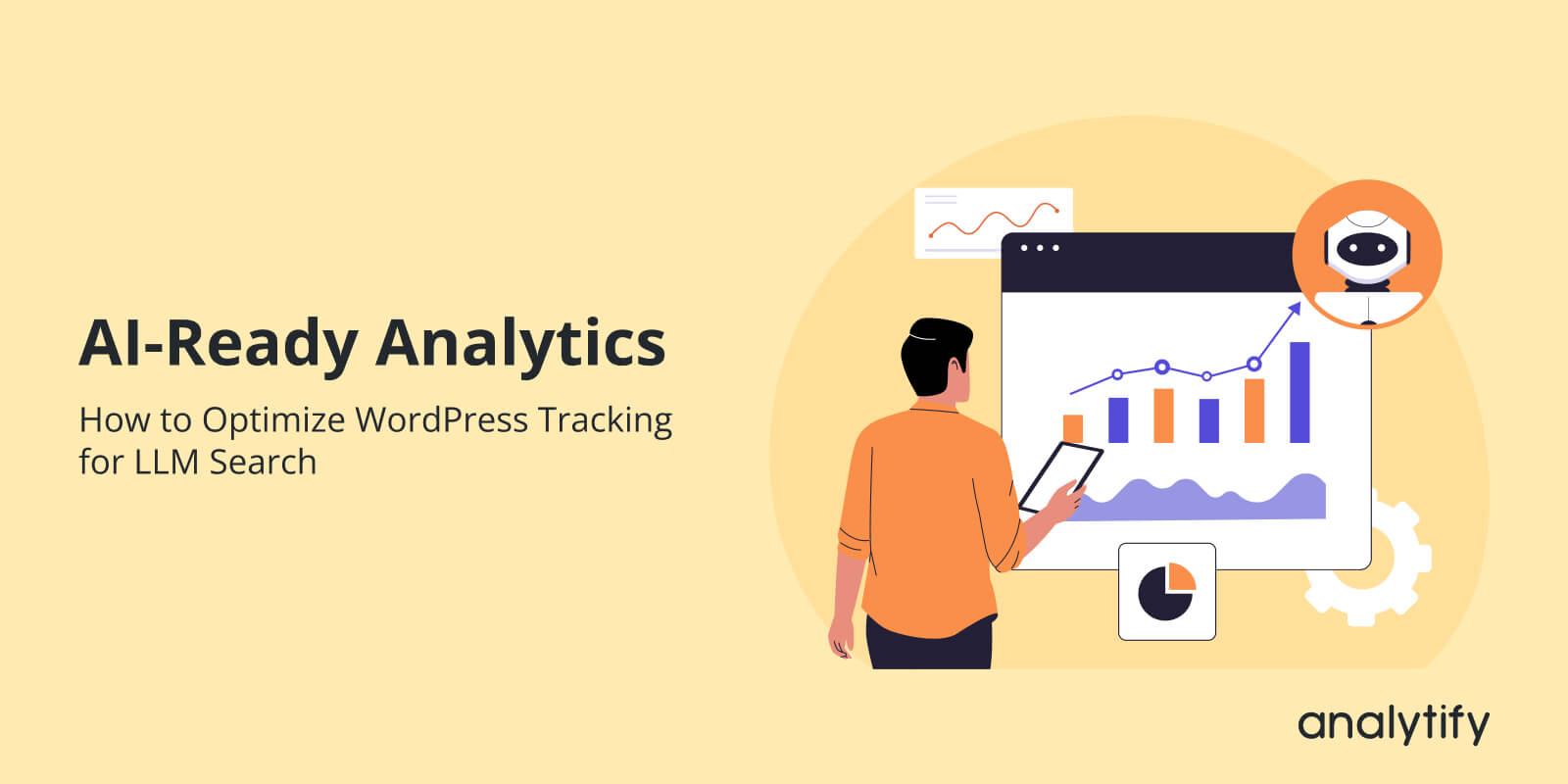
AI-Ready Analytics: How to Optimize WordPress Tracking for LLM Search

Are your WordPress analytics ready for AI‑driven search?
As more users turn to LLMs like ChatGPT, Perplexity, and AI Overviews, traditional keyword‑based insights are no longer enough. These AI tools don’t just read your content; they interpret behavioral signals, metadata, and structured data to understand and surface your content in answers.
This is where AI‑ready analytics comes in.
By structuring your WordPress tracking for GA4 and using Analytify, you can make your events, dimensions, and metadata machine‑friendly. AI tools can then read the context of your content, track engagement, and more accurately detect high-value pages.
In this guide, you’ll learn how to:
- Configure GA4 for AI‑ready analytics
- Structure events and parameters for LLM interpretation
- Optimize WordPress content and metadata for AI
- Use Analytify to make structured, readable, and AI-friendly Analytics.
AI-Ready Analytics (TOC):
Why Traditional Keyword SEO is No Longer Enough
Search behavior is shifting from traditional keyword-based queries to AI-driven, conversational search experiences.
Instead of returning a list of blue links, tools like ChatGPT Search, Perplexity, and Bing AI generate direct answers by interpreting context, intent, and user behavior across the web. These systems don’t rely solely on exact-match keywords; they analyze structured data, engagement patterns, and content clarity to decide what information to reference.
As a result, websites now need AI-ready analytics that go beyond rankings and traffic counts, focusing instead on how content is understood, engaged with, and interpreted by AI systems.
What is AI‑Ready Analytics?
AI‑ready analytics means configuring your WordPress tracking so that AI tools can easily interpret site behavior, content performance, and user interactions. Unlike traditional analytics that focus on dashboards and reports for humans, AI‑ready analytics emphasizes structure, consistency, and machine readability.
LLM search engines, like ChatGPT Search or Perplexity, rely on structured signals to understand your site. Key elements they read include:
- Event patterns: How users interact with pages and features
- Metadata: Titles, descriptions, schema markup, and content attributes
- Content context: Hierarchies, categories, and semantic relationships
- Clean data layers: Consistent naming and unambiguous parameters
Think of it as a difference between:
- Tracking for reporting: Collecting data to see graphs and dashboards
- Tracking for AI interpretation: Structuring data so AI can analyze it, detect trends, and reference content correctly
By implementing AI‑ready analytics, your WordPress site becomes intelligible to AI systems, allowing your content to be surfaced accurately in AI-driven search results.
How AI Tools Interpret Website Signals
AI tools like LLMs don’t read websites like humans. Instead, they rely on structured, consistent signals to understand your content and user behavior. Properly prepared analytics help these tools extract meaning from your site.
Key elements AI systems use:
- Consistent Event Taxonomy: Standardized event names (e.g., page_view, signup_click) make interactions predictable and readable for AI.
- Clean URL Structure: Semantic URLs like /blog/ai-ready-analytics help AI interpret page context quickly.
- Metadata: Titles, descriptions, and schema markup provide context for summaries and answers.
- Content Hierarchy: Clear H1 → H2 → H3 structures help AI detect topic importance and relationships.
Using GA4 and Analytify, you can surface these signals clearly:
- GA4 tracks user behavior in a structured way.
- Analytify organizes page-level events, metadata, and dimensions in a readable format for AI.
The result is a WordPress site whose analytics are machine-readable, improving AI search visibility and content understanding.
How to Optimize WordPress Tracking for LLM Search (Step by Step)
To optimize analytics for AI search, you need to shift from human-only reporting to machine-readable tracking. AI systems don’t look at dashboards; they interpret structured behavioral signals, metadata, and consistency.
Optimizing your WordPress tracking for LLM search means more than just installing GA4 or Analytify.
By following a step-by-step approach, you’ll ensure your site’s AI-ready analytics are clean, consistent, and machine-readable, making it easier for LLMs to surface your content effectively.
Step 1: Set Up GA4 for AI-Ready Analytics
Before you can make your analytics AI-friendly, your GA4 property must be configured properly. Clean, accurate data is the foundation that LLMs rely on to understand your site.
How to Prep GA4 for AI Tools?
Below are the steps to make sure GA4 is prepped:
- Proper GA4 Property Setup: Verify your property, data streams, and time zones are correct.
- Enhanced Measurement: Enable automatic tracking for page views, scrolls, outbound clicks, and file downloads.
- Event Data Accuracy: Check that events are firing correctly without duplication or missing data.
- Avoid Conflicting Plugins: Disable or configure plugins that might send duplicate events.
Why it matters for AI:
AI tools use behavioral and engagement patterns to understand content value. If your GA4 data is messy or inconsistent, AI may misinterpret signals, affecting how your pages are surfaced in AI search.
Step 2: Configure GA4 Tags for AI-Friendly Data
Once your GA4 property is properly set up, the next step is to configure tags so that events and interactions are meaningful for AI interpretation.
Proper tag configuration ensures your events are semantic, consistent, and easy for AI to interpret. Well-named and structured tags allow LLMs to understand user behavior and content context accurately.
Best practices for GA4 tagging:
- Use Clear Event Names: Start by using descriptive event names that clearly reflect user intent. Avoid generic labels like click1 or event_action. Instead, use names such as signup_click, newsletter_submit, or video_play. Clear naming allows AI systems to differentiate between passive interactions and high-intent actions.
- Add Semantic Parameters: Next, enrich events with semantic parameters. Parameters like page_category, content_type, topic_name, or cta_location provide context that helps AI understand where and why an interaction occurred. For example, a signup_click on a blog post about analytics signals a different intent than the same event on a pricing page.
- Organize Events Hierarchically: Organize related events using a logical hierarchy. Grouping engagement events (e.g., video_start, video_complete, scroll_depth) under a consistent structure helps AI detect behavior patterns across content types.
- Test Tags Thoroughly: Finally, test all tags using GA4 DebugView or GTM Preview mode. Ensuring each tag fires correctly and only when intended prevents noisy data that can weaken AI-ready analytics signals.
Proper GA4 tagging produces structured, machine-readable data. This allows LLMs to detect behavioral patterns, track content engagement, and understand the context of your WordPress pages more accurately.
Step 3: Structure Event Parameters for LLM Interpretation
Event parameters provide the context layer that helps AI tools understand what user actions actually mean. While event names describe what happened, parameters explain where, why, and in what context the interaction occurred. Well-structured parameters are essential for AI-ready analytics.
Best practices:
- Consistent Naming: Start by enforcing consistent naming conventions across all parameters. Use descriptive names such as page_category, content_type, topic_name, or author_name instead of ambiguous labels like value1 or param_a. Consistency allows AI systems to compare behavior patterns across pages and sessions reliably.
- Semantic Labels: Next, use semantic labels that reflect real content attributes. Parameters like category_slug, schema_type, or content_goal help AI models connect user behavior with content intent. For example, tracking whether a page serves an informational, transactional, or navigational goal provides valuable signals for AI-driven search interpretation.
- Avoid Generic Parameters: Avoid generic or overloaded parameters. When a single parameter represents multiple meanings, AI tools may misclassify interactions or ignore them altogether. Each parameter should serve a single, clear purpose.
- Use Standard Data Types: Finally, ensure parameters follow GA4’s expected data types. Strings, numbers, and booleans should be used consistently. Clean, structured parameters enable LLMs to detect engagement trends, identify high-performing content, and understand how users interact with your WordPress site at scale.
Why it matters:
AI models read these parameters to understand user behavior and content context. Well-structured parameters allow LLMs to detect high-value content, user engagement patterns, and behavioral trends efficiently.
Step 4: Use Analytify to Organize Analytics
Join 50,000+ beginners & professionals who use Analytify to simplify their Google Analytics!
While GA4 collects raw event data, Analytify transforms GA4 data into structured, readable AI analytics for WordPress, making it easier for LLMs to interpret content performance and user engagement.
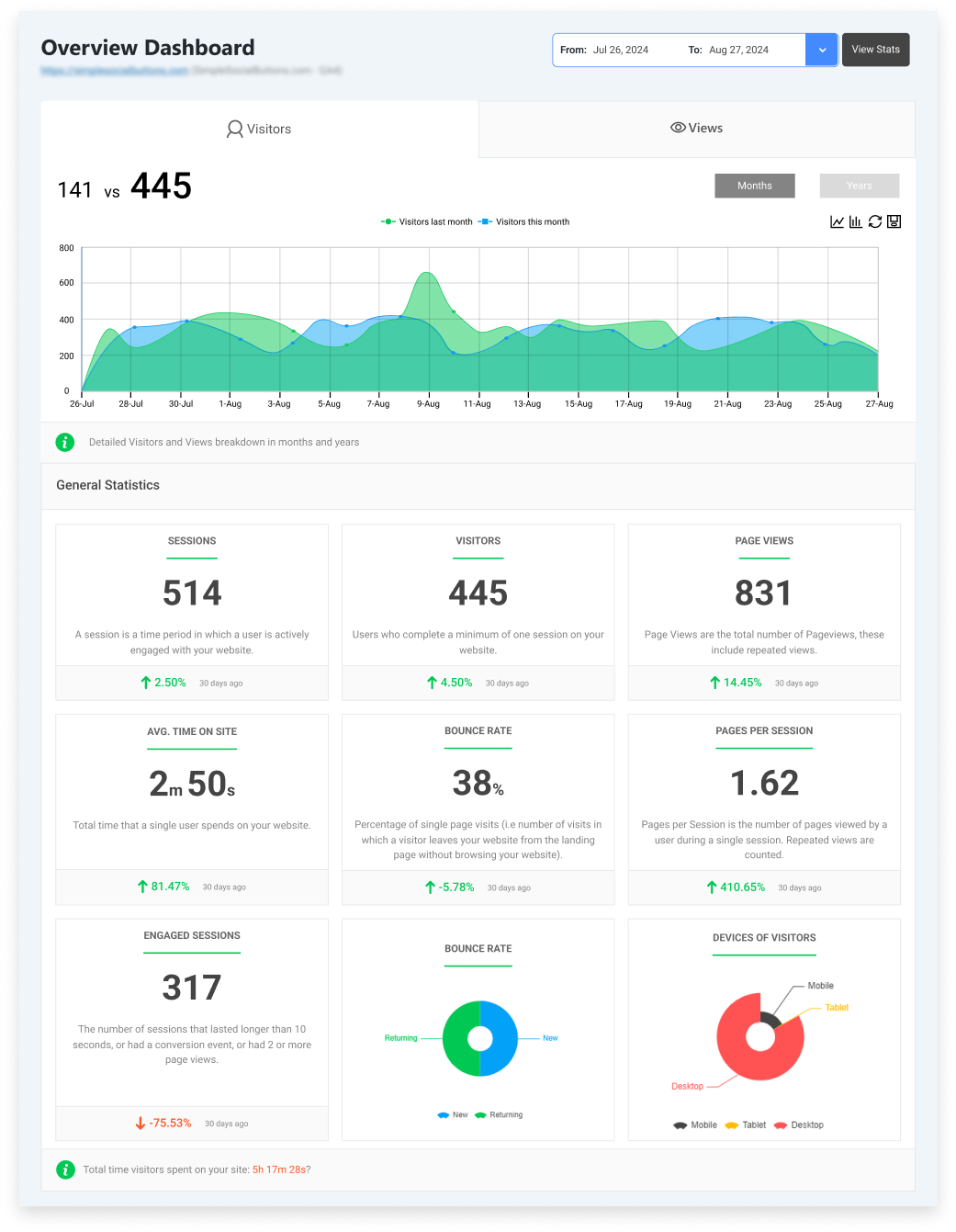
By organizing events, metadata, and dimensions clearly, Analytify ensures that engagement patterns and content performance are more understandable.
How Analytify enhances AI-ready analytics:
- Clean Event Organization: Analytify organizes GA4 data at the page and post level, allowing you to see engagement, traffic, and interactions in direct relation to individual pieces of content. This page-level clarity is essential for AI-ready analytics because LLMs rely on consistent content-performance signals to detect which pages are authoritative or high-value.
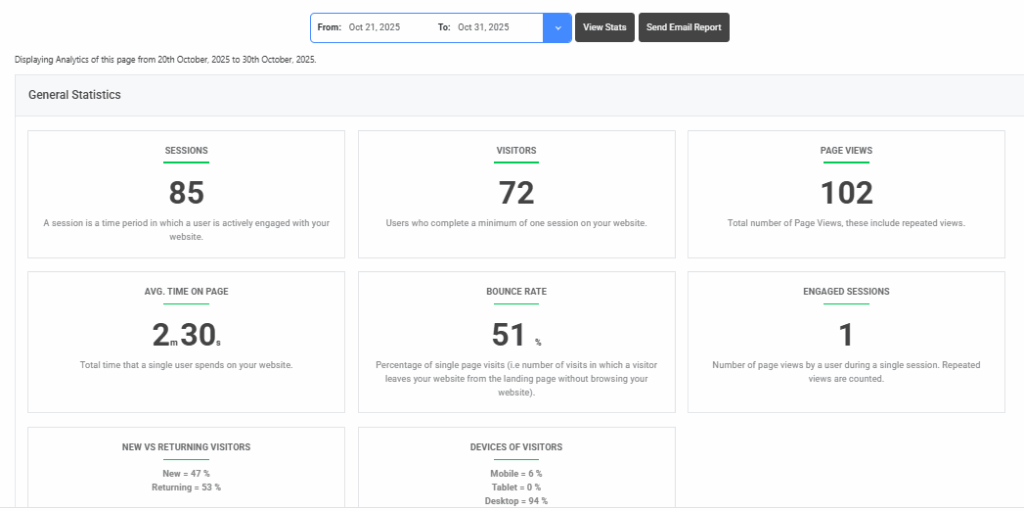
- Enhanced Data Schema: Organizes GA4 data with structured labels such as post_type, category_name, and author_name, helping AI tools and humans understand content context more clearly.
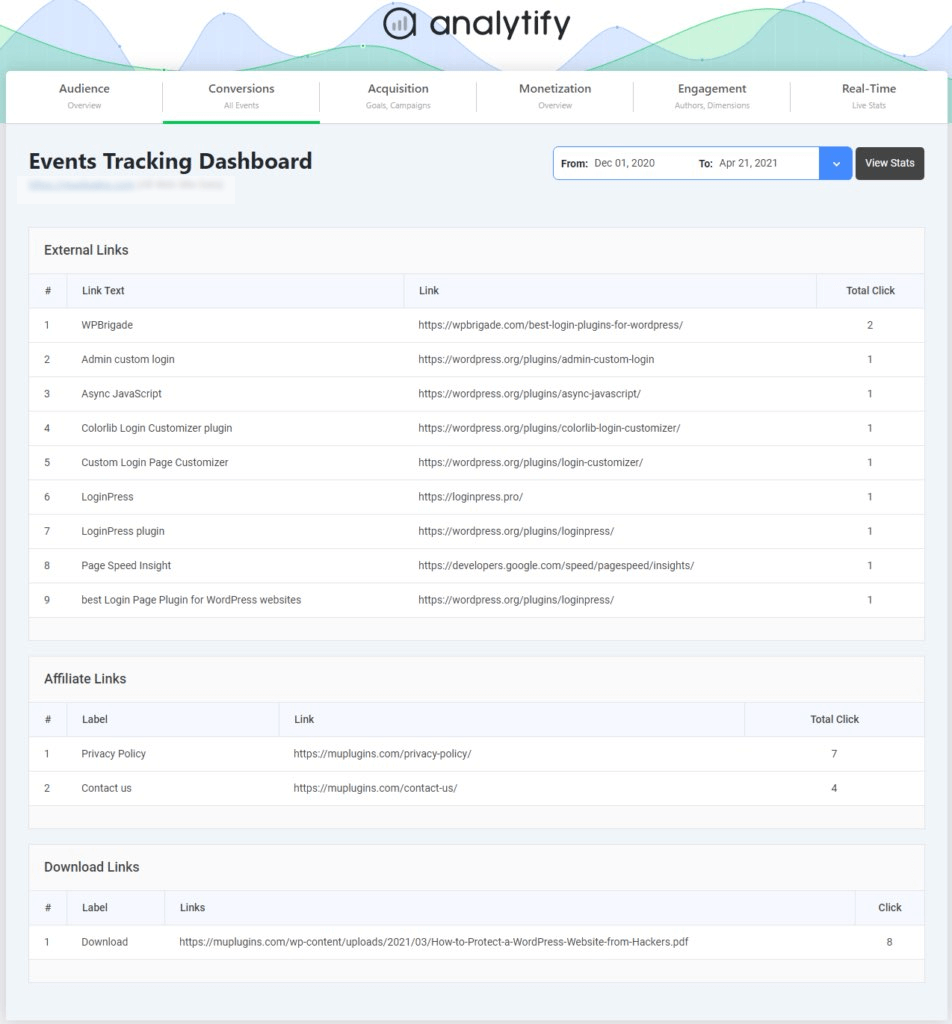
- Structured Event Reporting: Automatically groups GA4 events with clear names and categories, making behavioral patterns transparent.
- Campaign & UTM Tracking: Displays campaign data in an organized way, helping AI detect user acquisition sources and intent.
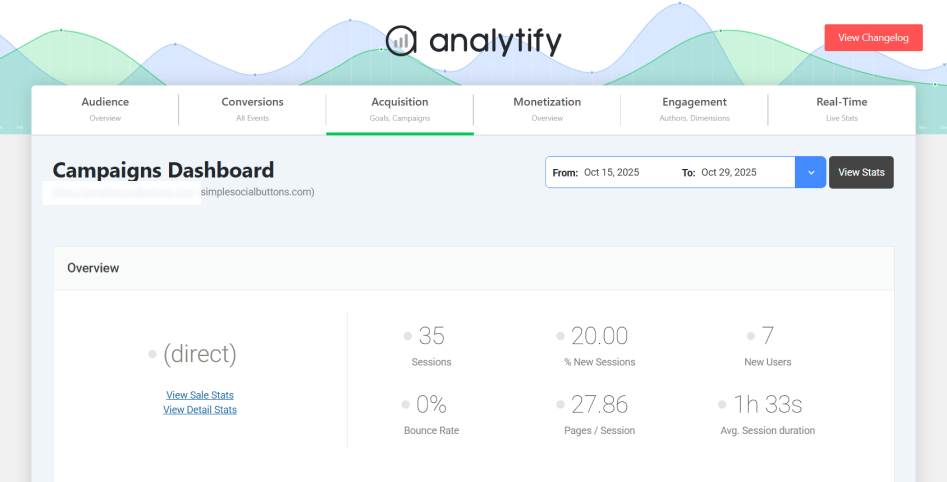
By integrating Analytify, you turn raw GA4 data into semantic, structured analytics, making your WordPress site easier for LLM search engines and AI-driven tools to interpret.
Step 5: Optimize WordPress Content Structure
A clean and well-organized WordPress site helps AI tools interpret your content more effectively. Structured content and consistent metadata provide clear signals to LLMs, improving how your pages are surfaced in AI-driven search results.
Key steps to optimize your site structure:
- Clean URLs: Start with clean, semantic URLs. Descriptive slugs such as /blog/ai-ready-analytics immediately communicate topic context to AI systems, whereas generic or numeric URLs provide little semantic value.
- Structured Headings: Next, focus on heading hierarchy. Every page should have a single, clear H1 that defines the primary topic, followed by logically nested H2 and H3 headings. This structure helps AI models extract meaning, identify subtopics, and understand how ideas relate across the page.
- Schema Markup: Implement schema markup where appropriate. FAQ, HowTo, and Article schema provide machine-readable context that explicitly defines content type and structure. LLMs often rely on schema to generate summaries, answer follow-up questions, or extract step-based instructions accurately.
- Metadata Consistency: Finally, maintain metadata consistency across your site. Titles, meta descriptions, and Open Graph tags should align with on-page content and clearly reflect user intent. AI tools frequently reference metadata when generating previews or summaries.
Optimizing your WordPress content structure ensures that your analytics data is meaningful and that your content is easier for AI to read, interpret, and rank in AI-driven search results.
Step 6: Leverage AI-Ready Analytics to Improve Content Signals
Once your WordPress analytics are structured and AI-ready, you can use the data to enhance your content strategy. LLMs rely on behavioral signals, engagement metrics, and structured content data to determine which pages are most relevant and valuable.
Practical steps to improve content using AI-ready analytics:
- Identify High-Value Content: Use page-level insights from GA4 and Analytify to see which pages get the most engagement. AI tools are more likely to reference these pages in answers or summaries.
- Track User Interactions: Monitor clicks, scrolls, and form submissions to understand content effectiveness and optimize calls-to-action or layout.
- Analyze Campaign Performance: Well-structured UTM tracking helps detect which topics or promotions drive meaningful traffic. AI can use this data to prioritize content relevance.
- Refine Topic Clusters: Organize related content into clusters using structured events and metadata. This helps AI models understand the relationships between topics and surface them more effectively.
By aligning your content strategy with AI-ready analytics, you improve both human and machine understanding, ensuring your WordPress site performs well in AI-driven search environments.
FAQs: AI-Ready Analytics for WordPress
1. What does “AI-ready analytics” mean for WordPress?
AI-ready analytics means configuring your WordPress tracking so that AI search tools and LLMs can interpret your site’s behavior, content structure, and engagement patterns more easily. It emphasizes structured, consistent data rather than just human-focused dashboards and reports.
2. How do I optimize my WordPress analytics for AI search?
Structure GA4 events with clear names, use semantic parameters, maintain consistent metadata, and organize page-level insights with tools like Analytify. These steps make your site’s analytics interpretable for AI tools.
3. Does clean analytics help my WordPress site appear in AI search tools?
Yes. Structured analytics, including consistent event names, clean URLs, and well-organized metadata, helps AI detect high-value content and engagement trends, increasing the likelihood that your pages are referenced in AI-generated answers.
4. How is AI-ready tracking different from regular analytics tracking?
Regular tracking focuses on dashboards and reporting for humans. AI-ready tracking emphasizes machine-readable signals such as semantic event names, structured metadata, and consistent parameter hierarchies that LLMs can interpret automatically.
5. Do I need a separate plugin to track AI visits to my WordPress site?
You can use plugins that track AI agents (e.g., Smalk AI Analytics or GPTrends Agent Analytics), but these do not replace GA4 or Analytify’s structured tracking. AI-ready analytics is about making behavioral and engagement data interpretable, not just detecting AI crawlers.
6. Can WordPress analytics show which content AI search engines favor?
Analytics tools like Analytify reveal which pages drive the most engagement. While they don’t directly show “AI ranking,” high-engagement pages are more likely to be surfaced by AI tools in summaries and answers.
7. How do clean URLs and schema markup help with AI search?
Semantic URLs and structured schema (FAQ, HowTo, Article) provide explicit context for AI models. This helps LLMs understand your content better, making it more likely to be included in structured summaries or responses.
8. How can I ensure my WordPress analytics are fully AI-ready?
Focus on structured event names, semantic parameters, clean metadata, page-level insights, and organized content hierarchies. Using Analytify alongside GA4 helps maintain consistent, machine-readable tracking, preparing your site for LLM search interpretation.
AI-Ready Analytics: Final Thoughts
AI‑ready analytics transforms your WordPress site from just a reporting tool into a platform that AI tools can interpret accurately. By structuring GA4 events, using semantic parameters, and organizing content with clean metadata and schema, your site communicates meaningful signals to LLMs and AI search engines.
Analytify simplifies this process by presenting WordPress analytics in a structured, readable format, enhancing GA4 data and making it easier for AI to detect patterns and content value.
With AI-ready analytics in place, you can:
- Identify high-value pages and content clusters
- Track user engagement more meaningfully
- Optimize your site for AI-driven search visibility
Start implementing these strategies today to ensure your WordPress site is prepared for the next generation of AI search.
Further Readings:
Now, I’d love to hear from you. Which AI analytics tool did you find best for analytics?