
Are you wondering whether Analytify supports Multisite or not? Yes, it does!
Continue reading “How Analytify Supports Multisite – A Complete Guide”Archives: Docs
Analytify Pro comes with a full suite of add-ons that extend what the plugin tracks — from WooCommerce sales and form submissions to author performance, custom dimensions, and pixel tracking. All add-ons are bundled inside Analytify Pro and managed from a single page inside your WordPress dashboard.
This guide explains how to activate, deactivate, and manage add-ons in Analytify.
Continue reading “How To Use Addons For Analytify?”Yes, Analytify supports enhanced eCommerce tracking. Both WooCommerce and Easy Digital Downloads stores can track sales, transactions, revenue, and user behavior directly inside the WordPress dashboard — connected to Google Analytics 4, with no manual code setup required.
This guide explains what Analytify tracks for eCommerce stores and how to get started with each platform.
If you’re just getting started with marketing analytics, our guide on Digital Marketing Analytics For Beginners covers the basics before diving into eCommerce tracking.
Building a dedicated product microsite? Our comparison of Microsite Vs Landing Page can help you decide which fits your store.
Continue reading “Enhanced eCommerce Tracking with Analytify “We see a lot of people have Google Analytics tracking code installed twice and of course, without even realizing it. But if you do so, you will get two page views logged for every visit, which will have impacts on artificially inflated stats.
Continue reading “How To Check Google Analytics Tracking Code Installed Twice?”You can use multiple tracking codes at the same time, however, we would recommend you not to do so. Because, multiple instances of ga.js might result in inaccurate data collection, processing, or reporting.
Follow the instructions below to redeem the AppSumo – Analytify purchase.
- Go to the redemption link.
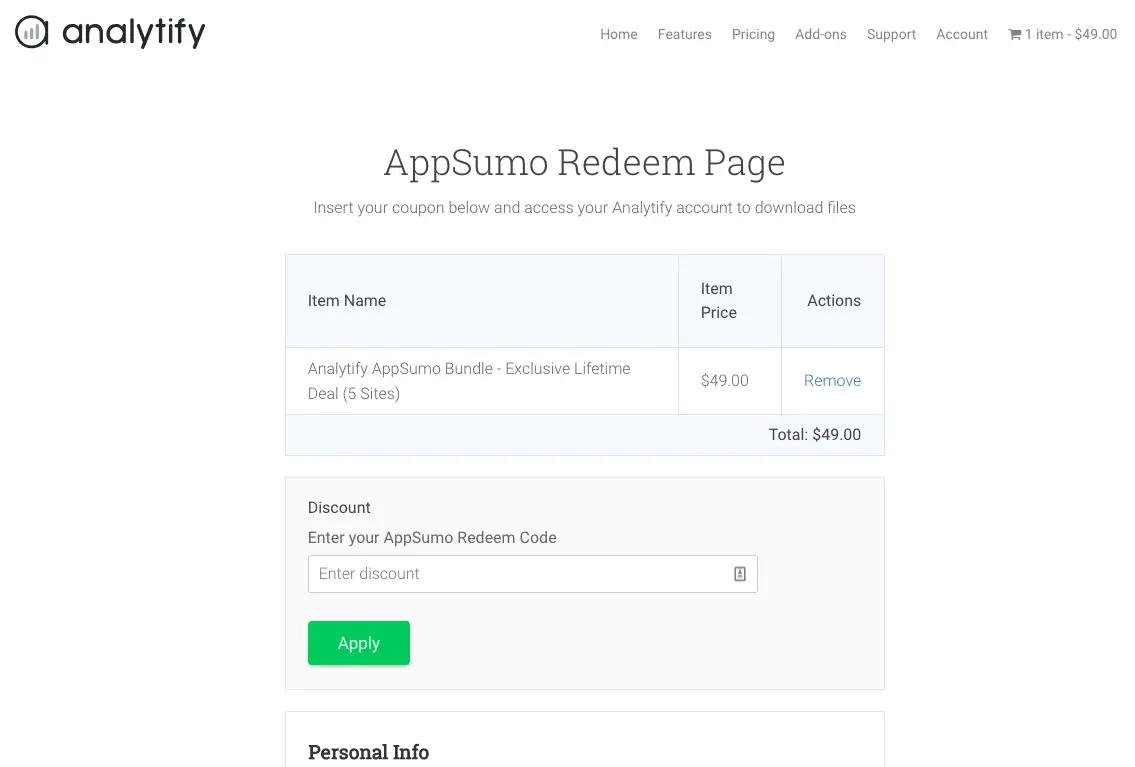
- Enter your AppSumo code in the Discount field and hit Apply.
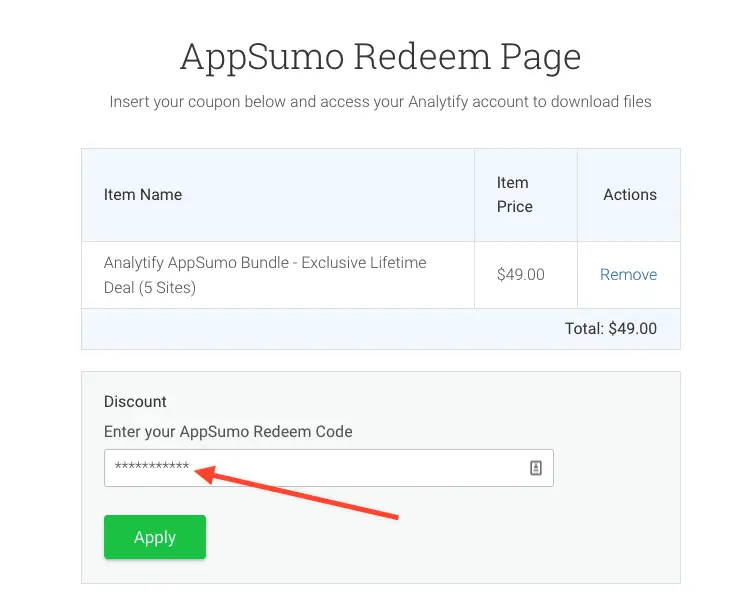
- Discount Code will be applied.
- Fill out your details within (First Name, Last Name, and email) fields.
- Click Purchase, you will be taken to Purchase Confirmation page that contains license keys and files to download.
- You should receive an email with your license keys, files and username/password to access your account on Analytify.
- Enjoy, you’ll now have lifetime access to Analytify – AppSumo Bundle.
- In case of any issues, please send an email to support@analytify.io or submit a form via Analytify plugin settings -> help tab.
You can also explore our guide with instructions on stacking additional codes.
Hey Sumo-lings, Welcome to Analytify!
We are glad to have you on board. By Stacking additional codes, you could upgrade the deal and this will add 5 sites more to your bucket. So will be 50 sites in total.
Continue reading “Instructions on stacking additional codes”We have created a filter (code snippet is below) which you can use in your theme functions.php file to see the stats of correct multisite domain.
Continue reading “Google Analytics on Multisite Domain Mapping”Turn on Anonymous IP
Under the GDPR, an IP address is considered to PII (Personally Identifiable Information). Even Google Analytics never shows IP address in reporting but Google Analytics does use it for the Geolocation data.
To make your site full GDPR compatible. We recommend to turn on the Anonymize IP settings from Analytify.
Continue reading “GDPR”The Email Notifications add-on for Analytify sends your website analytics reports directly to your inbox on a weekly or monthly schedule. You get the data you need without logging into your WordPress dashboard or Google Analytics account every time.
This guide walks you through activating the add-on and configuring your first email report.
Continue reading “How to Setup Email Notifications Addon”