
Mixpanel vs Google Analytics (Detailed Comparison 2026)

Choosing between Mixpanel vs Google Analytics comes down to one question: do you need to understand website traffic or user behavior inside a product?
For a complete walkthrough, see our guide: How to Set Up Google Analytics 4 and Connect it to Your WordPress Site?.
Google Analytics tracks how visitors find and navigate your website. Mixpanel tracks what individual users do inside your app or product.
In this guide, I’ll compare both tools across features, ease of use, tracking, pricing, and support. You’ll see which one fits your business.
Mixpanel vs Google Analytics (TOC):
Mixpanel vs Google Analytics: Quick Overview
Google Analytics is best for websites that need traffic analysis, SEO insights, and marketing attribution. Mixpanel is best for product teams that need to track individual user behavior, funnels, and retention inside an app.
| Factor | Google Analytics (GA4) | Mixpanel |
|---|---|---|
| Core focus | Website traffic and marketing analytics | Product analytics and user behavior tracking |
| Best for | Small to large websites, ecommerce, content sites | SaaS products, mobile apps, product teams |
| Cost | Free (GA4) or from $50,000/yr (GA360) | Free up to 20M events, then from $28/mo |
| Ease of setup | Easy, beginner-friendly | Moderate, requires event planning |
| Data model | Session and page-based | Event and user-based |
| User identification | Anonymous sessions by default | Individual user tracking by default |
| Google ecosystem | Deep integration (Ads, Search Console, GTM) | Limited Google integration |
| WordPress support | Yes, via GA4 and Analytify | No native WordPress plugin |
Overview of Google Analytics
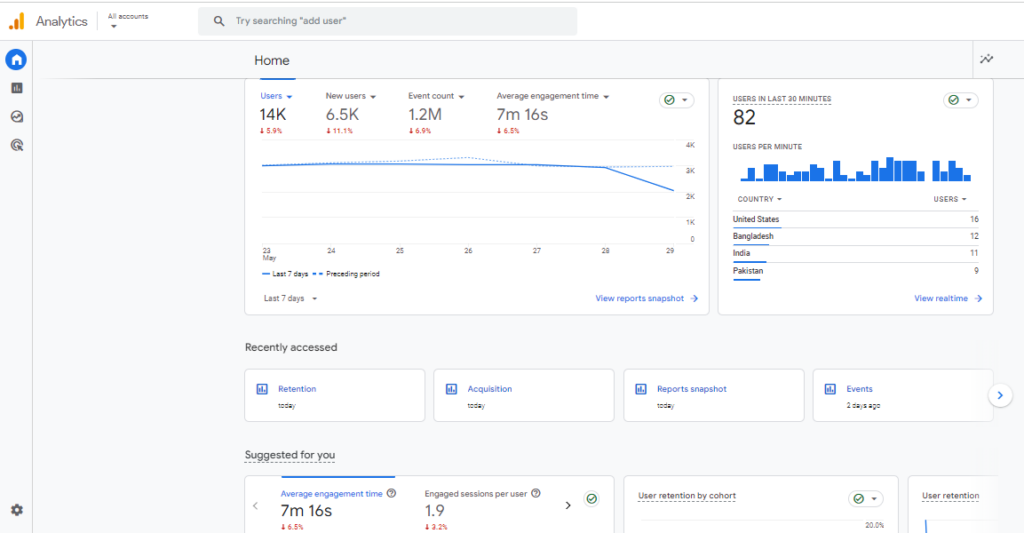
Google Analytics is a free web analytics tool from Google. It tracks website traffic, user acquisition, engagement, and conversions. It is the most widely used analytics platform in the world.
What Google Analytics tracks:
- Page views, sessions, and traffic sources
- User demographics: age, location, device, and language
- Bounce rate, session duration, and engagement metrics
- Conversion events: purchases, sign-ups, and goal completions
- SEO performance via Google Search Console integration
- Paid campaign performance via Google Ads integration
Tip: For WordPress users, Analytify connects GA4 data directly to your WordPress dashboard. You get the same insights without opening GA4 separately.
Google Analytics is a powerful web analytics tool offered by Google. It helps website owners and businesses track and analyze their website traffic in detail. This powerful tool collects data from your website and presents it in detailed reports, allowing you to see how visitors interact with your site.
Overview of Mixpanel
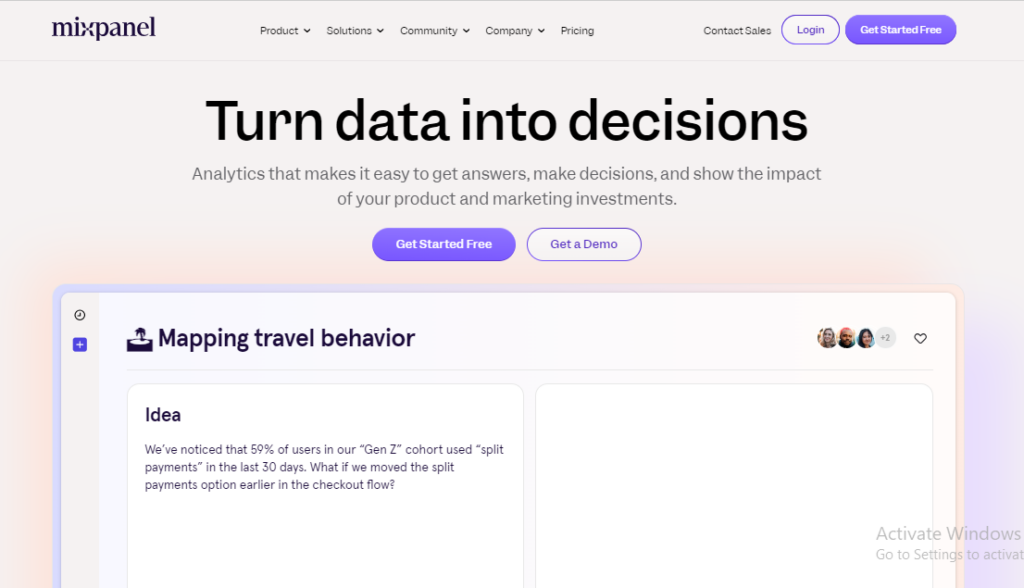
Mixpanel is a product analytics platform that tracks individual user actions inside apps and websites. Google Analytics focuses on aggregate traffic data. Mixpanel focuses on what specific users do and why they stay or churn.
What Mixpanel tracks (key mixpanel features):
- Custom events: clicks, sign-ups, purchases, and any user action you define
- User properties: purchase history, sign-up date, plan type, and custom attributes
- Funnel analysis: where users drop off in a multi-step process
- Retention analysis: how many users return after their first visit
- Cohort analysis: behavior patterns of groups of users over time
- A/B testing: compare feature variations and measure impact
- Path analysis: the routes users take through your product
Key Differences: Google Analytics 4 vs Mixpanel
The biggest difference between Google Analytics 4 and Mixpanel is their data model. GA4 uses sessions and aggregated data by default. Mixpanel tracks individual users and their specific actions, giving you user-level data rather than group averages.
| Feature | Google Analytics 4 | Mixpanel |
|---|---|---|
| Core focus | Website traffic and marketing performance | Product analytics and individual user behavior |
| Data model | Aggregate data: sessions, pageviews, users | User-level data: individual actions and properties |
| User identification | Anonymous sessions (user ID optional) | Individual user tracking by default |
| Event tracking | Standard events + custom events | Fully flexible custom events with custom properties |
| User behavior analysis | Audience segmentation, behavior flow | User journeys, path analysis, funnels, retention, cohorts |
| Data granularity | Session or user-level aggregates | Individual user-level events and identities |
| Cross-device tracking | Via Google Signals (limited) | Strong cross-device tracking built in |
| Industry focus | All website types | SaaS, mobile apps, product-centric companies |
| Pricing model | Free (GA4) or paid (GA360) | Free tier, then subscription-based |
Ease of Use
Google Analytics is easier for most users. It has a guided setup, pre-built reports, and extensive free learning resources. Mixpanel requires more planning upfront, but offers more flexibility for product teams once configured.
Google Analytics: Ease of Use
- Beginner-friendly interface that most users recognize from Google’s other tools
- Pre-built reports for audience, acquisition, engagement, and conversions
- Free to start, with step-by-step setup guidance
- Large community, extensive documentation, and free courses via Google Analytics Academy
- Advanced custom reporting can be complex for new users
Mixpanel: Ease of Use
- Interface is designed for product teams, not general marketers
- Requires planning your event taxonomy before implementation
- More flexible for custom tracking once set up correctly
- Steeper learning curve for users without a product analytics background
- Offers intuitive visualizations once data is flowing
Beginners and marketing teams: Choose Google Analytics. Easier setup, pre-built reports, and free learning resources make it the faster starting point.
Product analysts and technical teams: Choose Mixpanel. More flexibility and user-level depth once you have the setup expertise.
Tracking Capabilities: Mixpanel vs Google Analytics 4
Google Analytics 4 automatically tracks standard events like page views, scrolls, and clicks. Mixpanel requires you to define and implement every event manually. This gives you much more control over what each event captures.
Event Tracking
| Aspect | Google Analytics 4 | Mixpanel |
|---|---|---|
| Default events | Automatically tracked via Enhanced Measurement | No automatic events; all must be defined |
| Custom events | Supported with custom properties | Fully flexible with any properties |
| Setup complexity | Low for standard events | Higher; requires event planning |
| Tracking depth | Good for standard website interactions | Deep tracking of complex product flows |
User Properties
| Aspect | Google Analytics 4 | Mixpanel |
|---|---|---|
| Default user data | Demographics, location, device | Basic session data |
| Custom user properties | Limited via custom dimensions | Extensive: track any user attribute |
| User identification | Optional User ID setup | Built-in user identity tracking |
| Profile data | Limited | Full user profiles with history |
Integration Capabilities
| Integration Type | Google Analytics 4 | Mixpanel |
|---|---|---|
| Google Ads | Deep, native integration | Limited |
| Google Search Console | Native integration | Not available |
| Google Tag Manager | Native integration | Supported via custom tags |
| BigQuery | Available (GA360 required for full export) | Not available natively |
| CRM tools | Via third-party connectors | Native integrations with HubSpot, Salesforce, etc. |
| Marketing automation | Via third-party connectors | Native integrations available |
Enhanced Tracking with Analytify for WordPress
Join 50,000+ beginners & professionals who use Analytify to simplify their Google Analytics!
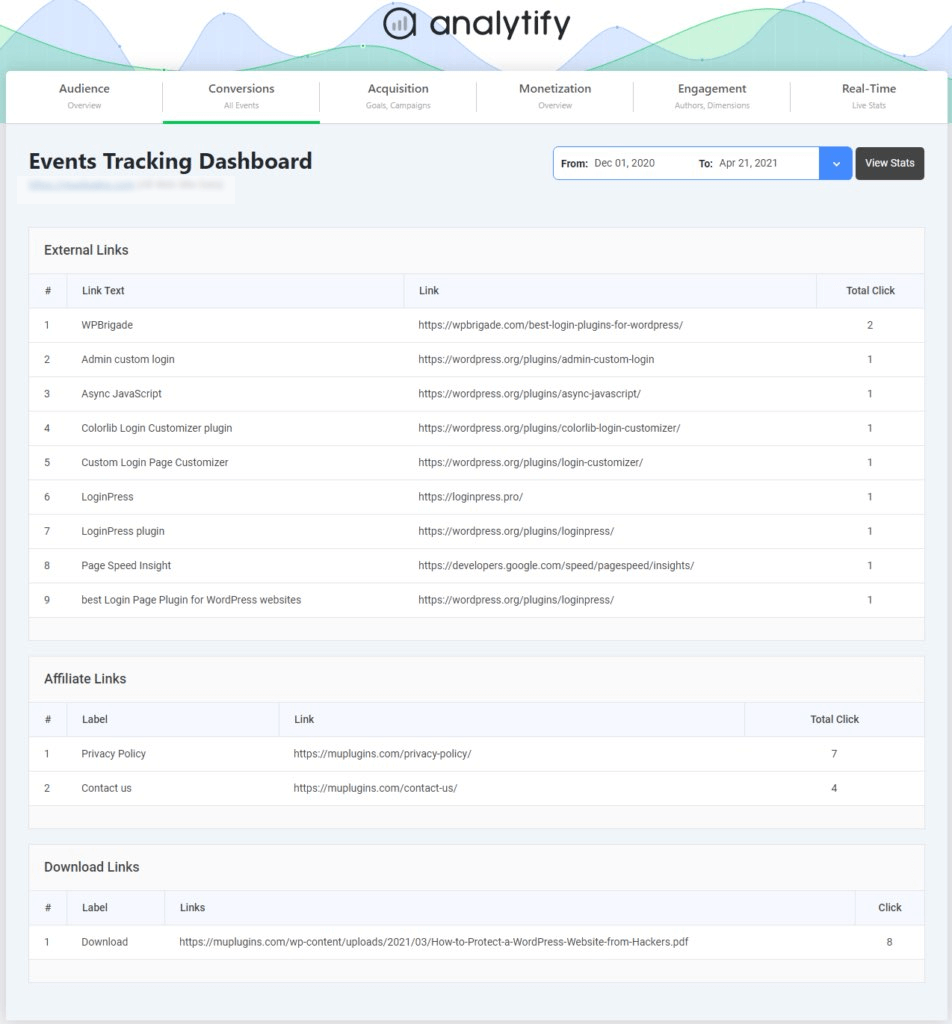
Analytify bridges the gap between Mixpanel’s granular user tracking and Google Analytics’ broad traffic overview. It brings GA4 data into WordPress in a simple, readable format.
| Analytify Feature | What It Does |
|---|---|
| Event Tracking Addon | Track button clicks, video plays, form submissions, and downloads inside WordPress |
| Custom User Properties | Define and track custom user segments and attributes |
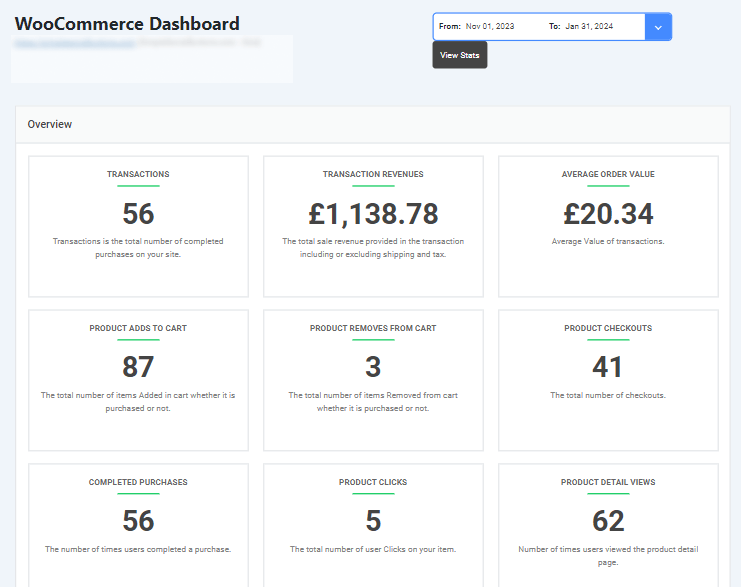
| E-commerce Tracking | Monitor sales, revenue, and product performance for WooCommerce stores |
| Real-Time Analytics | See live user activity on your site without opening GA4 |
| Campaign Tracking (UTM) | Measure the ROI of every email, social, and paid campaign |

Pricing: Mixpanel vs Google Analytics
Google Analytics 4 is free for most businesses. Mixpanel has a free tier for up to 20 million monthly events, then charges based on usage. For enterprise needs, both offer paid tiers with advanced features.
Google Analytics Pricing
| Plan | Cost | What Is Included |
|---|---|---|
| GA4 Free | Free | Core analytics: traffic, engagement, conversions, and basic reports |
| Google Analytics 360 | From $50,000/year | Higher data limits, reduced sampling, SLA support, extended retention |
Mixpanel Pricing
| Plan | Cost | What Is Included |
|---|---|---|
| Free | Free | Up to 20 million monthly events, basic analytics features |
| Growth | From $28/month | Up to 10K monthly tracked users, advanced analytics, unlimited saved reports |
| Enterprise | Custom pricing | For large teams with complex analytics requirements |
Analytify Pricing (WordPress Alternative)
Analytify starts at $99/year. It gives WordPress users GA4-level insights inside their dashboard without the complexity of the full GA4 interface.
| Tool | Starting Cost | Best For |
|---|---|---|
| Google Analytics 4 | Free | All website types |
| Mixpanel | Free (limited) / $28/mo | Product analytics and app tracking |
| Google Analytics 360 | From $50,000/year | Large enterprises |
| Analytify | $99/year | WordPress sites wanting simpler GA4 reporting |
Pros and Cons: Google Analytics vs Mixpanel
Google Analytics: Pros and Cons
| Pros | Cons |
|---|---|
| Free version covers most business needs | Primarily aggregate data, not individual user behavior |
| Easy setup with step-by-step guidance | Complex custom event tracking requires developer setup |
| Deep integration with Google Ads and Search Console | Data sampling on large datasets in the free version |
| Pre-built reports save time | No native WordPress dashboard view |
| Predictive metrics built into GA4 | GA360 is expensive for enterprise needs |
Mixpanel: Pros and Cons
| Pros | Cons |
|---|---|
| User-level tracking for detailed behavior analysis | No free plan with full features; costs scale quickly |
| Powerful funnel, retention, and cohort analysis | Steep setup and learning curve |
| Flexible custom events with unlimited properties | Limited integration with Google ecosystem |
| Strong mobile app analytics | Requires technical knowledge to implement correctly |
| Real-time user behavior data | Limited SEO features compared to Google Analytics |
What Google Analytics vs Mixpanel Have in Common
Both Google Analytics and Mixpanel offer event tracking, user segmentation, and funnel analysis. Both also include retention reporting, custom dashboards, A/B testing, real-time data, and data export. The difference is in how deeply each platform goes.
| Feature | Google Analytics | Mixpanel |
|---|---|---|
| Event tracking | Tracks user interactions with your website | Tracks user interactions with your product or app |
| User segmentation | Segments by demographics and behavior | Segments by user attributes and behavior |
| Funnel analysis | Analyzes conversion paths | Analyzes user pathways through product flows |
| Retention analysis | Measures user return rates over time | Measures how well users are retained |
| Custom reporting | Build custom reports with filters | Build fully custom reports from scratch |
| A/B testing support | For website optimization | For product feature optimization |
| Real-time data | Live website traffic insights | Live user behavior insights |
| Data export | Supports export for deeper analysis | Supports export to external tool |
GA4 vs Mixpanel: Which Should You Choose?
Choose Google Analytics if you run a website and need traffic analysis, SEO data, and marketing attribution. Choose Mixpanel if you run a product or app and need to understand individual user behavior, retention, and funnels.
Website owners, content sites, ecommerce: Choose Google Analytics (GA4). It is free, covers all standard web analytics needs, and integrates with Google Ads and Search Console.
WordPress users wanting simpler reporting: Choose Analytify + GA4. Analytify brings GA4 data into WordPress at $99/year with no complexity.
SaaS products and mobile app teams: Choose Mixpanel. User-level tracking, funnels, and retention analysis make it the right fit for product analytics.
Large enterprises needing both: Choose GA360 + Mixpanel. Use GA360 for website-level marketing analytics and Mixpanel for product behavior inside the app.
Mixpanel vs Google Analytics FAQ
1. What is the primary difference between Mixpanel vs Google Analytics 4?
Google Analytics 4 tracks website traffic and aggregates data like page views and sessions. Mixpanel tracks individual user actions and events inside a product or app. GA4 answers ‘how many?’ Mixpanel answers ‘who did what?’
2. Which tool is better for mobile app analytics?
Mixpanel is better for mobile app analytics. It tracks individual in-app user behavior, retention rates, push notification opens, and custom user segments. Google Analytics supports mobile app tracking via Firebase, but Mixpanel offers greater depth and flexibility for product teams.
3. When should you use Mixpanel?
Use Mixpanel when:
You run a SaaS product or mobile app and need to track individual user behavior
You need funnel analysis to find where users drop off in your onboarding flow
You need retention analysis to understand why users churn
You need cohort analysis to compare behavior across groups of users
Your team has technical resources to plan and implement custom event tracking
4. Can GA4 and Mixpanel tools be used together?
Yes. Many product companies use both tools together. GA4 handles website traffic analysis and marketing attribution. Mixpanel handles in-product user behavior. The data does not overlap and the tools complement each other well. You can use GA4 for free and layer Mixpanel on top for product analytics.
5. GA4 vs Mixpane: Which tool is more user-friendly for beginners?
Google Analytics 4 is more user-friendly for beginners. It has pre-built reports, free learning resources via Google Analytics Academy, and a familiar interface. Mixpanel is better suited for product analysts or teams with a technical analytics background.
6. How does Mixpanel pricing compare to Google Analytics pricing?
Google Analytics 4 is completely free for most businesses. Mixpanel is free for up to 20 million monthly events, then starts at $28 per month for the Growth plan. For enterprise needs, Google Analytics 360 starts at $50,000 per year and Mixpanel offers custom enterprise pricing. For WordPress users, Analytify provides GA4-level insights at $99 per year.
Final Verdict: Mixpanel vs Google Analytics 4
Both tools are strong analytics platforms. The right choice depends on what you need to measure.
| Your Situation | Best Choice |
|---|---|
| Website owner, marketer, or content creator | Google Analytics 4 (free) |
| WordPress site wanting simple GA4 reporting | Analytify + GA4 (from $99/year) |
| SaaS or app product team | Mixpanel |
| Need both website and product analytics | GA4 + Mixpanel together |
| Large enterprise with high traffic volumes | Google Analytics 360 |
| Already using Google Ads and Search Console | Google Analytics 4 |
Google Analytics is the better starting point for most businesses. It is free, covers all standard web analytics, and integrates directly with your marketing tools.
Mixpanel is the better choice when you need to understand product behavior at the individual user level. It is a specialist tool, not a replacement for GA4.
For WordPress users, Analytify gives you the benefits of GA4 inside your dashboard with no setup complexity.
Would you like to explore other analytics tools? Consider checking out these comparison articles:
is there anything else you want to know? Leave a comment below, and we’ll be happy to help!