How to Master Retargeting Without Cookies: Future-Proof Ad Strategies

Retargeting without cookies is a privacy-first strategy that re-engages website visitors with first-party data, contextual signals, and AI-powered predictions instead of third-party cookie tracking.
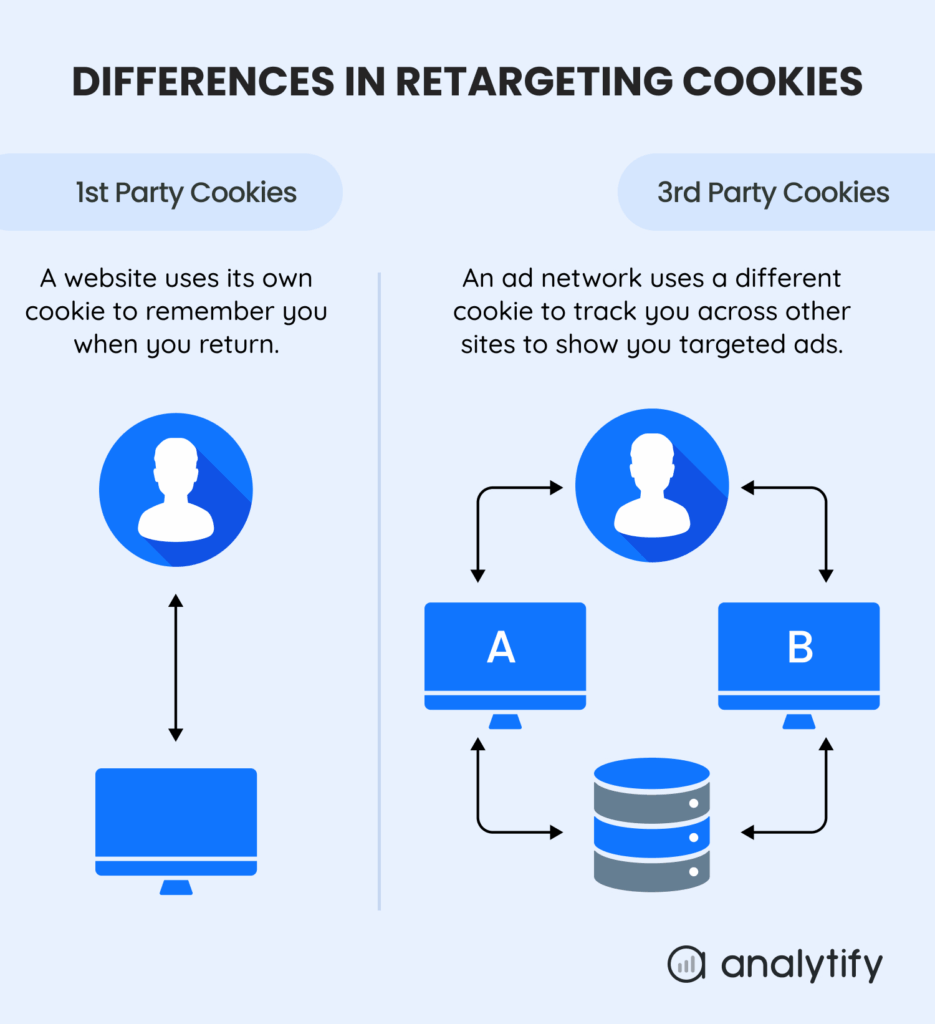
Traditional retargeting uses cookies to track browsing and remind past visitors about products. Cookieless retargeting replaces that third-party tracking.
This guide is for marketers who want retargeting campaigns that do not depend on third-party cookies.
I explain the top cookieless retargeting strategies below, then give you a step-by-step framework for setting them up in Google Analytics 4 (GA4).
Cookieless Retargeting (TOC):
What is Retargeting Without Cookies?
This cookieless retargeting is a privacy-friendly way to reconnect with your audience without relying on third-party cookies. Instead of tracking people across the web, it uses data you already own and smart signals to show them relevant ads.
The key difference is that traditional retargeting follows users across the web. Cookieless retargeting respects privacy and still helps you reach the right people with personalized ads.
With cookieless retargeting, users keep more control over their browsing data, because ads do not depend on third-party cookies.
Why Cookieless Retargeting Matters in 2026
Cookieless retargeting matters because third-party cookies no longer reach every visitor. Chrome lets users allow or block third-party cookies and blocks them by default only in Incognito mode, so retargeting that depends on them misses visitors who block them.
Why does this shift matter?
- User Privacy Regulations: Laws like GDPR and CCPA require explicit user consent for data tracking.
- Browser Changes: Browser Changes: Chrome lets users block third-party cookies and blocks them by default in Incognito mode.
- Consumer Demand: Users want more control over their data and more transparent advertising.
Adopting privacy-friendly retargeting methods not only saves your advertising efforts but also builds trust with your audience and ensures compliance with privacy-related regulations.
5 Best Cookieless Retargeting Strategies
To run effective retargeting campaigns without the involvement of third-party cookies, I have combined the top strategies for retargeting in a cookieless world. Let’s explore these methods for cookieless retargeting:
1. Contextual Retargeting without cookies
Contextual retargeting without cookies occurs when ads are placed on websites based on their content type, rather than the user’s past behavior.
How it works:
- An ad platform (like Google Display Network) scans a webpage’s content.
- Your ad appears if the content is relevant to your product or service.
Example: A blog post about “best running shoes” displays ads for your sports apparel store.
Best for: This increases brand awareness and reaches users based on their current interests.
2. First-Party Data Retargeting
First-party data retargeting is the basis of cookieless retargeting. You use data collected directly from your audience with their consent. Collecting data with consent supports compliance with privacy laws and regulations.
Sources to collect first-party data:
- Website logins and user profiles.
- Email newsletter subscriptions.
- Past purchase history (CRM data).
- Customer feedback surveys.
You can upload this data to ad platforms (e.g., Google Ads Customer Match) to create targeted audiences for retargeting ads without the use of third-party cookies.
Google requires a Customer Match list to have at least 100 members added or updated within the last 540 days to stay eligible. If a Customer Match partner uploads data for users in the EEA, Google’s EU user consent policy applies and the required consent signals must reach Google.
3. GA4 Event-Based Retargeting
GA4 builds audiences from events. GA4 JavaScript tags use first-party cookies to distinguish unique users and unique sessions.
You can create specific audiences based on user actions, such as:
- page_view events for specific pages.
- Click events on key buttons (e.g., “Add to Cart”).
- purchase or begin_checkout events.
- Custom events like file_download or video_view.
These audiences can be directly exported to Google Ads for retargeting.
4. Predictive Audiences
Many ad platforms use machine learning to find new users who share traits with your best existing customers. This predictive approach reaches a larger pool of likely converters.
How it works:
- You provide a “seed audience” (e.g., a list of high-value converters from your first-party data).
- The ad platform analyzes the traits of this audience.
- It then finds and targets new users with similar characteristics, enabling proactive cookieless retargeting.
5. Server-Side Retargeting
Server-side retargeting improves data privacy and precision by managing data collection on your server end instead of the user’s browser.
Here’s how it works:
- Increases data reliability and lowers ad blocker interference.
- Allows you to securely send conversion data to ad platforms.
- It is a core technical setup for the future of retargeting.
How to Set Up Retargeting in GA4 Without Cookies (Step-by-Step)
To set up retargeting in GA4 without cookies, enable Google signals, link GA4 with Google Ads, build a custom audience, and set up consent. The steps below cover each one.
This section will provide you with step-by-step guidance to implement GA4 retargeting without cookies using event-based audiences.
Step 1: Enable Google Signals in GA4
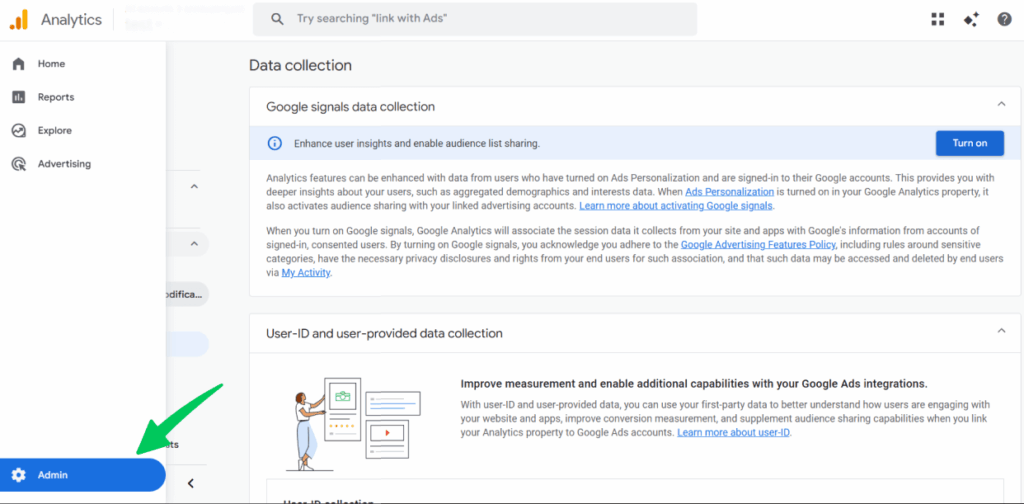
- Go to Admin
Then, navigate to Data Collection.
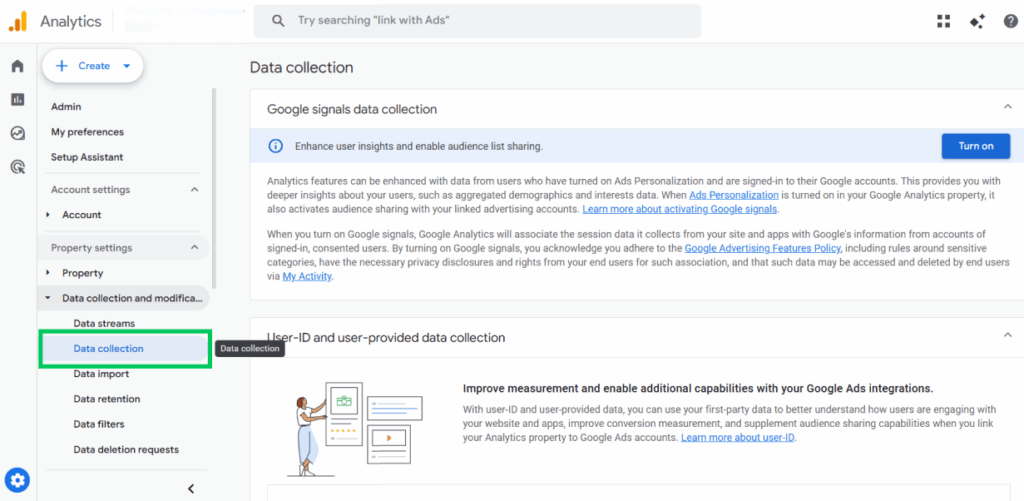
- Turn on Google Signals.
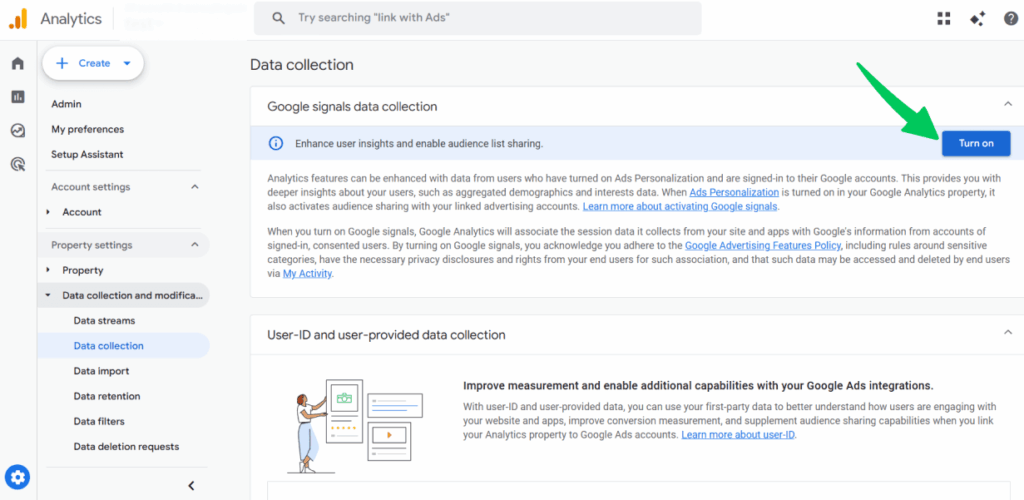
This lets GA4 use signed-in Google account data (consent-based) for cross-device and cookieless retargeting.
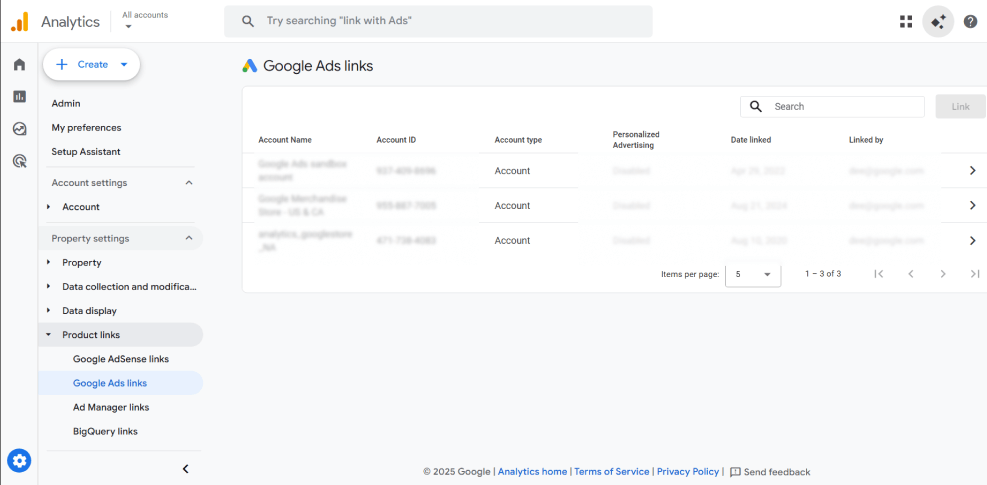
Step 2: Link GA4 with Google Ads
- In GA4, go to Admin>>Product Links
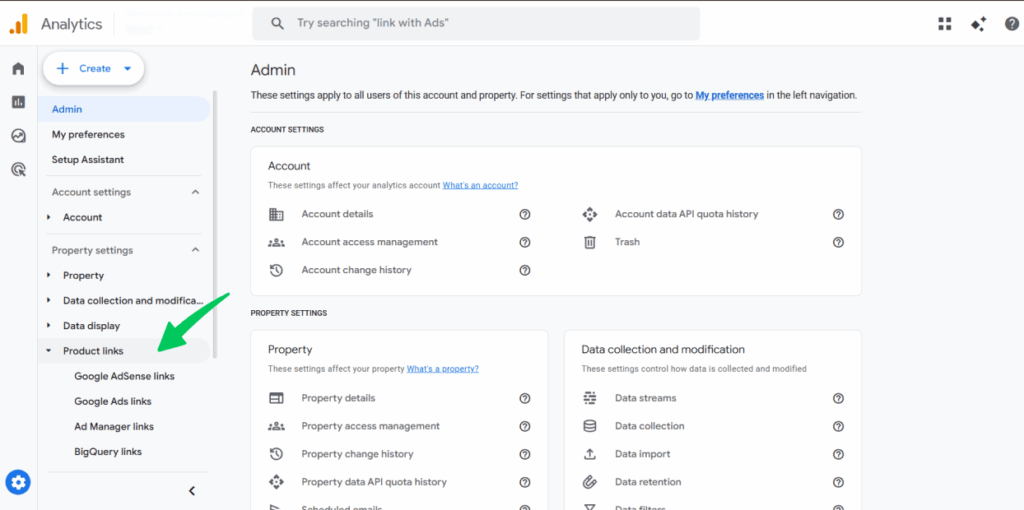
Then, navigate to the Google Ads Links.
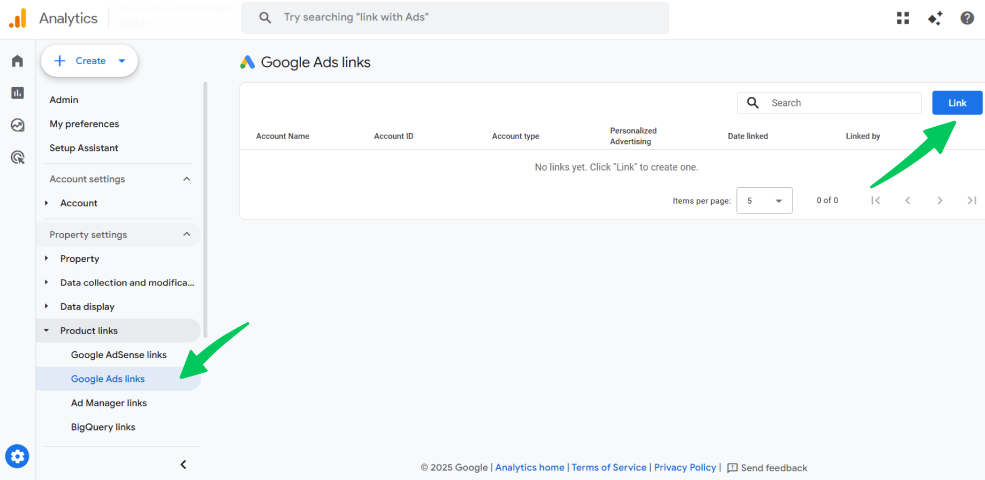
- Click “Link” and choose your Google Ads account.
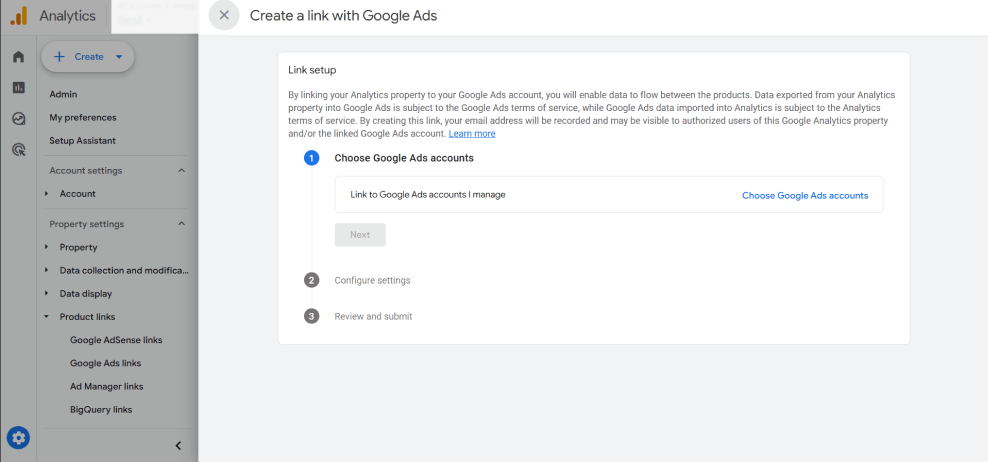
Once your Google Ads account is linked, this is what it might show for you.
Step 3: Build a Retargeting Audience in GA4
- In GA4, go to Admin, then under Data display click Audiences.
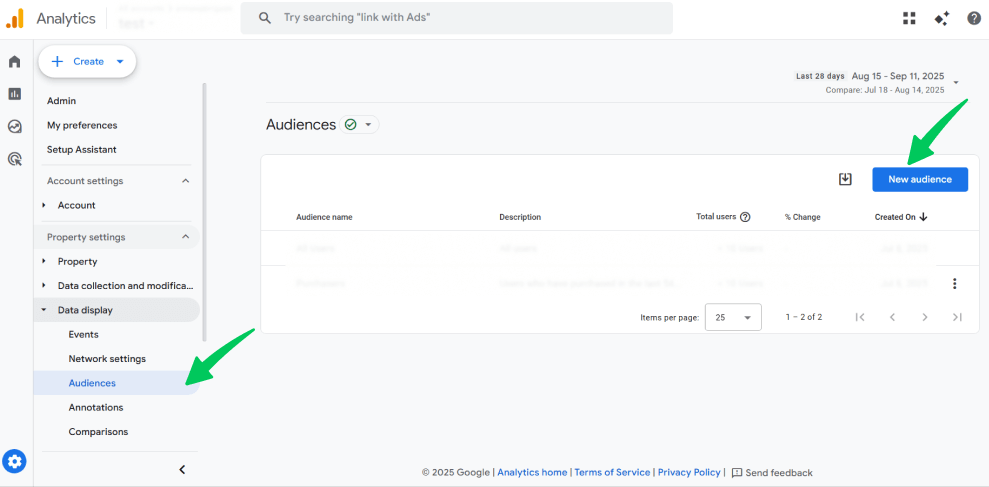
- Click New audience >> Create custom audience.
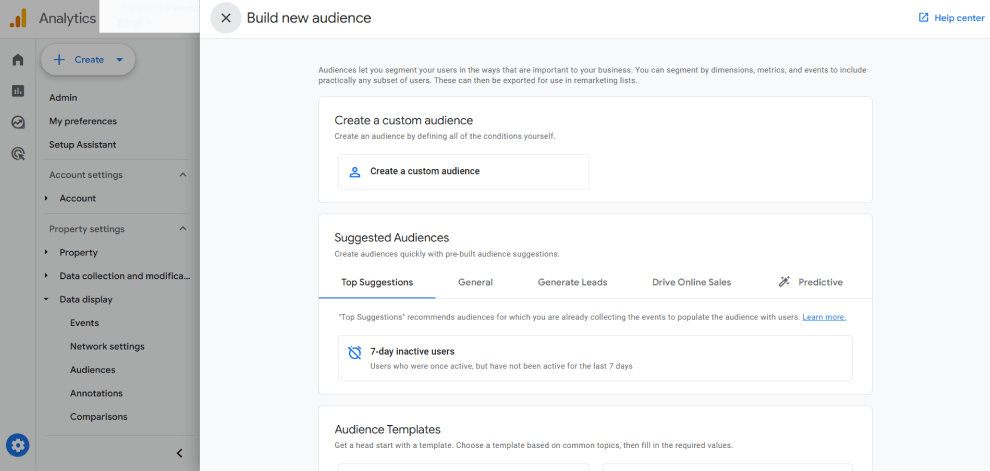
- Define your conditions, for example:
- Users who added items to their cart but did not make a purchase.
- Users who visited in the last 7 days but did not convert.
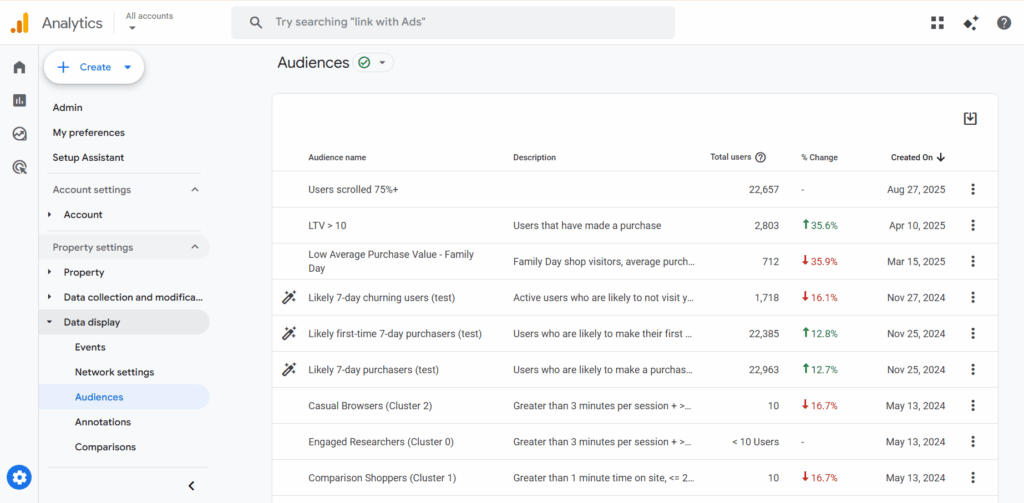
Once saved, this audience automatically syncs with Google Ads.
Step 4: Ensure Privacy and Consent
- Use a Consent Management Platform (CMP) on your site to collect user consent.
- GA4 will respect user choices (cookieless audiences rely on modeled data if cookies are denied).
By following these steps, you can set up cookieless retargeting in GA4 with ease. This way, you’ll still be able to re-engage your visitors, remind them about your products or services, and boost conversions, all while staying privacy-friendly.
Alternatives to Cookies for Retargeting Ads
These four alternatives also work for retargeting without cookies:
- Contextual Advertising: This is one of the simplest alternatives—target users based on the content they are currently consuming.
- Email Retargeting: Use your first-party email lists to run personalized campaigns on platforms like Facebook or via email marketing.
- Consent-Based Tracking: Implement a clear consent banner (CMP) to gather first-party data for retargeting legally.
- Unified ID 2.0: An industry initiative that uses anonymized email-based identifiers as a cookie alternative (requires user consent).
How Analytify Offers Retargeting Tracking in WordPress
Join 50,000+ beginners & professionals who use Analytify to simplify their Website Analytics!
Tracking the correct data is the first step to successful cookieless retargeting strategies. This is where Analytify makes your workflow efficient.
Analytify is a WordPress plugin that brings accurate, actionable GA4 data directly to your WordPress dashboard.
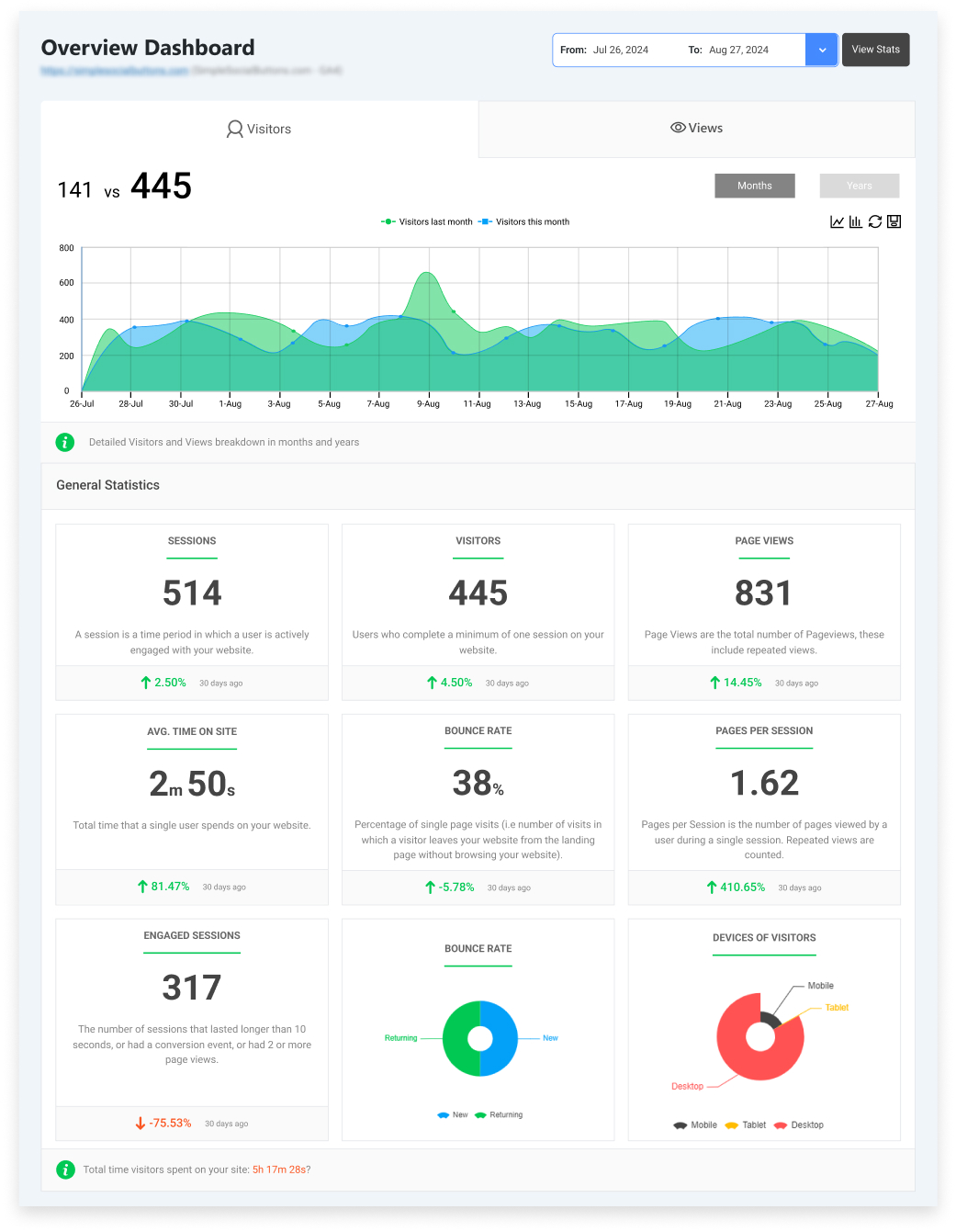
For retargeting without cookies, Analytify brings you:
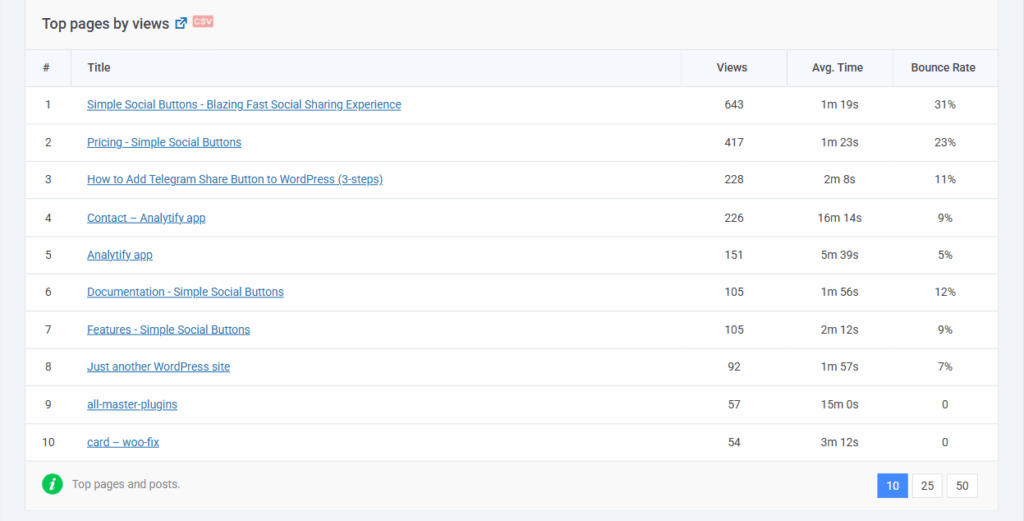
- Identify High-Value Pages: Quickly see your most-visited pages to inform your contextual retargeting strategy.
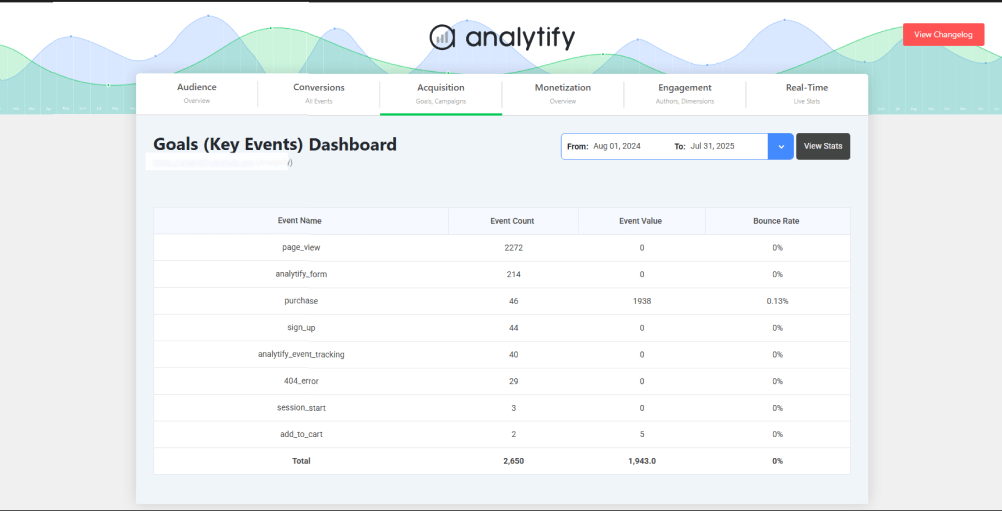
- Track Key Events: Monitor crucial user actions (clicks, form submissions, downloads) without needing complex code, providing the clean first-party data needed for audience building.
- Understand Audience Behavior: Get dynamic, real-time reports on user demographics and interests directly in WordPress, helping you create more accurate predictive audiences.
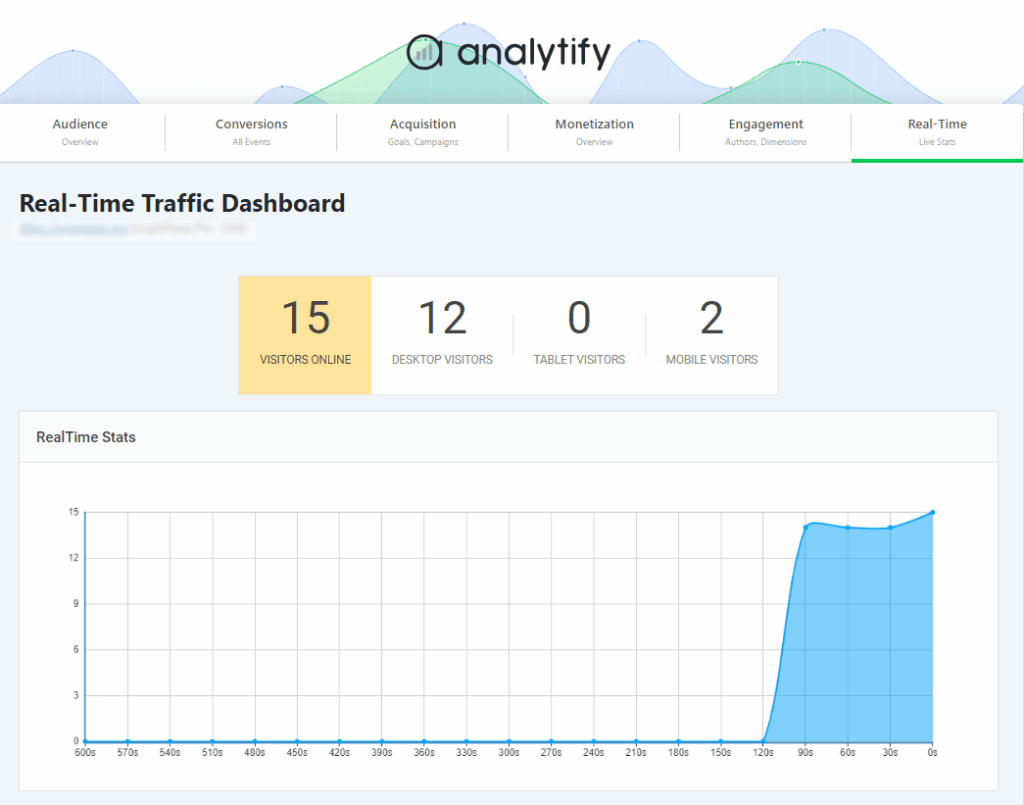
Instead of navigating the complex GA4 interface, Analytify surfaces the data you need to build effective retargeting audiences in minutes.
FAQs on Retargeting Without Cookies
1. What is cookieless retargeting?
Cookieless retargeting is the practice of re-engaging past website visitors using privacy-compliant methods like first-party data, contextual targeting, and predictive modeling, instead of third-party cookies.
2. How does retargeting work without third-party cookies?
Retargeting works without third-party cookies by leveraging consented first-party data (e.g., user logins, email lists), contextual page content, and platform-level AI (like Google’s Privacy Sandbox) to identify and reach relevant audiences.
3. Can you still retarget in Google Ads?
Yes, you can still retarget in Google Ads. The primary method is using first-party data audiences from GA4, YouTube, and your CRM, combined with Google’s AI-powered predictive targeting.
4. What is the best alternative to cookie-based retargeting?
The best alternative is a combined approach: using GA4 event-based audiences for website retargeting and contextual advertising for prospecting, all built upon a foundation of substantial first-party data collection.
Final Thoughts: The Future of Retargeting without Cookies
The shift to retargeting without cookies gives marketers a reason to adopt strategies that respect user privacy and rely on data users have agreed to share.
The brands that will win are those that build direct relationships with their audience and collect first-party data with clear value exchanges. They will implement modern tools like GA4 and Analytify to make data-driven decisions.
Start building your first-party data strategy today. Audit your website’s data collection, set up key events in GA4, and explore the concept of contextual advertising. That’s all for this article.
For more related posts, check out:
- Google Ads Remarketing and Retargeting
- What is Remarketing with Google Analytics?
- How to Make Your WordPress Website GDPR-Compliant
Ready to future-proof your ads? Launch your cookieless retargeting strategy today and share your results in the comments!