Download

Analytify Blog

Latest Google Analytics Guides, Lists, and Resources All in One Place

Blog
Google Analytics Keyword Report

Google Analytics Keyword Report: A Complete Guide on Tracking Keywords in GA4

The Google Analytics keyword report shows which search keywords bring visitors to your site. It also shows how those visitors engage once they arrive.

Use it to find keywords worth more content, and keywords that attract visits but no engagement.

Google Analytics shows how various keywords perform. It tells you what visitors search for and how those searches turn into engagement on your site. The keyword report in Google Analytics provide valuable insights that can significantly impact your content strategy and website optimization.

In this comprehensive guide, we’ll discuss the Google Analytics Keyword Report in detail. This guide covers the basics of keywords in Google Analytics. It then shows you how to master keyword tracking in Google Analytics 4 (GA4).

You may be a seasoned SEO expert or a beginner in digital marketing. Knowing how to track keywords in Google Analytics gives you a competitive edge.

We’ll also highlight how Analytify can make keyword tracking even more insightful. 

So, let’s get started!

Continue reading “Google Analytics Keyword Report: A Complete Guide on Tracking Keywords in GA4” →

Setup Google Tag Manager

How to Install Google Tag Manager? A Comprehensive 2026 Setup Guide

To set up Google Tag Manager (GTM), create a GTM account, add a web container, paste the container code into your site, and verify it. The steps below take you from sign-up to a working install. This guide is for bloggers, store owners and marketing teams who want to use Google Tag Manager to manage tracking without developer help.

Google Tag Manager holds all your tracking codes in one place, from Google Analytics to Facebook Pixel, so you do not edit the site code for each one. You can then track visitor behavior and campaign results from a single dashboard.

A slow site can hurt your tracking accuracy too, so it’s worth checking How Quickly Should A Website Page Load – Analytify once your tags are set up.

Continue reading “How to Install Google Tag Manager? A Comprehensive 2026 Setup Guide” →
GA4 Content Grouping

How to Master GA4 Content Grouping for Deeper Insights and Smarter Reporting?

Have you ever felt overwhelmed by analyzing individual page reports in Google Analytics 4 (GA4)? If so, you’re not alone.

For a complete walkthrough, see our guide: How to Set Up Google Analytics 4 and Connect it to Your WordPress Site?.

GA4 Content Groups empower you to categorize your website content (pages, blog posts, etc.) into meaningful groups based on specific criteria. It allows you to gain deeper insights into user behavior across different content types, ultimately enabling you to optimize your content strategy, improve user engagement, and drive business growth.

In this article, we’ll define GA4 Content Grouping and its various benefits and also provide a step-by-step guide on creating and using content groups in Google Analytics.

Continue reading “How to Master GA4 Content Grouping for Deeper Insights and Smarter Reporting?” →
How to use Google Analytics email reports

How to Use Google Analytics Email Reports for Automated Performance Tracking?

Ever wondered how to get Google Analytics scheduled email reports?

For a complete walkthrough, see our guide: How to Set Up Google Analytics 4 and Connect it to Your WordPress Site?.

Google Analytics email reports offer a powerful solution. This feature allows users to automatically send customized report summaries directly to their email, ensuring that key insights and data are readily available without manually accessing the analytics dashboard.

It not only streamlines your workflow but also ensures that you’re always informed about your website’s performance, making data-driven decisions easier. Whether you’re a seasoned marketer or new to the digital realm, understanding and utilizing Google Analytics 4 email reports and their automated scheduling feature is a step towards more strategic, data-informed decision-making. This article will guide you in all the steps to set up Google Analytics scheduled email reports.

Continue reading “How to Use Google Analytics Email Reports for Automated Performance Tracking?” →
Fix if Google Analytics not working

Google Analytics Not Working: How to Troubleshoot and Fix GA4 Tracking Issues

When Google Analytics 4 is not working, the cause is usually a missing, misconfigured, or blocked tracking tag. Confirm the tag loads on every page. Check that the Measurement ID matches your data stream. Then look for hits in the Realtime report.

This can be a frustrating experience, especially when you rely on data to make important decisions. Google Analytics 4 (GA4) is an important tool for site owners. It shows how users interact with a site and how well it performs. But GA4 might not always work as expected, leaving you without access to important info. This article explains why your Google Analytics is not working. It also gives practical fixes to get your analytics back on track.

Continue reading “Google Analytics Not Working: How to Troubleshoot and Fix GA4 Tracking Issues” →
how to fix if GA4 realtime report not working

How to Fix Google Analytics Real Time Not Working? (8 Causes and Fixes)

The most common reason Google Analytics Real Time isn’t working is an incorrectly installed GA4 tracking code. Filters that exclude your own traffic come next, followed by browser ad blockers. Check Web Stream Details first, in GA4 under Admin, Data Streams. If your tag isn’t listed there, that’s your problem.

If the tag looks fine, the cause is usually one of seven others. They are account permissions, active filters, Enhanced Measurement turned off, unconfirmed conversion events, a browser issue, ad blockers, or no active visitors at that moment.

Below are all 8 causes with their exact fix, ranked from most to least common.

Continue reading “How to Fix Google Analytics Real Time Not Working? (8 Causes and Fixes)” →
Not set in Google Analytics 4

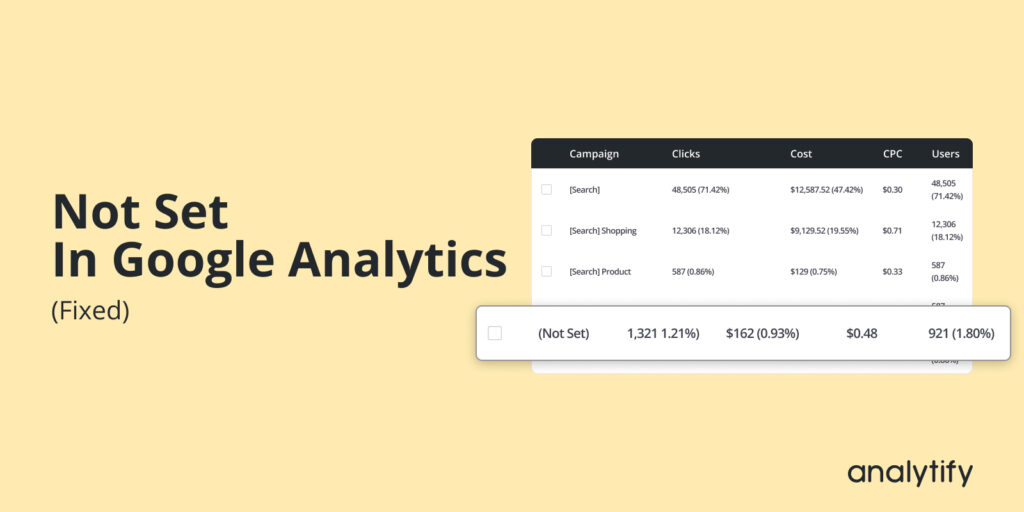
Not Set Google Analytics? 9 Causes and How to Fix Each One

“Not set” means GA4 couldn’t attribute data to a dimension. Maybe a source, page title, or country. It’s a missing tracking element, not a broken report. The top cause: an incomplete tracking code. Missing UTM parameters come second.

Below are the 9 causes of GA4’s “not set” value. Each has an exact fix. Check the table first to find your case. Then jump to the matching section.

Continue reading “Not Set Google Analytics? 9 Causes and How to Fix Each One” →
Traffic acquisition report GA4

Traffic Acquisition Report GA4: A Complete Guide to Analyzing User Sources

The GA4 Traffic Acquisition report shows where your website visitors come from, grouped by channels such as organic search, social, referral, direct, and email. It covers both new and returning users. 

In GA4, open the Traffic Acquisition report from Reports, then Acquisition, then Traffic acquisition. This guide explains the Traffic Acquisition report, how it differs from the User Acquisition report, and why it matters for your SEO and analytics strategy.

Continue reading “Traffic Acquisition Report GA4: A Complete Guide to Analyzing User Sources” →
Google Analytics Location data accuracy

Google Analytics Location Data Accuracy: How It Works and Its Limitations

Google Analytics location data is reliable at the country level and less precise at the city level. GA4 estimates a visitor’s location from their IP address. VPNs, mobile networks, and shared connections can shift the result.

You may be a business owner analyzing your audience or a marketer planning your next campaign. Either way, accurate location data matters. Google Analytics is a web analytics tool. It gives useful information about user behavior and overall traffic on your website. It has a helpful feature to provide you with the location of your website visitors. However, there has been some talk about Google Analytics location data accuracy.

This guide explains how GA4 determines location and which factors affect its accuracy.

Continue reading “Google Analytics Location Data Accuracy: How It Works and Its Limitations” →
Google Analytics 4 attribution model

Understanding Latest GA4 Attribution Models (An Ultimate Guide)

Do you want to know all about GA4 Attribution? If yes, you’re at the right place.

For a complete walkthrough, see our guide: How to Set Up Google Analytics 4 and Connect it to Your WordPress Site?.

Google Analytics 4 (GA4) is an advanced analytics platform that provides insights into customer behavior and your advertising campaigns. GA4 has interesting attribution features, particularly useful for determining which channels and touchpoints within a marketing strategy are most responsible for generating conversions. 

Understanding the Google Analytics 4 attribution models is more than just a technical necessity; it’s a strategic advantage that can propel your business forward in a data-centric world. So, let’s dive into the world of GA4 and unravel the mysteries of attribution.

Continue reading “Understanding Latest GA4 Attribution Models (An Ultimate Guide)” →
1 … 34 35 36 … 45