Browse our collection of in-depth tutorials on Google Analytics, WordPress plugins, and SEO. Learn how to enhance your website’s performance with easy-to-follow, expert guides.
WordPress Analytify is one of the most unique WordPress plugins ever. It makes a user’s life simple and saves a handsome amount of time by showing all their website stats on the WordPress Dashboard. Not only does WordPress Analytify have a WooCommerce addon that provides excessive data on each product, including the number of clicks on a product and how many time-specific products are added to the cart. Here we will discuss How To Add Your Domain On Google Analytics
But to start WordPress Analytify, the most important thing is to add your site first to Google Analytics. This process will be done in just 2 3 minutes.
To link Google Ads to Google Analytics, go to Admin > Product links > Google Ads links in GA4, click Link, choose your Google Ads account, and submit the link. You need the Editor or Administrator role on the GA4 property and administrative access to the Google Ads account.
If you run ads and use Google Analytics to track website traffic and user behavior, linking the two platforms lets you connect ad clicks to on-site behavior in one place.
Bounce rate is a key metric for analyzing the performance of a page. It helps in understanding if the users are satisfied with your content and or if they had likely to go back to the Google SERPs.
All website owners and Marketing experts should keep an eye on their site’s bounce rate. With an Analytics tool, you can adjust the bounce rate. But there are instances when a user bounces back after a few seconds. This generally does not mean the user is not completely satisfied with your content.
GA4 organic keywords are what people typed into Google before landing on your site. GA4 hides most of them behind (not set) or (not provided) labels. That’s search encryption and privacy rules, not a tracking failure on your end.
You can still recover this data three ways. Link GA4 to Google Search Console. Track on-site search terms with the search_term event. Or view both directly inside the Analytify WordPress dashboard.
This guide covers all three methods. Plus free keyword research tools to fill the gaps GA4 leaves behind.
Hi! Are you going to creating an application that requires Google data for it? For this purpose, you need Google APIs. Google Developers Console is a site that is used by the developers for managing and viewing traffic data, authentication, and billing information for Google APIs. To access the Google APIs our project must be registered on Google Developers Console with your Gmail.
When we creating a project on the Google Dev console, Google keeps track of which applications are making requests to their APIs and make sure that the API is not being extremely spammed by one application.
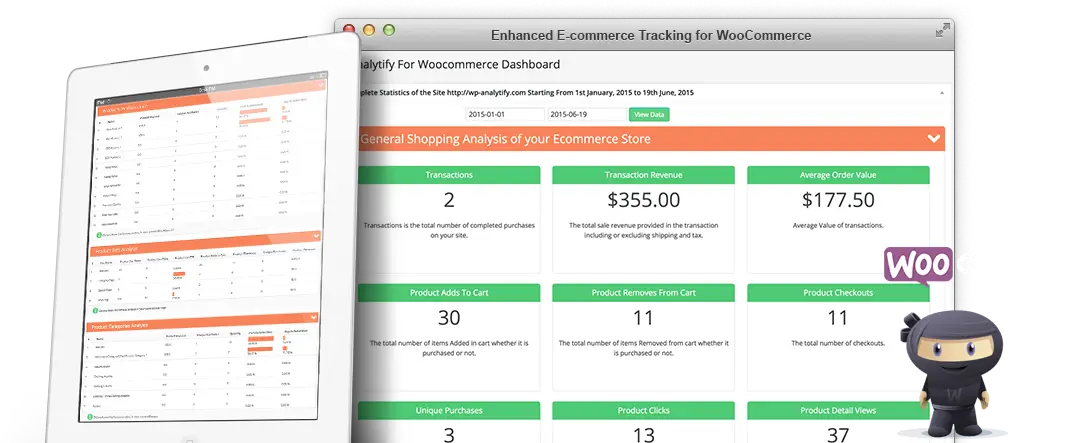
WooCommerce Add-on for Analytify or Analytify for eCommerce to bring Google Analytics eCommerce data for the WooCommerce shop is finally here. And all credit goes to you, the Enthusiastic WordPress Community, and user of Analytify!


 Halloween Sale: Know which campaigns drive sales this season.