7 Best Google Analytics Reporting Tools

Analytify is the best Google Analytics reporting tool for most WordPress sites, because it shows GA4 reports inside the WordPress dashboard. This guide compares 7 tools by price, features and fit.
This guide is for small business owners, marketers, and anyone who needs to understand your website’s performance without digging through the native GA4 interface.
Each tool below turns Google Analytics data into reports you can read and share.
Choose a Google Analytics reporting tool by matching it to your budget, your site type and how much customization you need. The pricing table below shows what each tool costs at a glance.
This guide ranks the 7 best Google Analytics reporting tools and compares their pricing side by side.
Each tool below covers setup, core features, and pricing, so you can pick the right fit in minutes.
Table of Contents:
Best Google Analytics Reporting Tools (Pricing Comparison Table)
Prices range from free (GA Google Analytics and Site Kit by Google) to €699 a month (Whatagraph). This table compares all 7 tools.
The most expensive tool is rarely the best fit. Choose the tool that suits your needs and gives the most value for your budget.
| Tool | Free Option Available | Starting Price of Paid Plans |
|---|---|---|
| Analytify | Yes | $99/year |
| ExactMetrics | Yes | $99.50/year |
| Whatagraph | No | From €699/month |
| DashThis | No | $44/month |
| GA Google Analytics | Yes | Free |
| MonsterInsights | Yes | $99.50/year |
| Site Kit by Google | Yes | Free |
Why Use Google Analytics Reporting Tools?
Google Analytics reporting tools turn raw GA data into clear, actionable reports without the steep learning curve of the native interface. Google Analytics itself isn’t the easiest tool for everyone to navigate.
But why should you consider using a Google Analytics reporting tool over just sticking with the Google Analytics interface? Here are a few compelling reasons:
- Simplified Data Visualization: These tools come with dashboards that turn complex data into a clear, at-a-glance view.
- Custom Reports: Most reporting tools let you build and adjust reports in a few clicks, saving time over manual exports.
- Automated Reporting: Many of these tools deliver your weekly or monthly analytics report straight to your inbox.
- Integrated Insights: Some tools allow you to integrate data from other platforms, not just GA, providing a more holistic view of your online presence.
- Actionable Insights: Beyond presenting data, the best Google Analytics Reporting Tools often include insights and recommendations, helping you make informed decisions quickly.
What to Look For in a Google Analytics Reporting Tool
The right Google Analytics reporting tool matches your budget, your technical comfort level, and the specific metrics your business tracks. Here’s what to look for:
- Ease of Use: The tool should simplify, not complicate, your analytics experience. Look for a clean interface and straightforward reporting.
- Customization Options: Your business is unique, and your reports should be too. A great tool allows you to customize dashboards and reports to match your specific needs.
- Integration Capabilities: If you’re using other marketing or sales tools, finding a reporting tool that integrates with these platforms gives you a fuller picture of performance.
- Scalability: As your business grows, your reporting tool should be able to keep up. Consider whether the tool can handle increased data volume and complexity over time.
- Support and Resources: Good customer support and abundant learning resources can significantly enhance your experience with the tool.
- Cost-Effectiveness: Finally, weigh the features and benefits against the cost. Even some free Google Analytics reporting tools can sometimes offer great value but paid plans have more advanced features.
Best Google Analytics Reporting Tools
Analytify ranks first among these 7 Google Analytics reporting tools, based on features, usability and value. Here’s a closer look at each one:
1. Analytify – Making Google Analytics Simple
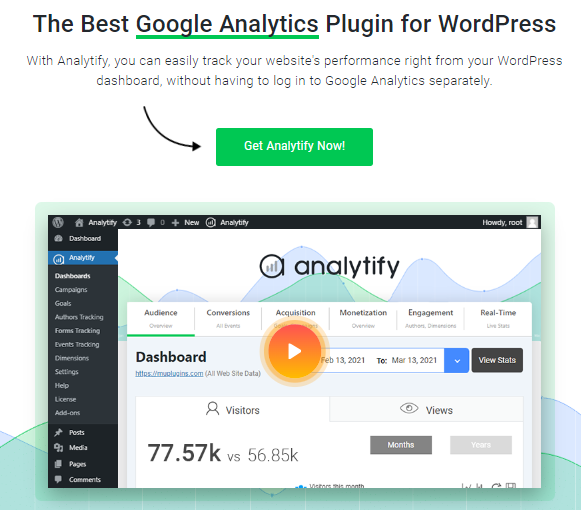
Analytify simplifies Google Analytics for WordPress users by showing GA4 metrics directly inside your WordPress dashboard. It connects to Google Analytics in a few clicks and presents your data in a clear, readable format, without the learning curve of the native GA4 interface.
Join 50,000+ beginners & professionals who use Analytify to simplify their Google Analytics!
Direct Integration with WordPress
- One-Click Setup: Analytify shines in its effortless integration with WordPress. The one-click setup process eliminates the typical complexities associated with configuring Google Analytics, making it accessible even to novices.
A Clear Analytics Dashboard
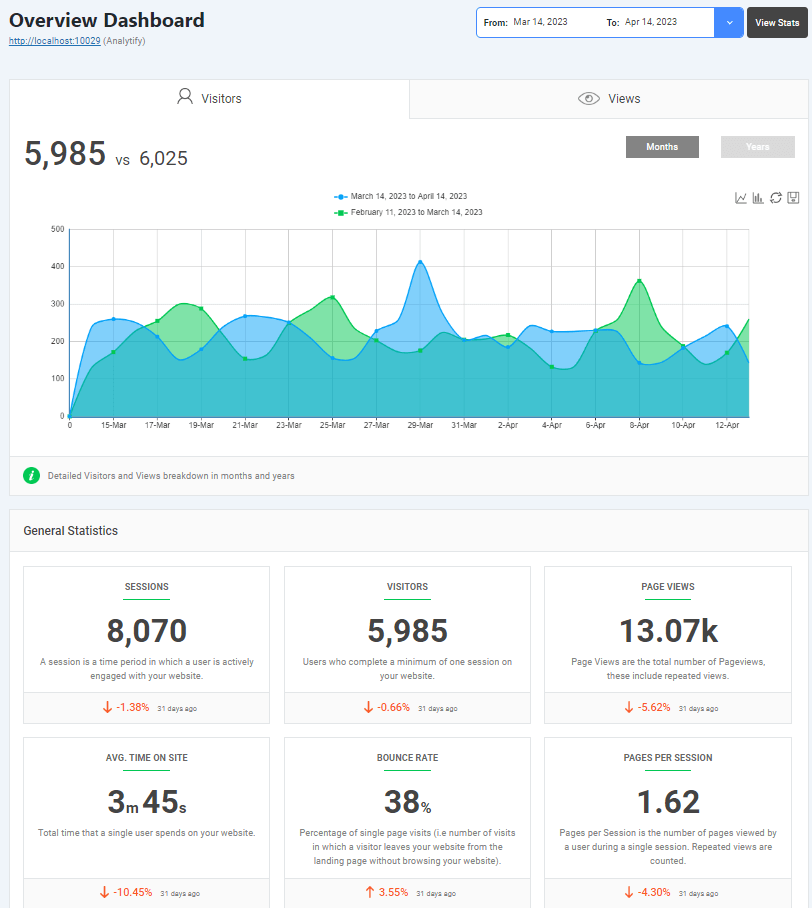
- Clear Dashboards: Analytify‘s customizable dashboard design presents analytics in a clear, easy-to-understand format, so you can grasp your website’s performance without deciphering complicated graphs or tables.
Enhanced Reporting Features
- Real-Time Stats: Analytify offers real-time analytics directly within your WordPress dashboard, providing up-to-the-minute data on visitor behavior, page views, and more.
- Automated Email Reports: For users seeking regular updates without the need to log in, Analytify‘s automated email reporting feature sends insights straight to your inbox, ensuring you’re always informed about your site’s performance.
- Post and Page Level Analytics: Unlike many other plugins, Analytify dives deep into post and page-level analytics, offering detailed insights on how individual pieces of content perform directly from the WordPress site editor.
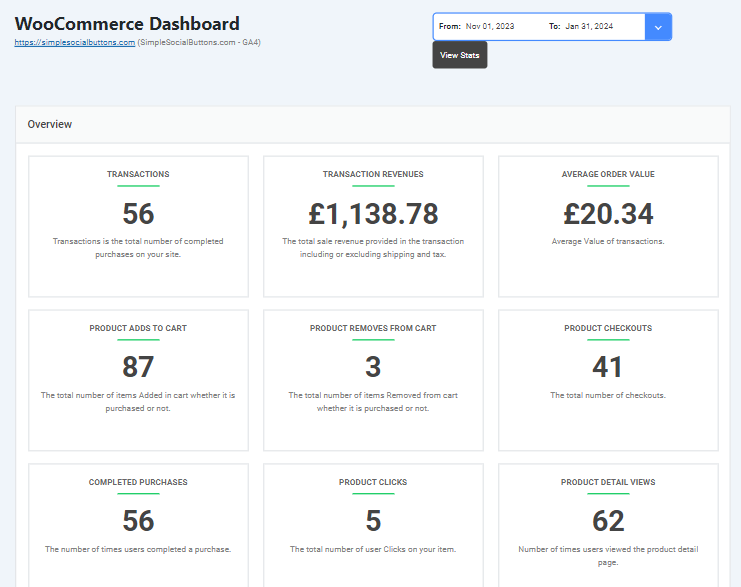
- E-commerce Tracking: For eCommerce sites using WooCommerce or Easy Digital Downloads, Analytify provides specialized tracking to monitor sales, conversions, and other vital e-commerce metrics, helping store owners make data-driven decisions.
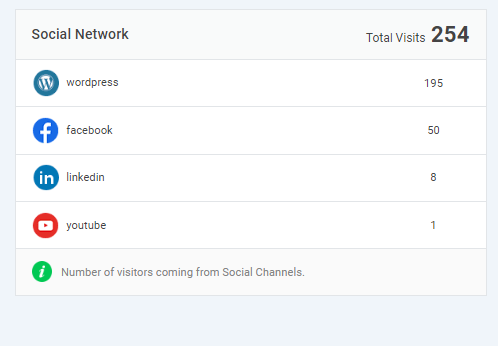
Social Media Integration
- Social Media Stats: Analytify includes detailed reporting on traffic from social platforms, so you can measure the effectiveness of your social media strategies.
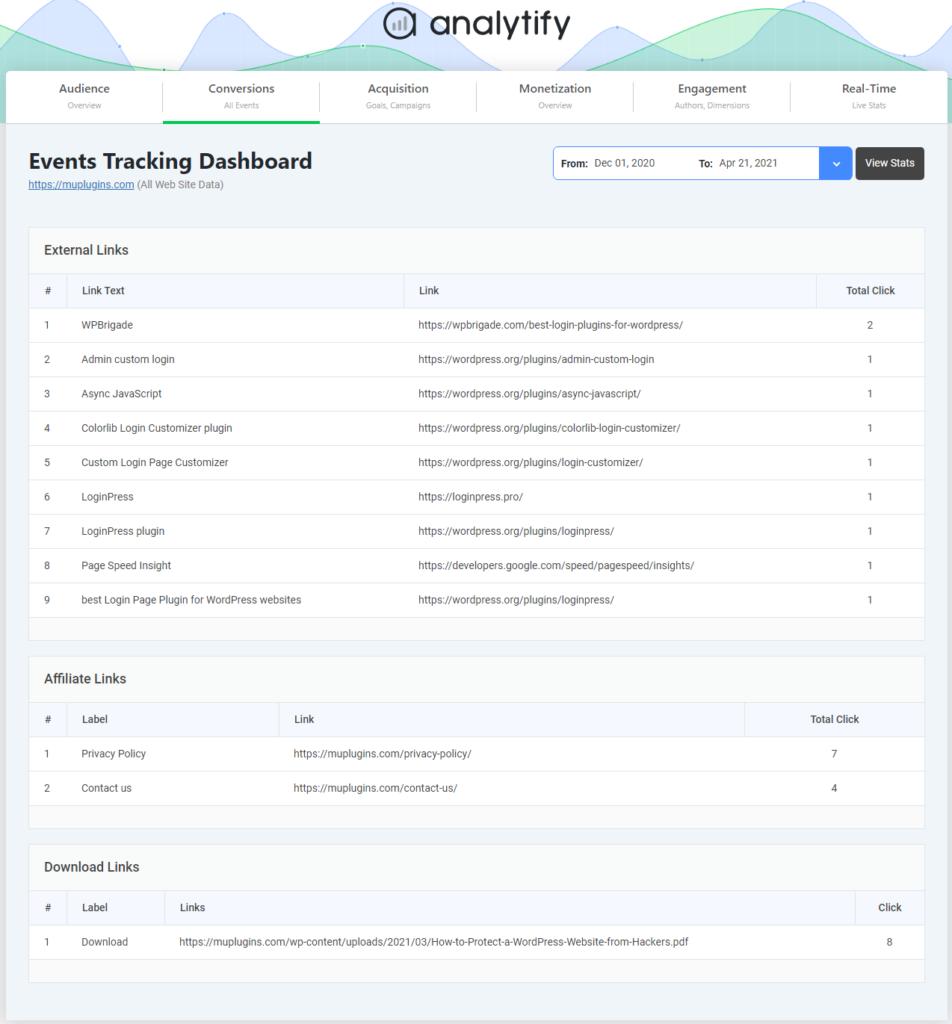
Advanced Events Tracking
Analytify takes events tracking to a new level by allowing users to monitor and analyze interactions on their website easily. Whether it’s file downloads, video plays, outbound links, or custom event categories, Analytify ensures that every key user action is tracked and reported within the WordPress dashboard.
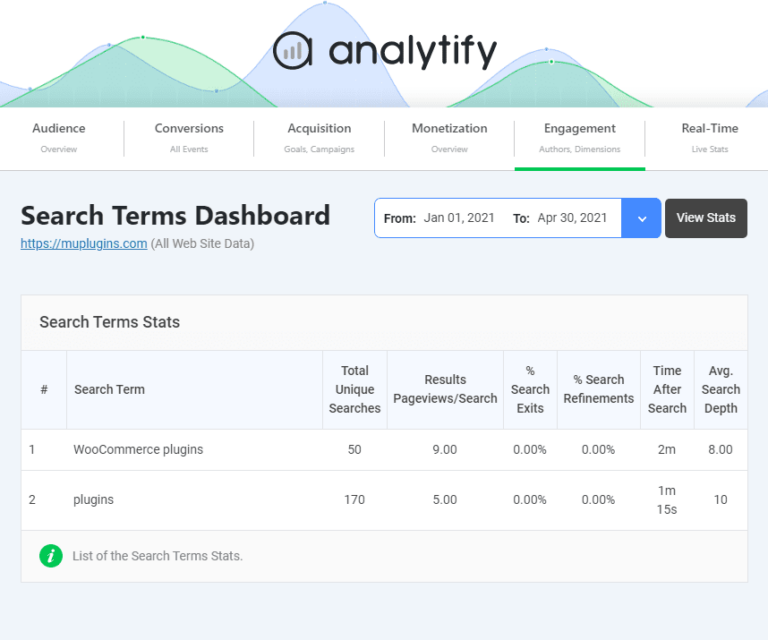
In-depth Search Terms Analysis
Analytify enhances your insight with its search terms analysis feature, providing detailed reports on the keywords and phrases people use to discover your site.
You can see which search terms drive traffic to your website, allowing you to identify successful keywords and uncover new content optimization opportunities and SEO strategy opportunities.
Customizability and Support
- Customizable Access: Analytify allows site owners to manage user roles and permissions, ensuring that team members have the appropriate level of access to analytics data.
- Dedicated Support: Analytify pairs the plugin with a dedicated support team ready to help with any queries or issues, for a smooth analytics experience.
Pricing and Plans
- Affordable for All: Analytify offers a free WordPress.org plugin, and premium plans start at $99/year for the StartUp plan (2 sites).
The StartUp plan includes several add-ons to enhance its functionality. For more sites, the Agency plan ($199/year, unlimited sites) and Developer plan ($499 lifetime, unlimited sites) add priority support.
Analytify suits WordPress site owners who want simple, readable Google Analytics reports. It works for blogs, business sites and e-commerce stores.
2. ExactMetrics
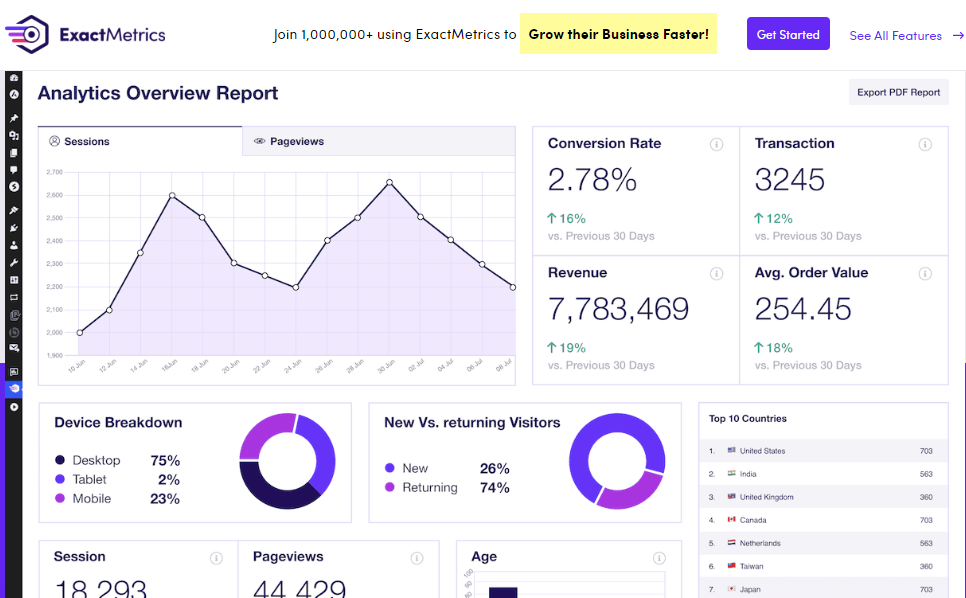
ExactMetrics offers detailed analytics features for marketers and businesses that want deeper insight into user behavior without losing simplicity.
Key Features:
- Advanced e-commerce tracking: Analyzes your online store’s performance by tracking sales, revenue, and product popularity.
- Google Analytics dashboard within WordPress: This lets you view key website statistics directly in your WordPress dashboard for convenient monitoring.
- Detailed page and post reports: Provides insights into how individual pages and blog posts are performing with traffic and engagement metrics.
- Affiliate link and ad tracking: Tracks clicks on your affiliate links and ads to measure their effectiveness in generating sales or leads.
- Pricing: A free Lite version is available on WordPress.org; paid plans start at $99.50/year.
3. Whatagraph
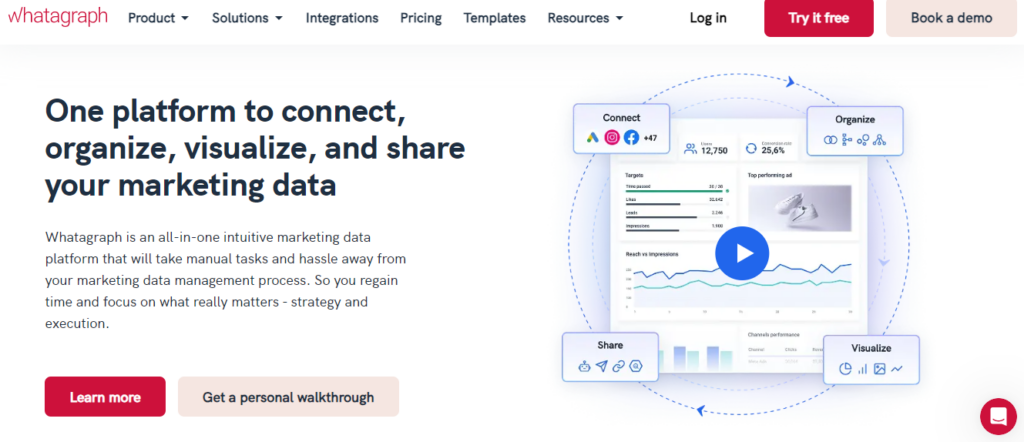
Whatagraph is a visual reporting tool that excels in creating beautiful, easy-to-understand reports. It’s ideal for agencies and marketing teams that need to present data in a visually appealing way to clients or stakeholders.
- Key Features:
- Customizable report templates.
- Multi-channel reporting (integrates with platforms beyond GA).
- Automated report delivery.
- White labeling options.
- Pricing: Plans start at €699/month for the Max tier; larger agencies need the custom-priced Prime tier.
4. GA Google Analytics
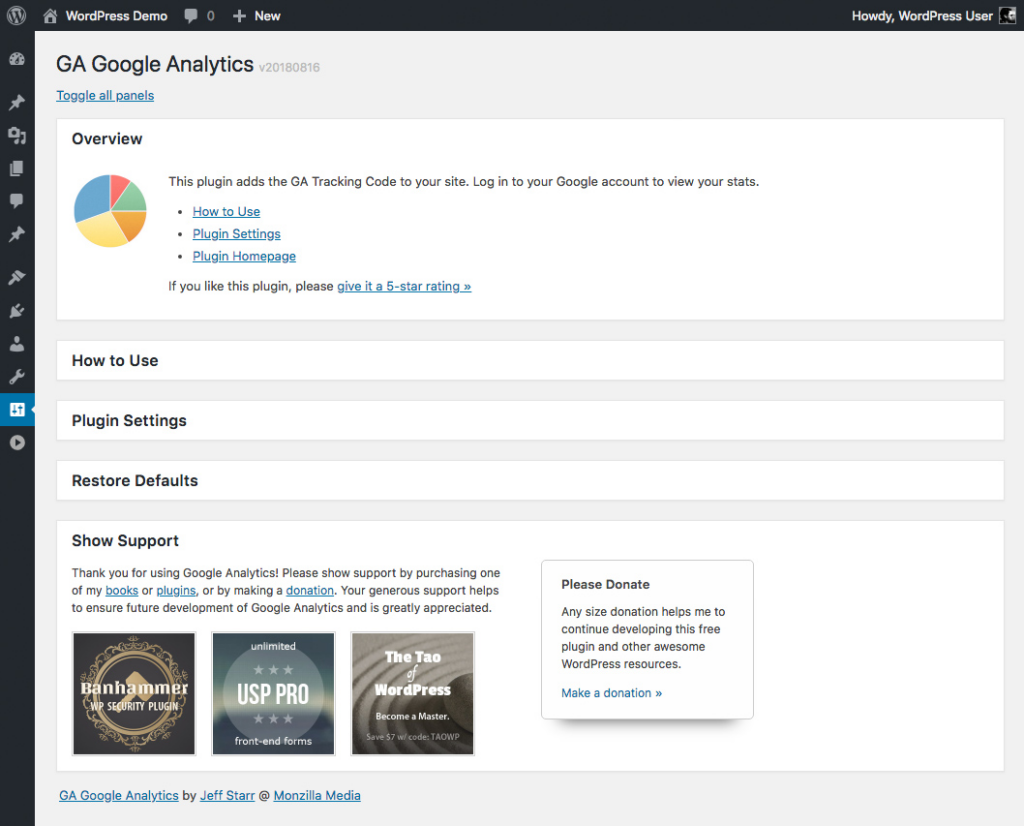
For those who prefer to stick closer to Google’s ecosystem but want a more streamlined experience, GA Google Analytics offers a lightweight plugin for WordPress. With minimal setup, it enables quick access to key GA stats directly from your dashboard.
- Key Features:
- Fast and lightweight implementation: Sets up Google Analytics tracking quickly on your website without slowing it down.
- Easy GA code integration: Simplifies the process of adding the Google Analytics tracking code to your website.
- Includes all the basic Google Analytics tracking features: Provides essential website traffic data like website visits, page views, and user demographics without complex setup.
- Pricing: Completely free.
5. DashThis
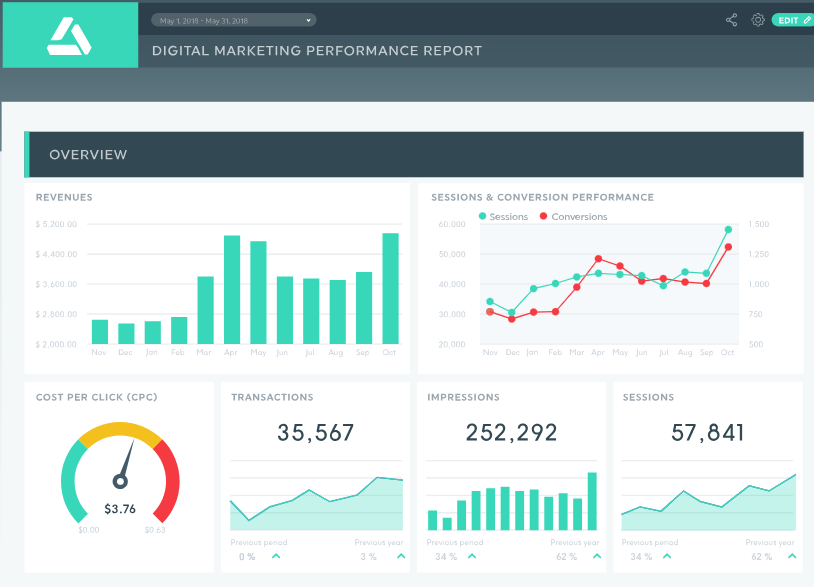
DashThis carves its niche among the best Google Analytics reporting tools with its combination of efficiency, customization, and integration capabilities. Built for digital marketers and agencies, DashThis turns reporting from a chore into a smooth, repeatable process.
Features:
- Simplified Reporting Process: DashThis centers on drag-and-drop report creation, so you spend less time figuring out how to present your data and more time gaining insights from it.
- Branding Options: With DashThis, your reports can fully reflect your or your client’s brand identity. From logos to color schemes, the customization options ensure that each report is informative and visually consistent with your branding.
- Multi-Platform Reports: Beyond just Google Analytics, DashThis offers integrations with over 34 digital marketing tools. This feature is a boon for professionals seeking a holistic view of their digital marketing efforts across platforms like Google Ads, Facebook Ads, LinkedIn Ads, and SEMrush.
- Automated Reporting: Set and forget your periodic reports with DashThis automated email dispatch feature. This ensures stakeholders are kept in the loop with the latest data insights without manual intervention every time a report is due.
- Easy Sharing and Collaboration: DashThis understands the importance of collaboration and offers easy-to-share dashboards and reports. Whether you’re sharing with a client or within your team, the platform supports view-only links and full-access accounts, facilitating hassle-free collaboration.
6. MonsterInsights
MonsterInsights is a feature-rich WordPress plugin that brings the power of Google Analytics right into your dashboard. It’s designed for those who need deep insights but also want a tool that’s easy to use and integrate.
Key Features:
- Real-time analytics dashboard: See website activity as it happens, right within your WordPress dashboard.
- Universal tracking across devices and campaigns: Track visitors across devices and understand how different marketing campaigns perform.
- E-commerce tracking and WooCommerce integration: Gain insights into your online store’s performance, including revenue, conversions, and popular products, with easy WooCommerce integration.
- Form tracking and affiliate link tracking: Measure the effectiveness of your website forms and affiliate links by tracking submissions and clicks.
- Pricing: Free version available; premium plans start at $99.50/year.
7. Site Kit by Google
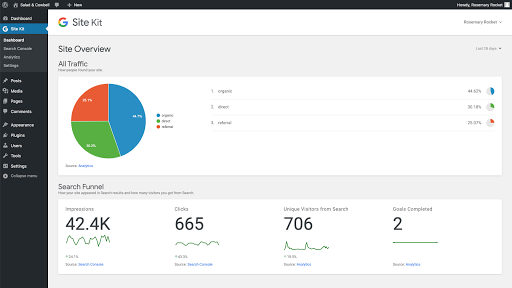
Google’s own Site Kit plugin for WordPress simplifies the integration of various Google services, including Analytics, AdSense, Search Console, and PageSpeed Insights. It’s a straightforward solution for those wanting to stick with Google products.
Key Features:
- Easy integration with WordPress: Connects your WordPress website directly with Google Analytics and other relevant tools, eliminating complex setup.
- Access to a unified dashboard for multiple Google tools: Provides a central location within your WordPress dashboard to view data from Search Console, Analytics, PageSpeed Insights, and more.
- Insights from across Google’s suite of products: Combines insights from various Google products to give you a fuller understanding of your website’s performance.
Pricing: Completely free.
Analytics Reporting Tools (Features Comparison Table)
Five of the 7 tools in this table connect directly to WordPress, and two work as external reporting platforms. The table compares core features side by side.
| Feature | Analytify | ExactMetrics | Whatagraph | DashThis | GA Google Analytics | MonsterInsights | Site Kit by Google |
|---|---|---|---|---|---|---|---|
| WordPress Integration | Yes | Yes | No | No | Yes | Yes | Yes |
| Automated Reporting | Yes | Yes | Yes | Yes | No | Yes | No |
| Customizable Dashboards | Limited | Yes | Yes | Yes | No | Yes | Yes |
| E-commerce Tracking | Yes | Yes | No | No | No | Yes | No |
| Multi-Platform Integration | Yes | No | Yes | Yes | No | No | No |
| Real-Time Stats | Yes | No | No | No | No | Yes | Yes |
| Pricing | $99/year | $99.50/year | From €699/month | $44/month | Free | $99.50/year | Free |
This table gives a quick overview. The best tool for you depends on your needs, your budget, and whether you value ease of use, detailed insights or integrations most.
Which is the Best Google Analytics Reporting Tool?
Analytify is the best Google Analytics reporting tool for most WordPress sites. Your pick depends on what you value most: simplicity and ease of use, detailed e-commerce insights, or visually appealing reports for clients.
- For WordPress Users: If you’re running a WordPress site and need a straightforward, integrated solution, Analytify offers great value with a clear, simple interface.
- For Agencies: Whatagraph and DashThis offer detailed report customization and automation features, ideal for presenting data to clients.
- On a Budget: If your budget is tight, GA Google Analytics and Site Kit by Google provide essential insights at no cost.
Google Analytics remains a cornerstone for website traffic analysis. Its full suite of features, including audience demographics, traffic sources, and conversion tracking, makes it a valuable tool for businesses of all sizes.
However, to get the most out of it, it’s essential to grasp the core platform. Check out this detailed comparison of Google Analytics to another popular analytics tool, Mixpanel.
Google Analytics Reporting Tools FAQs
Can I switch between Google Analytics reporting tools easily?
Yes, most Google Analytics reporting tools allow for easy transition. However, it’s important to export any custom reports or data you wish to keep before making the switch. Compatibility and ease of integration vary, so check the specifics for each tool.
Do all these tools require a Google Analytics account?
Yes, to utilize these Google Analytics reporting tools, you need an active Google Analytics account since they work by integrating with or enhancing the data collected by Google Analytics.
Are there any Google Analytics reporting tools that don’t require installation on my website?
Tools like Whatagraph and DashThis mainly function by connecting to your Google Analytics account without requiring direct installation on your website. They fetch data from GA to generate reports and dashboards.
How secure are these Google Analytics reporting tools?
Security is a top priority for these tools. They use secure methods to access your Google Analytics data, often through official APIs, and implement standard security measures to protect your information. However, always review their privacy policy and security practices for assurance.
Can I customize reports to include specific KPIs relevant to my business?
Absolutely. One of the main advantages of using these analytics reporting tools is their customization capabilities. You can often tailor reports to include specific KPIs that matter most to your business, whether it’s website traffic, conversion rates, or customer engagement metrics.
Are these tools suitable for tracking multiple websites?
Yes, many of these Google Analytics reporting tools support multi-website tracking, allowing you to manage and report on several websites under a single dashboard. This is particularly useful for agencies or businesses with multiple brands.
Do any of these Google Analytics tools offer predictive analytics or trend analysis?
Some of the more advanced Google Analytics reporting tools, like ExactMetrics and MonsterInsights, offer features that go beyond standard reporting, such as predictive analytics or trend analysis, helping you forecast future trends based on past data.
Are there free Google Analytics reporting tools that are good enough for small businesses?
Yes, both GA Google Analytics and Site Kit by Google offer solid analytics capabilities for free, which can be quite sufficient for small businesses and startups.
Why isn’t my Google Analytics data showing up in these reporting tools?
This usually means the tracking code isn’t installed correctly, or the reporting tool isn’t connected to the right GA4 property. Check that your GA4 measurement ID matches the one in your reporting tool’s settings, and confirm the tracking snippet is firing using GA4 DebugView. Analytify’s setup wizard flags a disconnected property automatically, which makes this easier to catch early.
Conclusion
The right Google Analytics reporting tool comes down to your budget, your technical comfort level, and how deep you need to go into the data. For most WordPress and WooCommerce sites, Analytify gives you the simplest path: GA4 metrics inside a single WordPress dashboard, without extra logins or complex setup.
If your site also needs a secure, branded login page, pair your analytics setup with LoginPress. See your GA4 reports inside the WordPress dashboard with Analytify.